ENGLISH
43
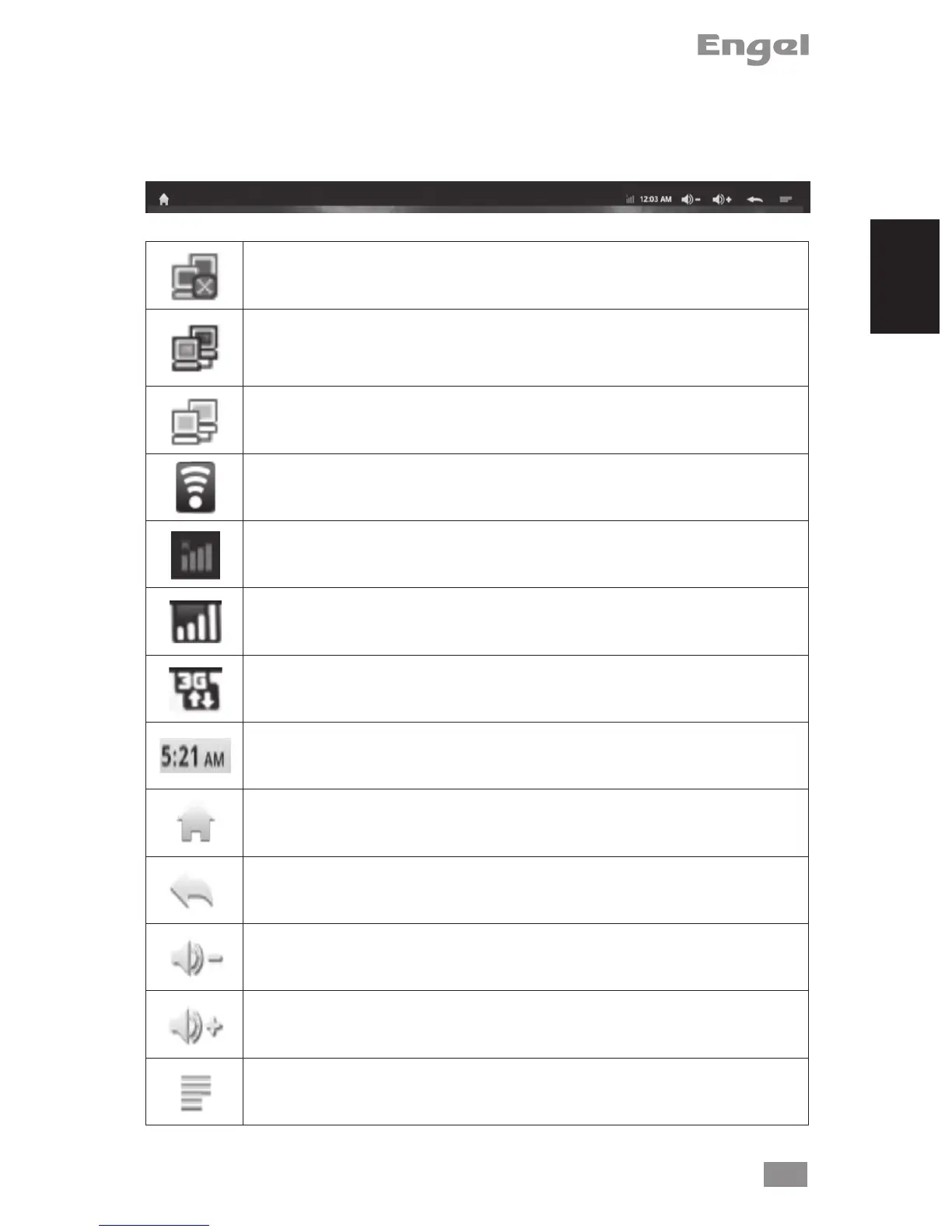
TOP NOTIFICATION BAR ICONS
Notication icons: drag the top bar downwards to reveal the notication messages (if any)
No network cable connected
Internet LAN is connected, but Ethernet option has not been selected
in setting
Ethernet connected successfully
Wireless network connected
No 3G dongle found
3G dongle connected, but don’t select Mobile network in setting
3G dongle and signal found
System Time: Display current system time
Home: Go back to main screen.
Back: Go back to the last screen.
System Volume -
System Volume +
System Menu/Properties


 To Next Page