ENGLISH
47
SETTINGS
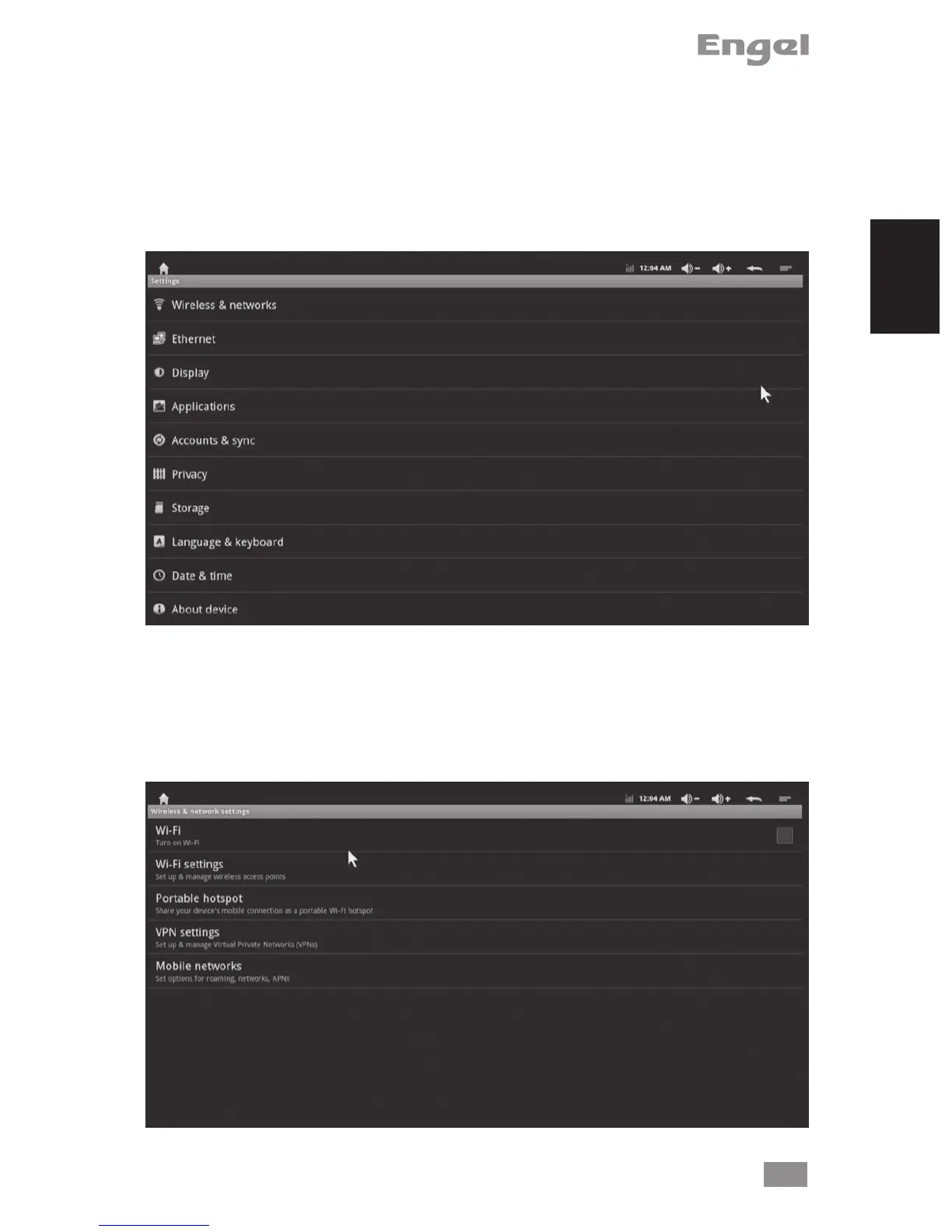
Settings provide individual preference setting functions.
You use the Settings application to congure how your device looks, sounds, commu-
nicates, protects your privacy, and operates in many other ways. Many applications
also have their own settings; for details, see the documentation for those applications.
1. Wireless & networks
Use Wireless & Network settings to congure and manage connections to networks
and devices via Wi-Fi and mobile networks. You also use Wireless & Network settings
to congure connections between your phone and virtual private networks (VPNs), to
connect your computer to the Internet using your box’s data connection.


 To Next Page