44
APPLICATIONS INSTALLATION
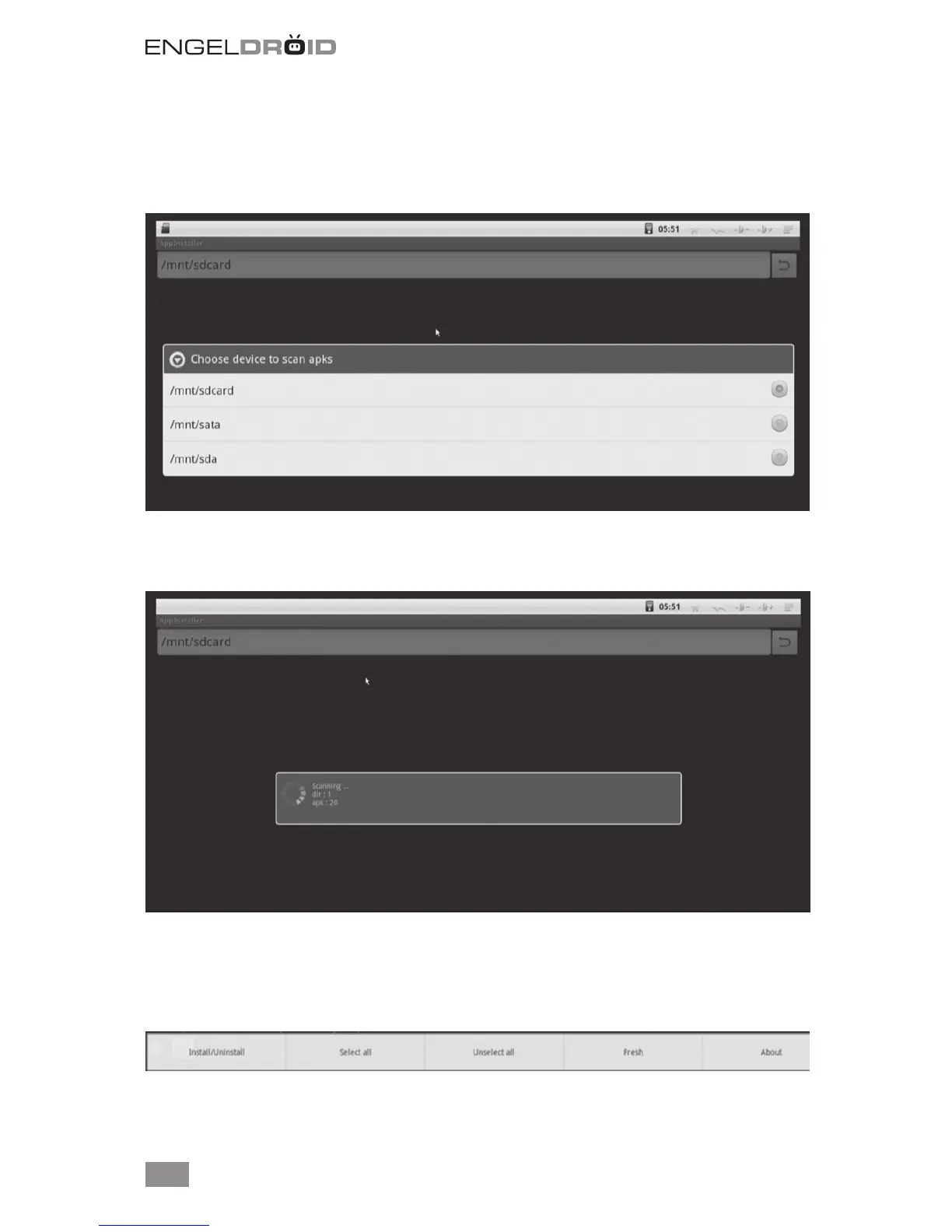
Click App Installer to install applications from SD card, SATA (Hard Driver Disk) or SDA
(USB disk).
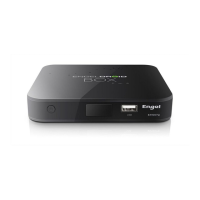
For example, choose “sdcard” to scan applications in SD card.
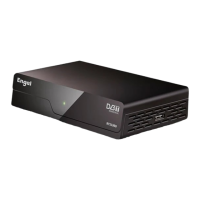
If you want to install all applications at one time, press menu button on the upper right
corner to choose select all / unselect all, then press menu button on the upper right
corner or press F1 button again to select Install/uninstall for installing.


 To Next Page