42
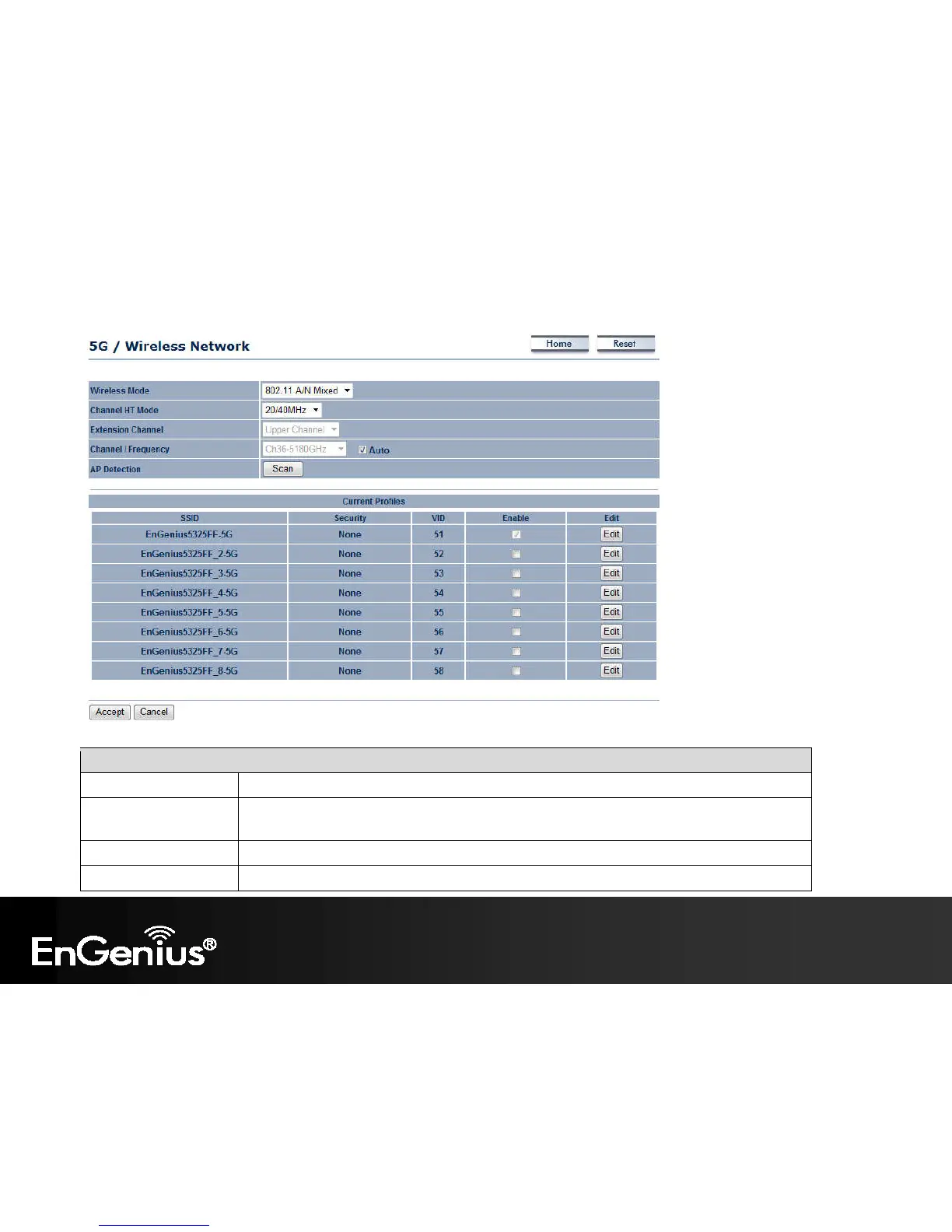
2.4G/5G Wireless Network (Access Point / WDS AP mode)
Wireless Mode Wireless mode supports 802.11b/g/n mixed mode in 2.4G and 802.11a/n mixed mode in 5G.
Channel HT Mode The default channel bandwidth is 20/40MHz. The larger the channel, the better the transmission
quality and speed.
Extension Channel Select upper or lower channel. Your selection may affect the Auto channel function.
Channel / Frequency Select the channel and frequency appropriate for your country’s regulation.















 To Next Page