86
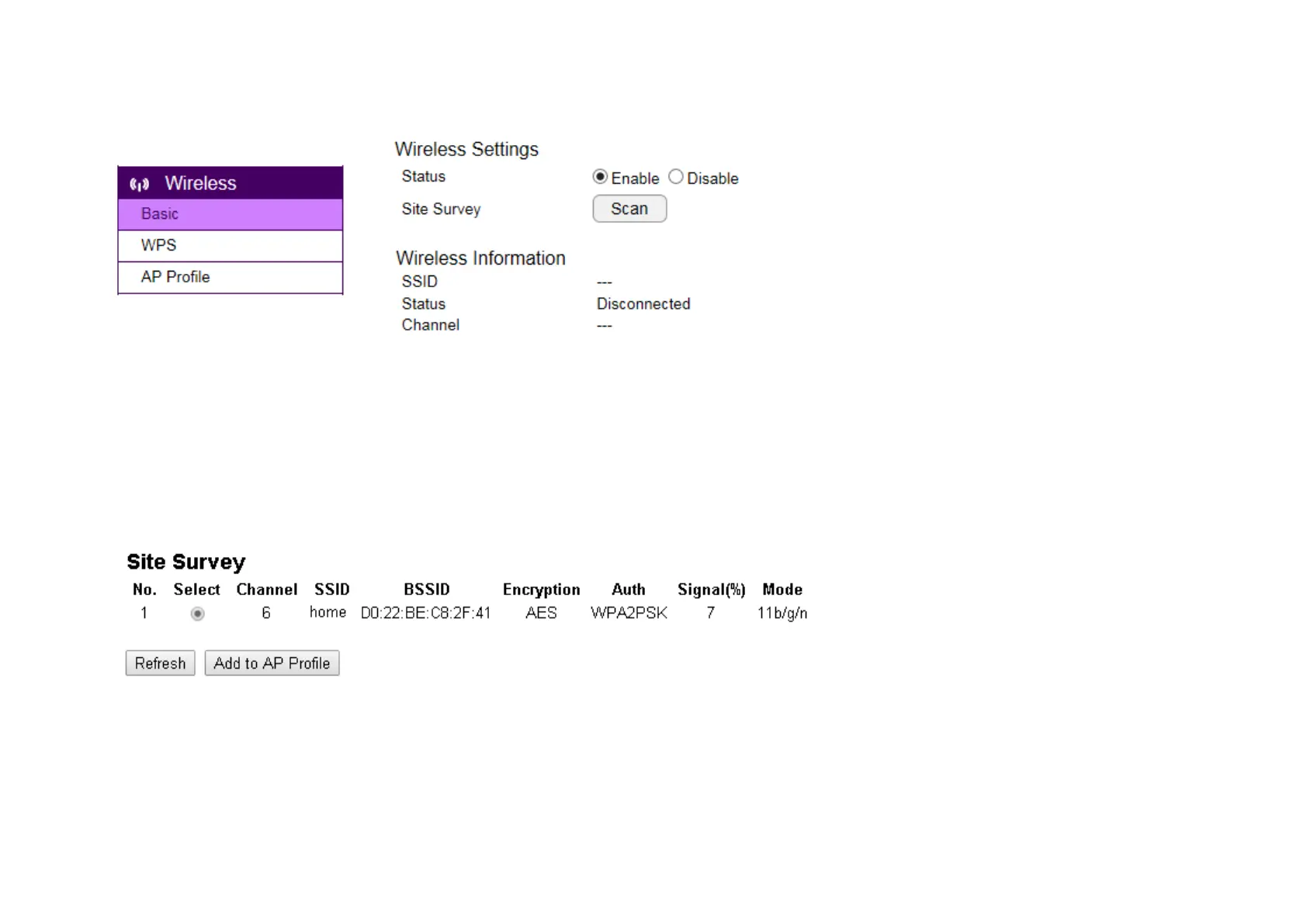
To setup a wireless connection, you must first enable wireless by choosing Enable option
Click on Scan button to search for existing wireless access points (AP).
When prompted with Site Survey window, click on Refresh button if you do not find your AP on the list.
On the site list, choose your preferred AP and then click Add to AP Profile.
Then, on the AP Profile Settings window, please check if the security settings are correct. Please review the settings: Encryption, WPA type, and


 To Next Page