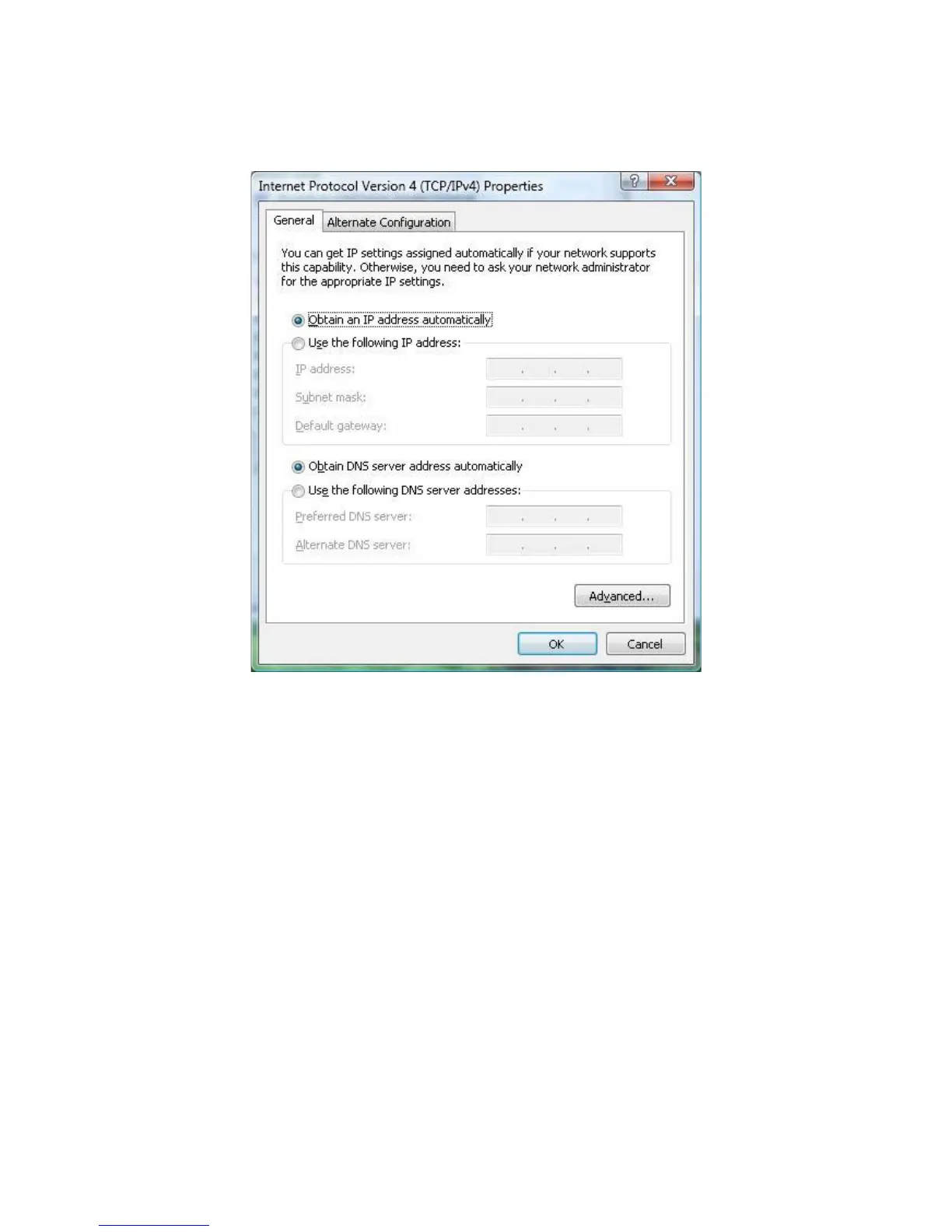
6. In the properties dialog box, click Use the following IP address: to configure your
computer for Static TCP/IP. Enter an IP address (i.e. 192.168.1.10), the subnet mask of the
ENH202, and the default gateway which is the ENH202’s IP address, 192.168.1.1. Note: the
subnet mask must match that of the ENH202 and the IP address must be on that subnet.
7. Click the OK button to save your changes and close the dialog box.
8. Click the OK button again to save your changes.
4.3 Configuring Microsoft Windows XP
Use the following procedure to configure a computer running Microsoft Windows XP with the
default Windows interface.




 To Next Page