BASIC NETWORK SETTINGS CONFIGURING IP SETTINGS
4-10
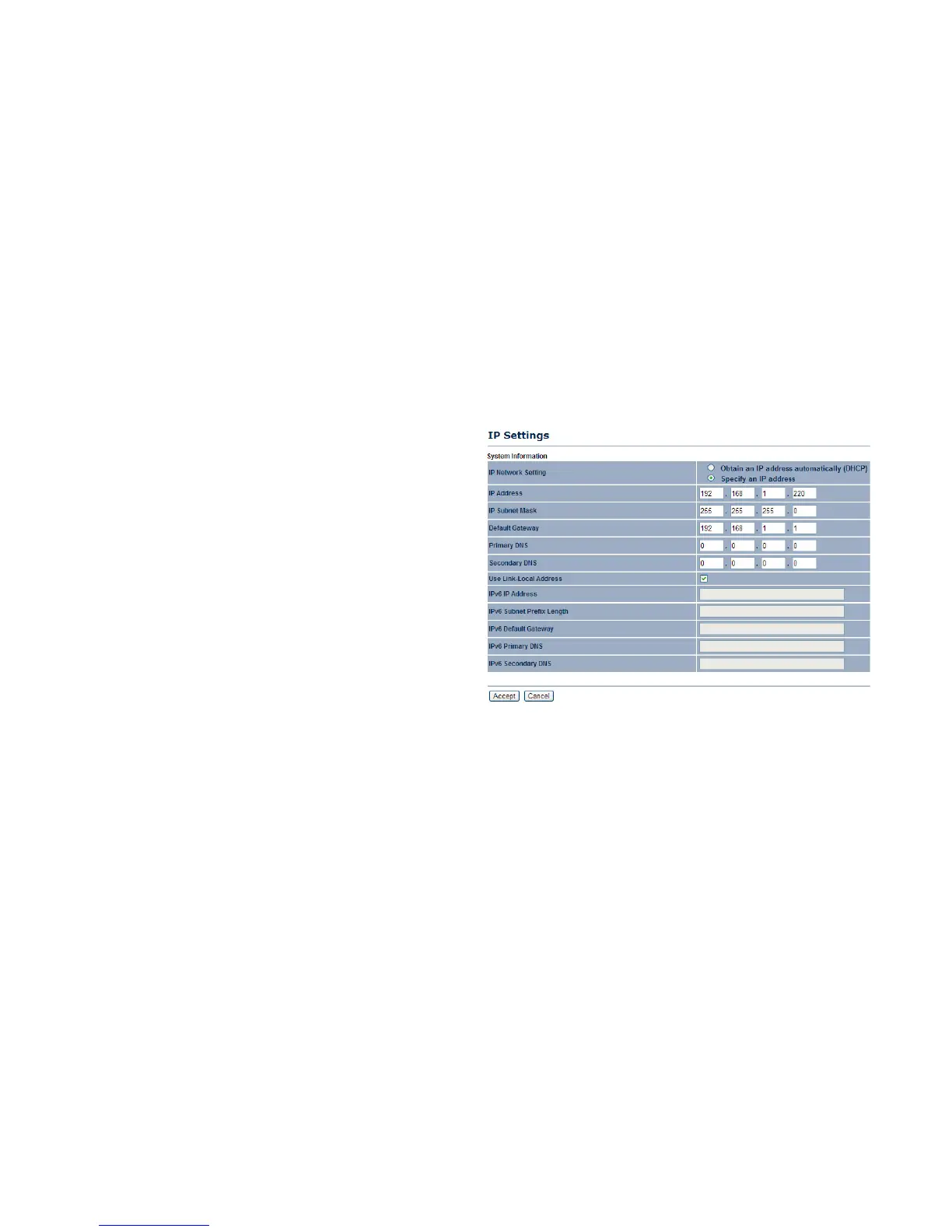
4.2.2 Configuring IP Settings
Configure the ENS202 LAN settings for the ENS202 using a static or dynamic IP address.
IP Network Setting Configure the network connection type using
either a static IP or dynamic IP.
IP Address Enter the LAN IP address of the ENS202.
Subnet Mask Enter the subnet mask of the ENS202.
Default Gateway Enter the default gateway of the ENS202.
Primary DNS Enter the primary DNS address of the ENS202.
Secondary DNS Enter the secondary DNS address of the
ENS202.
Use Link-Local Address Click to enable a link-local address for
the device.
IPv6 IP Address Enter the IPv6 LAN IP address of the ENS202.
IPv6 Subnet Prefix Length Enter the IPv6 subnet prefix length of
the ENS202.
IPv6 Default Gateway Enter the IPv6 default gateway of the
ENS202.
IPv6 Primary DNS Enter the IPv6 primary DNS of the ENS202.
IPv6 Secondary DNS Enter the IPv6 secondary DNS of the ENS202.
Click Apply to save the settings or Cancel to discard changes.













 To Next Page