English
2
The ERB300H/ERB150H Signal Strength LED lights up and the range extender connects to
the wireless network.
Â
Smart Wizard Configuration
For routers without WPS support, use Smart Wizard to complete the setup.
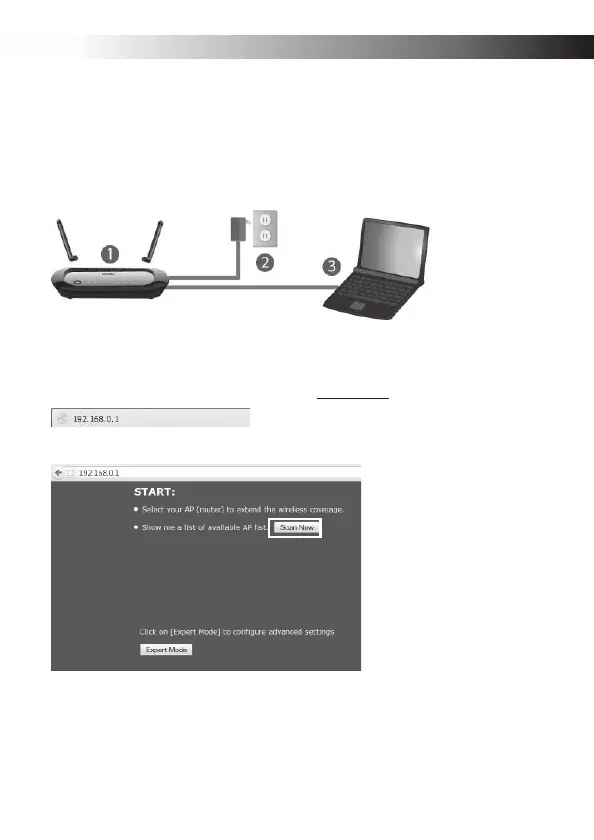
n Attach the ERB300H/ERB150H‘s Wi-Fi antenna and power on the device.
o Connect a computer to the ERB300H/ERB150H with an Ethernet cable.
p Open a web browser and enter the default IP, 192.168.0.1, in the address bar.
q Click Scan Now to find the target router.


 To Next Page