English
3
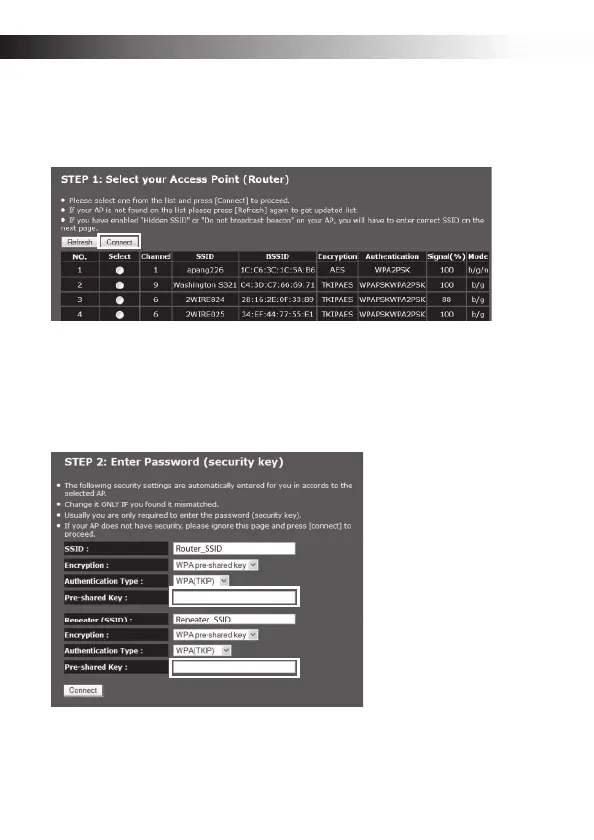
r Select the target router and click Connect.
Note: If the target router is not in the list, move the ERB300H/ERB150H closer to the router
and click the Refresh button.
s Select the target router’s Encryption and Authentication Type.
t Enter the Pre-shared Key and click Connect.
Note: The default SSID, encryption and authentication type of the ERB300H/ERB150H is
initially the same as that of the target router. The values can be changed by entering a new
value in Repeater (SSID) and selecting a new value in Encryption and Authentication
Type.
To complete the ERB300H/ERB150H installation, remove the Ethernet cable and place the
range extender back in the previously selected location.
The ERB300H/ERB150H immediately starts transmitting and receiving the wireless signal
and is now ready to connect to your wireless media devices.


 To Next Page