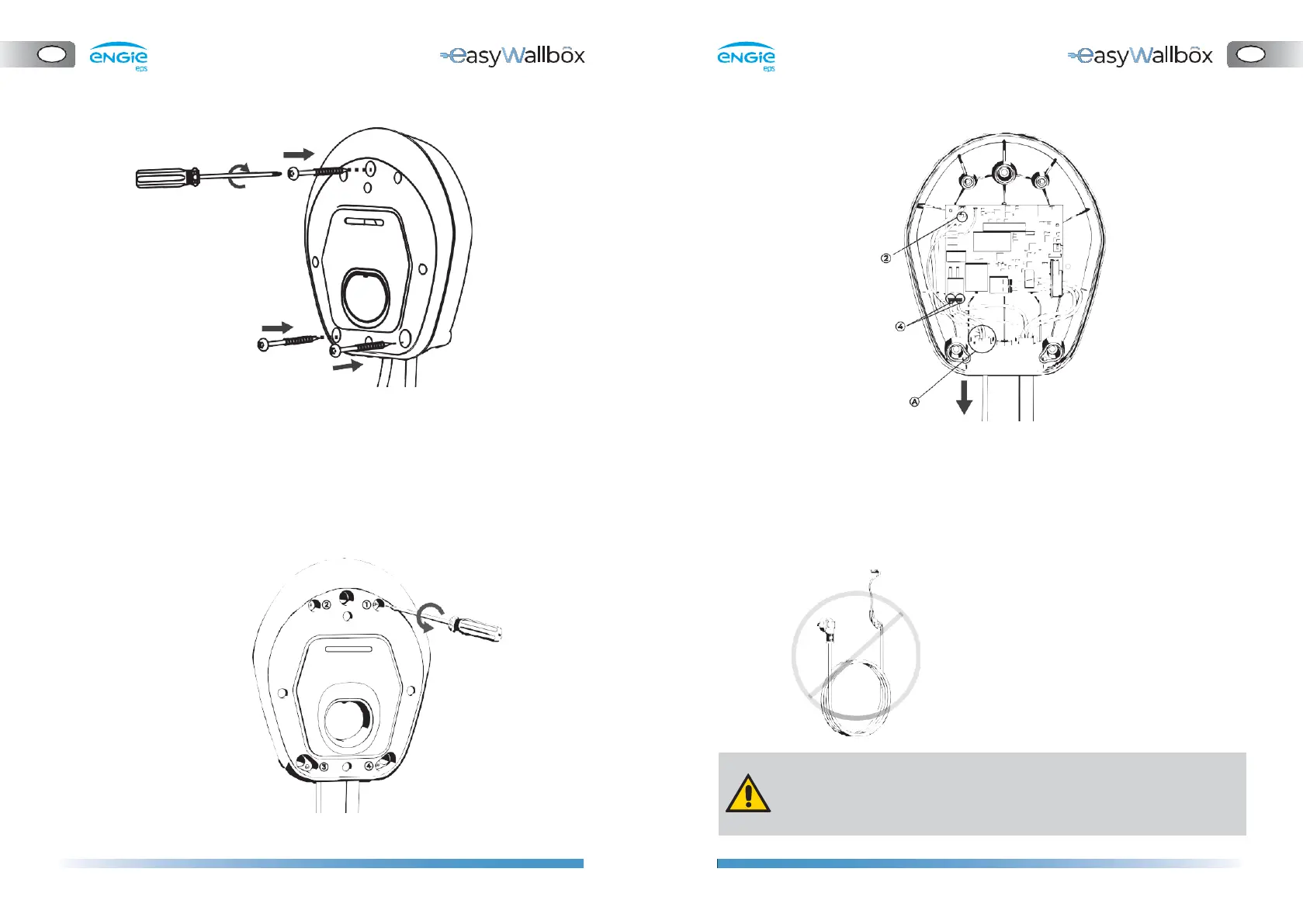
5. Place
easyWallbox
in correspondence with the holes and fix it to
the wall using the screws supplied.
4.6.
Mode 2 plug removal
If easyWallbox was already installed in Mode 2, remove the aesthetic
cover as indicated in step 4 before proceeding with the next steps.
1.
Remove the front panel of
easyWallbox
.
2.
Remove the power cable
⚫
Disconnect the wires connected to the tool-free J1 ‘push-lock’
terminals (4)
⚫
Disconnect the earthing wire connected to the J3 ‘Faston’
terminal (2)
⚫
Remove the power cable from the cable gland (A)
The power cable should be stored where it cannot cause danger
to anybody (e.g. risk of tripping) and where it cannot be damaged
while stored.


 To Next Page