Page 18
Omniguard™ 4 Owner’s Manual
Page 19
Engineering Solutions Inc
PRINTER
ON/OFF
PRINT
JOB
START
JOB
ALARM
SILENCE
SELECT
MENU
EXIT
SAVE
HELP
POWER
ON/OFF
DISPLAY
DIFFERENTIAL PRESSURE RECORDER
TM
ENGINEERING SOLUTIONS INC SEATTLE, WA USA
STATUS
INLETS
Omniguard 4
12:27:00 07-01-09
Alarm 1: -0.025 "WC
Alarm 2: -0.100 "WC
Normal Operation:12:27:10
PAPER
FEED
OMNIGUARD �
2
Reference
USB
USB
PC
1
Hose to
Containment
AC Cord
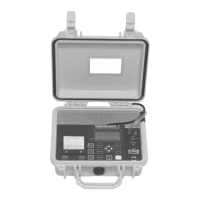
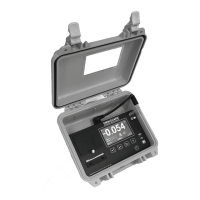
Description of Controls
MENU - displays Main Menu or selects the highlighted
item for review or editing.
SELECT - press to view or change settings of the
highlighted item from the Main Menu.
▲ / ▼ - scroll through menu selections or change
settings. Step through settings by pressing3/4.
SAVE - saves updated unit settings to memory after
editing, then exits to the Main Menu.
EXIT - exits to previous screen; if editing, exits without
saving any updated settings.
Menu Keys
Special Purpose Keys
STATUS - LED indicator shows operating status:
green = normal operation
green ashing = waiting to reach operating pressure
orange = within 5 millinches of an alarm condition
red ashing = alarm condition
"WC
-0.038
Printer Keys
PRINTER ON/OFF - turns the printer on and off. Printer status is
indicated by the printer symbol at the Monitor Screen.
PRINT JOB - press to print a current Job Report. Actual report type
is assigned to key in the Print Job Key Setup menu item. Cancel
printing by pressing any key.
PAPER FEED - advances the printer paper.
POWER ON/OFF - turns unit on and off.
INLET 1 - connector for pressure tubing from
containment.
INLET 2 - connector for sensing ambient
pressure from outside containment.
USB - connector for USB ash drive, also
supports accessories Remote Aux Alarm,
WiFi Adapter, Cellular Wireless Modem and
Telephone Autodialer.
USB PC - connector for sending data to and
from a PC.
Ports
ALARM SILENCE - silences the internal buzzer (and Remote Aux Alarm if
present) when an Alarm Condition occurs. Audible Alarm status is indicated
by the buzzer symbol at the Monitor Screen.
DISPLAY - toggles display thru 4 different screens: monitoring, pressure
only, inverted monitoring & inverted pressure only.
START JOB - press to begin a new Job. Assign a name to the new Job.
Ends previous Job and prints its Summary report.
HELP - provides information about the highlighted item or displays Help
Menu to select a topic for which more information is available.
Slot - route hose & AC cord through slot
to allow lid to close without pinching


 To Next Page
 Loading...