Page 2
Omniguard™ 4 Owner’s Manual
Page 3
Engineering Solutions Inc
• Log and track by Jobs. Stores multiple jobs, each with unique job
name and starting/ending dates.
• Contractor name appears in all Job Logs.
• Programmable high and low alarm settings.
• Windowed case lid allows viewing pressure reading and status
with lid closed to prevent damage to unit.
• Large easy-to-read graphic LCD display.
• Multiple display modes.
• 120+ days internal memory stores pressure readings and alarm
occurrences with a date/time-stamp, complete record of operation
available for printing and transfer to computer.
• Built-in hanging clip gets unit off the ground and away from
possible damage, allows easy viewing of monitoring status.
• Totally self-contained unit, all necessary parts store securely inside
the lid.
• Temperature compensation circuitry eliminates the need for off-site
calibration.
• Pressure readings displayed in Inches WC, Millimeters WC or
Pascals.
• USB Type A port supports multiple peripherals and accessories
including USB flash drive, cellular wireless modem, remote
auxiliary alarm, telephone autodialer and Wifi Adapter.
• USB Type B port supports PC communication for transferring job
logs to a computer.
• Audible and visual alarm systems with Alarm Silence function.
• Operating temperature range 30°- 130°F.
• 1 Year Limited Warranty.
Accessories
• WiFi Adapter alerts off-site personnel via email of all job site
conditions, including when normal operation is reached and if an
alarm occurs. It can also send a complete current job log file.
• Remote auxiliary alarm with high intensity strobe light and 95db
alarm & 25 ft. cable (requires USB Port Adapter).
• Cellular wireless modem alerts off-site personnel via e-mail or text
message during alarm conditions. It can also sends daily status
reports (requires USB Port Adapter).
• Telephone autodialer for off-site alarm notification (requires USB
Port Adapter & telephone land line at site).
• Optional 220VAC, 50Hz power supply operation.
Introduction
Congratulations on the purchase of your new Omniguard 4. The
Omniguard 4 features:
• 512K of secure log space
• Dual USB ports
• PC communication for transfering job logs to a computer.
• USB port for flash drive, cellular wireless modem, remote
auxiliary alarm, telephone autodialer, and WiFi adapter.
• Easy to read blue LCD
• Larger LCD and case window
Unpacking
The Omniguard 4 is shipped complete and ready to use. When
unpacking the unit, please check for the following items:
• Roll of thermal paper (installed)
• USB Cable 6 ft A-B Male-Male
• 10 ft. inlet pressure tubing
• Owner’s Manual
• Registration Card
Save the shipping box and packing material, in the event the unit
must be shipped to another location or for service. If you are missing
any items shown on the packing list, or if you have any questions
regarding your Omniguard 4, please call your dealer or Engineering
Solutions at (206) 241-9395.
The Registration Card must be filled out and returned to activate the
12 month limited warranty.
Owner’s Manual Overview
This manual covers the setup and operation of the Omniguard 4. It
uses several different fonts and other special characters to make
various unit functions and types of reporting easy to identify. Below
is an example of each:
• Text printed on the display screen is shown as: ALARM 1
• Thermal printer text is shown as: NORMAL OP
• Keys and connectors on the front panel are shown as: ALARM
SILENCE
Features
• Real-time differential monitoring of vacuum and/or pressure
level.
• Extremely simple to setup and use, with on screen help.
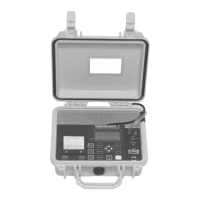
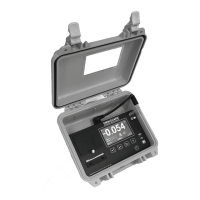
Omniguard
™
4
Differential Pressure Recorder
(with Dual USB Ports)


 To Next Page
 Loading...