ON/OFFON/OFF
R
Amp
Tube
FOOTPEDAL
Z-4
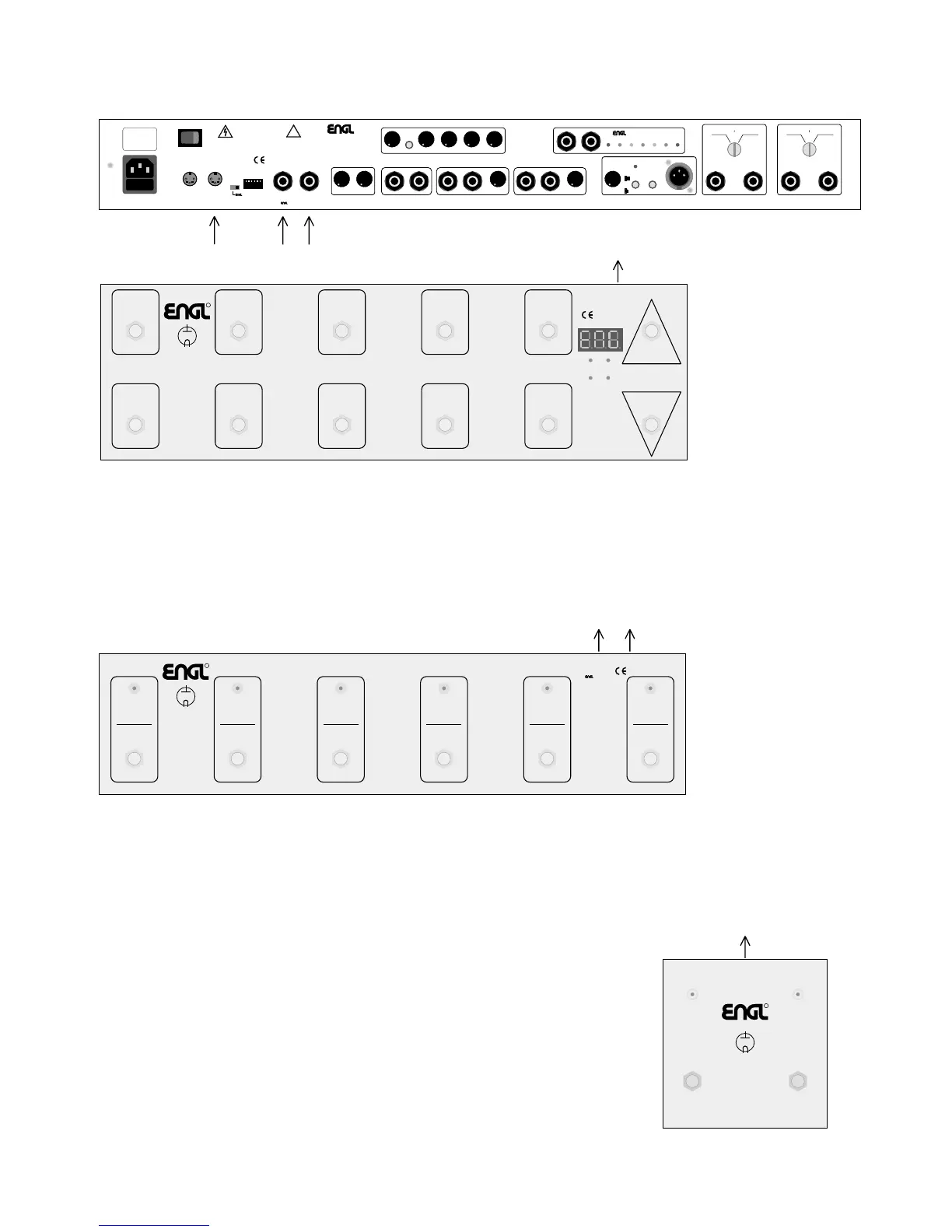
Options for controlling the ENGL Special Edition amp remotely:
01234Down
56789
Up
Power
Supply
7-14 Volts AC
9-20 Volts DC
300 mA
Bank
MIDI
Output
To select
MIDI channel 1-16
press the Up and Down
buttons simultaneously
until the dot at the right
position of the display flashes.
Now use the Up or Down
buttons to select
the desired MIDI channel.
R
Amp
Tube
MIDI
Footcontroller
Z-13
Controller 1
Input >>
cn.1 setup mode
at "000" / Store
controller curve
linear positve
controller curve
linear negative
controller curve
log. positive
controller curve
log. negative
switch loop 1
On / Off
switch loop 2
On / Off
switch loop 3
On / Off
switch loop 4
On / Off
cn.2 setup mode
at "129"
Controller 2
Input >
Switch Loop
< 1 & 2
Switch Loop
<< 3 & 4
Switch Loop
configuration mode
at "000" or "129" +9
Switch
Loop 1
Switch
Loop 2
Switch
Loop 3
Switch
Loop 4
3. Two-way footswitch (e.g. ENGL Z-4): Connect two-way
footswitches to the amp by plugging a stereo ¼ " cord
into jack no. 57.
Functions: Ch. 1/2 Ch. 1/2 (Main Channels) and
Sub Gain I/II Clean - Crunch and Lead I - Lead II.
This means you can't activate sub channels directly,
and must first switch to the other Main Channel.
As an alternative to a two-way footswitch, you can connect
a MIDI switcher (the ENGL Z-11 will do nicely) to this jack (57)
to control the two switching functions.
47
123456
F
OOTSWITCH
S
END
R
ETURN
B
ALANCE
L
EVEL
L
INE
O
UT
B
ALANCED
&
F
REQ.-
C
OMP.
O
VERLOAD
DRY EFFECT
REPLACE FUSE
ONLY WITH SAME
TYPE AND RATING !
DRY EFFECT
P
REAMP
POWER
AMP
S
END
R
ETURN
B
ALANCE
8 z 16 z4 z
6 z 12 z >16 z< 4 z
S
ERIAL A
MP
C
ONTROL
P
ORT
CAUTION:
C
ONNECT
C
USTOM
F
OOTSWITCH
Z-9 O
NLY!
FX L
OOP
II
I
MPEDANCE
T
EST
&
C
ABLE
C
HECK
S
YSTEM
C
ABLE
S
HORT
C
IRCUIT
C
ABLE
B
REAK
C
AUTION:
BEFORE YOU CONNECT
SPEAKERS, CABINETS OR
CABLES TO THESE JACKS,
ENSURE THEY ARE NOT
CONNECTED IN ANY KIND
TO A POWERAMP OUTPUT!
L
INE
O
UT
S
TATUS
C
ABLE
O.K.
S
END
R
ETURN
S
ERIAL
FX L
OOP
M
IDI
T
HRU
M
IDI
I
N
MIDI FOOT-
CONTROLLER
C
H
1 /
C
H
2
S
UB
I / II
10
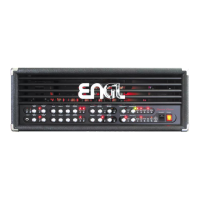
0 W All-tube Guitar Amp Head
S
pecial Edition
-
TY
PE E670
MADE IN GERMANY
Amp-Design by Horst Langer
P
OWERAMP
O
UTPUT
B
8 O
HMS
4 O
HMS
16 O
HMS
I
MPEDANCE
S
ELECTOR
B
O
UTPUT
B2
O
UTPUT
B1
T
EST
J
ACK
C
ABLE
R
ETURN
FX L
OOP
I
T
REBLE
M
ID
B
ASS
L
EVEL
T
HRESHOLD
L
EVEL
N
OISE
G
ATE
T
UBE
D
RIVER
M
UTE
D
EPTH
S
ENSITIVITY
C
ONTOUR
GROUND
TO
P
IN
1
XLR
G
ROUND
GROUND
LIFTED
C
ABLE
B
REAK
P
OWERAMP
O
UTPUT
A
8 O
HMS
4 O
HMS
16 O
HMS
I
MPEDANCE
S
ELECTOR
A
O
UTPUT
A2
O
UTPUT
A1
DO NOT OPEN !
RISK OF ELECTRIC SHOCK !
DO NOT EXPOSE THIS EQUIPMENT
TO
RA
IN OR MOISTURE !
CAUTION !
!
MIDI
CHANNEL
&
V
OL.0
GROUND
LIFT
SWITCH
G
ROUND
F
LOATED
G
ROUND
1./2. 2. 3.
1.
1.2.
R
Amp
Technology
Tube
Custom
Footswitch
Z-9
Ser.Cnt.:
Channel 1
Ser.Cnt.:
Channel 2
Ser.Cnt.:
Channel 3
Ser.Cnt.:
Channel 4
Ser.Cnt.:
Function 1
Ser.Cnt.:
Function 2
MIDI:
Patch 1/6
MIDI:
Patch 2/7
MIDI:
Patch 3/8
MIDI:
Patch 4/9
MIDI:
Patch 5/10
MIDI:
Bank A/B
Power Supply In
7-14 Volts AC
9-20 Volts DC
approx. 100 mA
MIDI
Out
Serial Amp
Control Out
Caution !
Connect To
Amplifier
Only!
Design by
Horst Langer
To assign Amp switching
features to the Function
1 and 2 button, press the
Channel 1 and the
respective Function button
simultaneously until the
LED starts flashing.
Now use the buttons
1 to 4 to select
the desired switching
feature (press 1x or 2x).
Store the selected
switching feature by
pressing the opposite
Function button
for approx. 1 second.
3.
or
1. MIDI foot board (for example, the ENGL Z-12 or ENGL Z-15 pictured above): Connect
the foot board to the amp using a standard 5-pin DIN cable. All 5 terminals of both
connectors must be wired in a 1:1 configuration: MIDI data transmission requires two wires,
and the ENGL MIDI foot board uses two more wires for purposes of power supply.
This combination affords access to all of the amp's 128 MIDI presets.
The Z-15 foot board also lets you control Master Volume Mute via MIDI controller.
2. ENGL Custom Z-9 Footswitch: This special foot board connects to the amp
via a ¼” stereo cord plugged into the Serial Amp Port (56) or via a 5-pin DIN cord
plugged into the MIDI IN port (53). The former option affords switching access
to channels and two special functions (for example, Hi Gain or Lo Hi Power).
In the latter setup, the Z-9 serves as a MIDI foot board that accesses
the first 10 MIDI presets.


 To Next Page