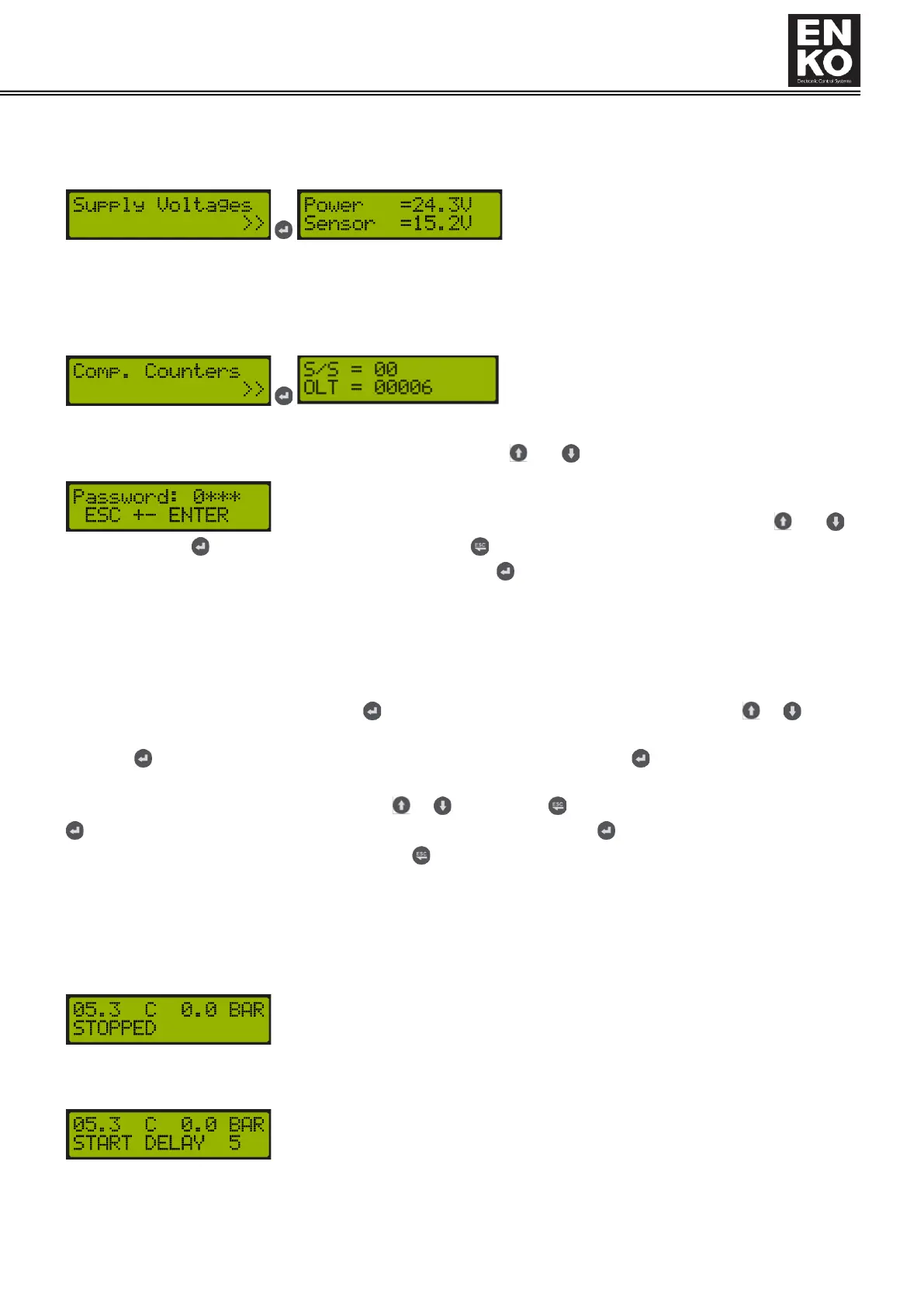
1.4.3.5 Supply Voltage
Shows the device's own supply voltage and the output voltage value it provides for digital inputs and analog inputs
(pressure sensor).
1.4.3.6 Comp. Counters
Shows the counters of the compressor.
S/S = Number of runs and stops
OLT = Counts how many times the load valve has been activated.
1.4.4 Parameter Menu
The parameter menu of the device is accessed by pressing both and buttons for 3 seconds on the main screen.
Shows at which digit "0" is. To change the number in the relevant digit, and
buttons are used. button is used for the next digit, and button is used for the previous digit. After the number
in the last digit is set, the password entered is confirmed with button. If the password entered is correct, the
following menus can be accessed. The parameters in the menus are displayed according to the level of your access
password. If your access password is not authorized to access the relevant parameter, you cannot see the
parameter.
Accessing and Changing Parameters:
After confirming the password by pressing button, the parameter category menu is accessed. or buttons
are used to navigate in parameter category menus. To access the parameters under the relevant parameter
category, button is used. To change the content of the related parameter, use button on the parameter and go
to parameter changing screen. In the parameter changing screen, the cursor blinks on the line where changes can be
made. The value on the cursor is changed with or buttons. Use to move the cursor to the Previous digit and
to move it to the next digit. To confirm the entered value, press and hold button. To return to the previous
menu without changing the value, press and hold button.
1.5 Operation Status
Descriptions regarding the operating status screens of the device and the relevant parameters of these screens are
as follows.
Stopped (STOPPED)
The device waits for a run command via the start button or the remote operation input
("Application Note 002") on it.
Start Delay (START DELAY):
The device received the run command and is waiting for the time in "P021 Start Delay"
parameter to end. Countdown for the remaining time is displayed on the screen.



 To Next Page