Envoy Installation and Operation
2013 Enphase Energy Inc. 141-00011 Rev 05
Viewing the Envoy Serial Number
The View Serial Number menu item displays the serial number of the Envoy.
To view the serial number:
1. Press and hold the Envoy Menu button. After two seconds the Envoy menu appears.
2. Continue holding the Menu button. When the LCD screen displays “View Serial Number”,
release the Menu button.
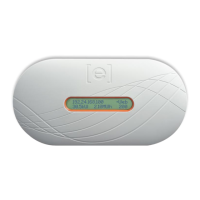
The LCD screen now reads:
Once the serial number has been displayed, the LCD will return to the default display.
Selecting a New Locale (Change Language Display)
You can set the LCD to display in English, French, German, Italian or Spanish. To do this:
1. Press and hold the Envoy Menu button. After two seconds you will enter the Envoy menu.
2. Continue holding the Menu button. When the LCD screen displays “Select New Locale”,
release the Menu button.
3. The Envoy LCD panel will scroll through the available locale settings. When you see the
setting you need, press the Menu button and hold for two seconds.
Serial Number
121200104080


 To Next Page
 Loading...