Envoy Installation and Operation
2013 Enphase Energy Inc. 141-00011 Rev 05
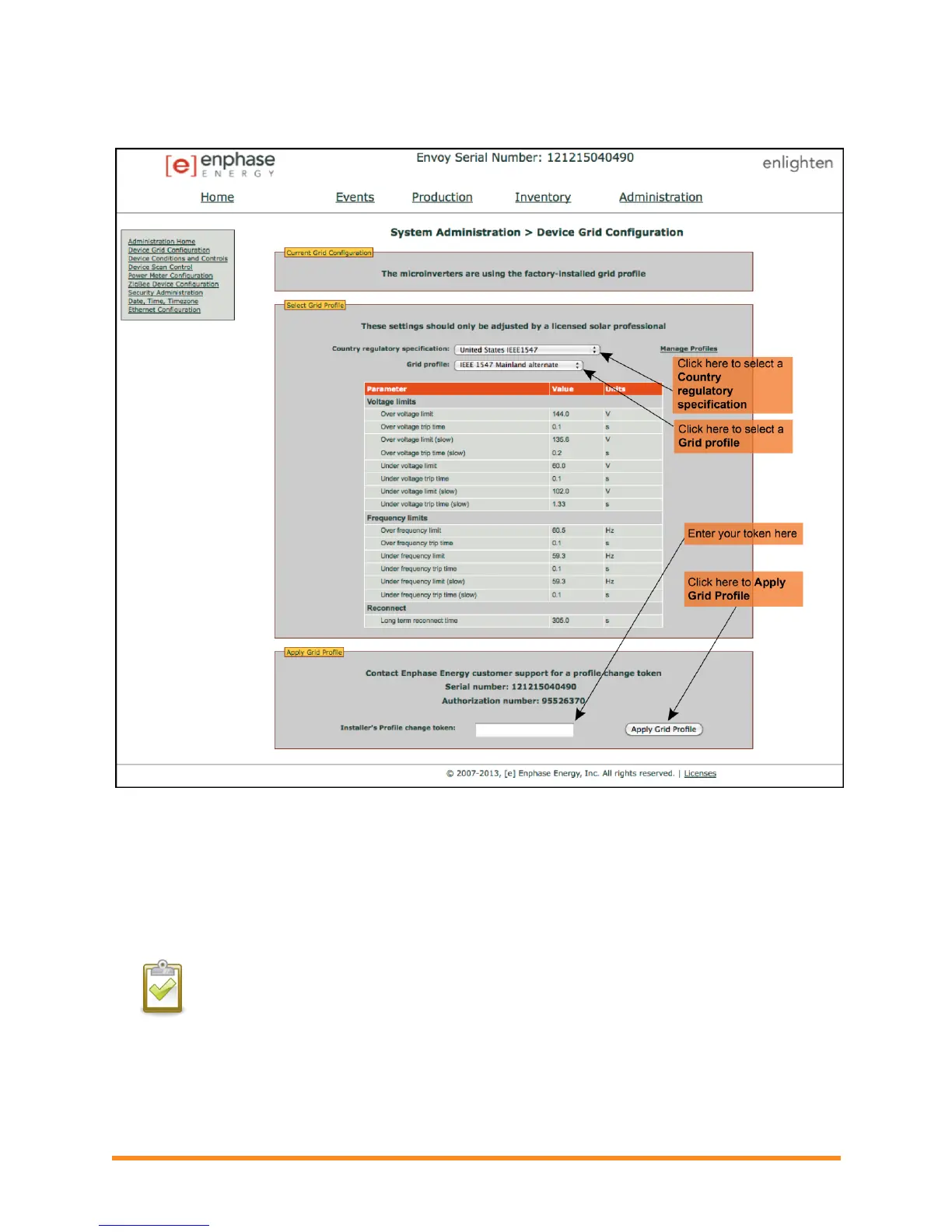
If an alternate device grid profile has been applied, the following screen appears.
4. Select a Country regulatory specification.
5. Select a Grid profile appropriate for your region.
6. Make note of the Envoy serial number and the authorization number on the screen. You will
need this information in the following steps.
7. Click the link to the Enlighten website. (If you do not already have an account, click
Enlighten Login at the Enlighten website to register.) Note that this link will not appear if the
Envoy shows “-Web”.
NOTE: If the Envoy displays “-Web”, see “Network Basics and Troubleshooting” on page 30.
8. Once logged in at the Enlighten website, locate the Grid Profile Change Token widget. If you
don’t see this widget add it now:
Click Add a widget.
Select Grid Profile Change Token.

 To Next Page
 Loading...