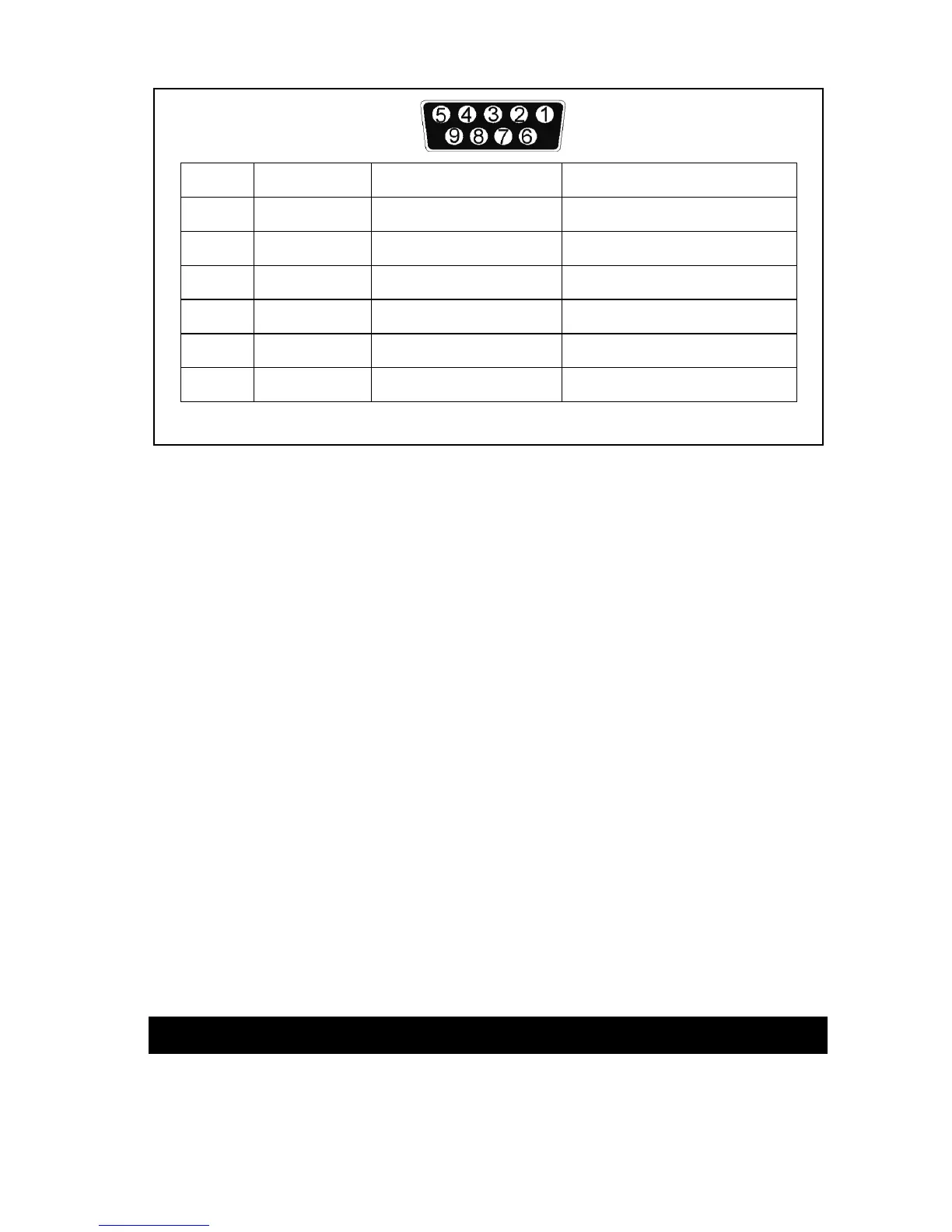
Pin # Signal name Direction (re UPS) Functions
2 TxD Output TxD Output
3 RxD Input RxD / Inverter Off Input
5 Common Common
6 CTS Output Ac Fail Output
8 DCD Output Low Battery Output
9 RI Output +12 VDC Power
Fig.4
USB port (option)
Connecting the UPS to your computer is accomplished through the USB port on the back
of your computer. USB compliant hardware and operating system will be necessary
including installation of a UPS driver. The serial port cannot be used when using the USB
port. The USB cable is standard and can be bought separately.
6.1 EPO port (emergency power off)
A customer-supplied switch located remotely can be used to open the EPO connection
and allows UPS output receptacles to be switched off. Since the EPO shuts down the
equipment immediately, orderly shutdown procedures are not followed and not by any
power management software. The UPS will have to be manually restarted in order to
regain power to the outlets.
7. User’s guide to operations
Necessary information for operation of the unit is covered in this chapter. Normally the
UPS runs automatically, but on those few occasions such as just after installation, all the
starting and shutting down procedures are described herein.



 To Next Page