134 dataPAC User’s Guide
Chapter 4 - Off Route Analysis with the dataPAC
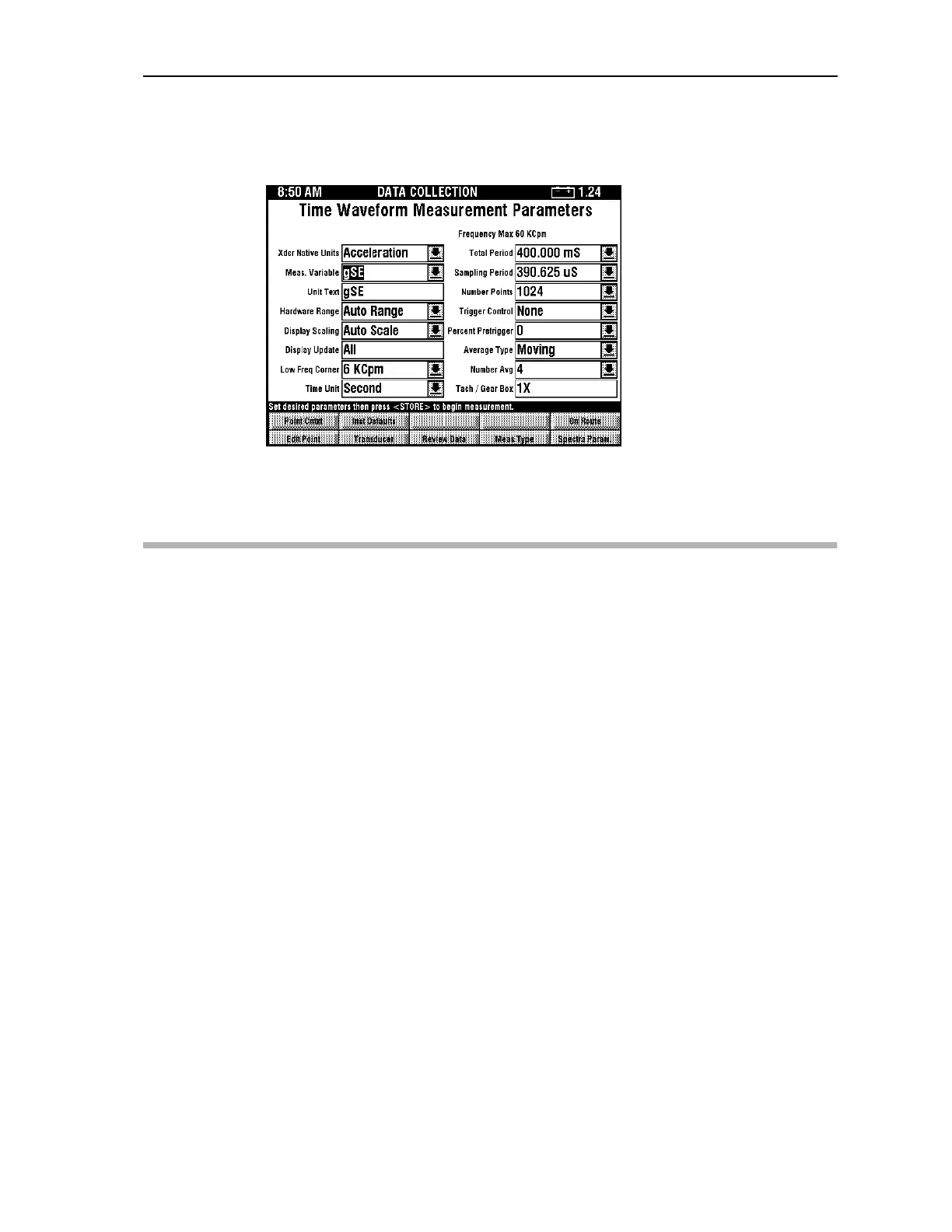
To set up an off route time waveform measurement with gSE collection, set up your
measurement parameters as shown in the Time Waveform Measurement Parameters menu.
Collect the measurement as you would any time waveform, making sure that your
accelerometer can detect high frequencies.
Setting Up and Collecting Off Route True Zoom Measurements
This section discusses how to collect unscheduled True Zoom measurements. While the
True Zoom window looks like a magnification of a portion of the Spectra display, it is more
than that. When you select True Zoom, the dataPAC focuses on the frequency range that
you specify and collects data showing that range in great detail, allowing you to carefully
analyze the results.
Hint: This can be done automatically from a standard spectrum measurement. Place the right and
left cursors to indicated the desired zoom are, then press <SHIFT><F2>, then select
Frequency - Zoom between cursors.
Setting Up Off Route True Zoom Measurements
1. In the Program Manager, use the arrow keys to highlight the Data Collection icon, then
press <SELECT>.
2. Select a route or define a new route.
3. Once in Data Collection mode, press <SHIFT><F5> (Off Route). The dataPAC
displays a setup page for you to control the measurement parameters. The page
displayed is the one that was used the previous time off route mode was used.
Artisan Technology Group - Quality Instrumentation ... Guaranteed | (888) 88-SOURCE | www.artisantg.comArtisan Technology Group - Quality Instrumentation ... Guaranteed | (888) 88-SOURCE | www.artisantg.com



 To Next Page