226 dataPAC User’s Guide
Chapter 6 - Frequency Response Function (FRF)
Collecting and Analyzing FRF Data
When your setup parameters are complete, you can begin collecting data samples. To do so,
follow these steps.
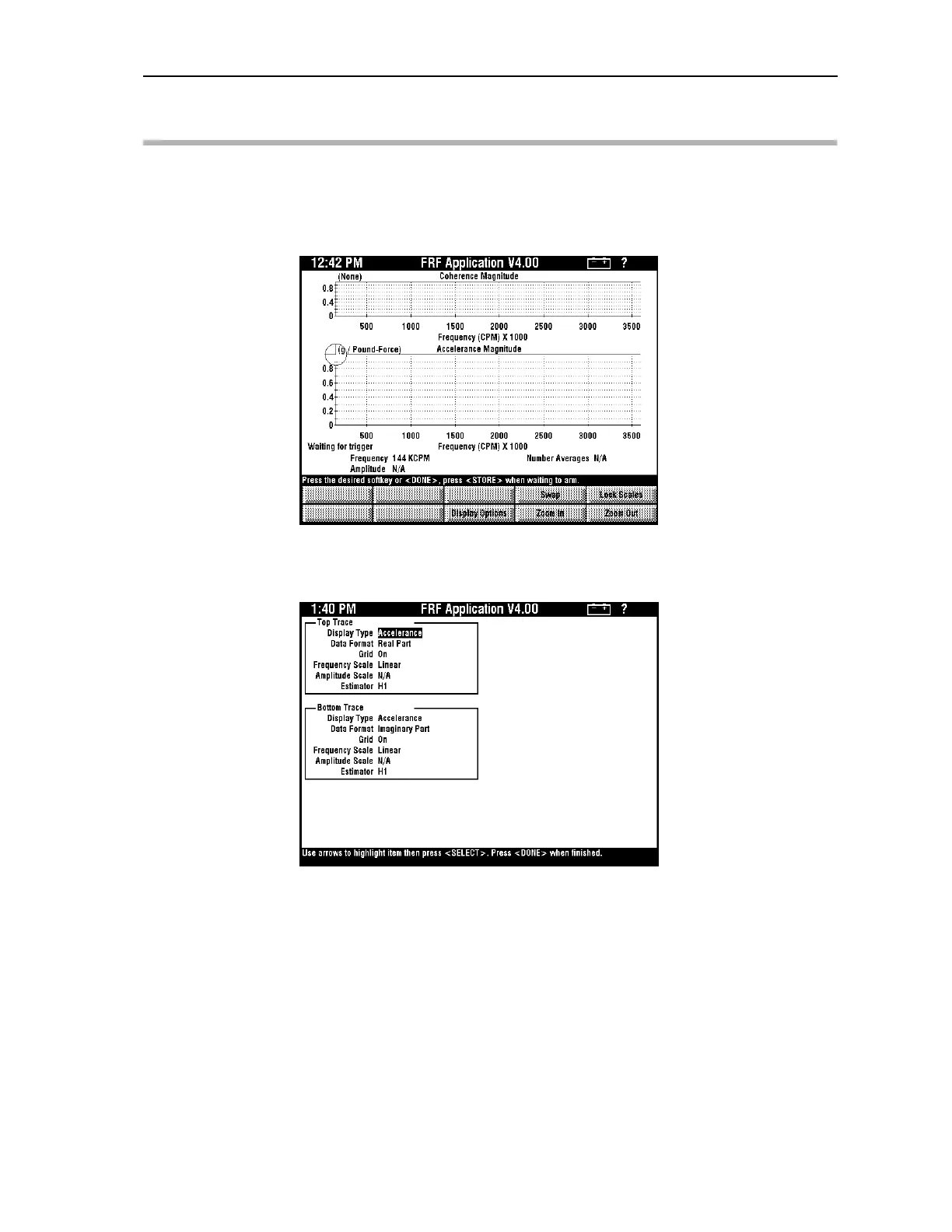
1. Press <F3> (FRF Measurement). The measurement screen appears.
2. Press <F3> (Display Options) and press <SELECT> to view the available display
types.
Artisan Technology Group - Quality Instrumentation ... Guaranteed | (888) 88-SOURCE | www.artisantg.comArtisan Technology Group - Quality Instrumentation ... Guaranteed | (888) 88-SOURCE | www.artisantg.com



 To Next Page