Reviewing Spectra Data
dataPAC User’s Guide 87
Changing the Spectrum Display
To view a spectrum full screen and use some of the dataPAC’s analysis tools, press <F5>
(Magnify) to open the spectrum in a full window.
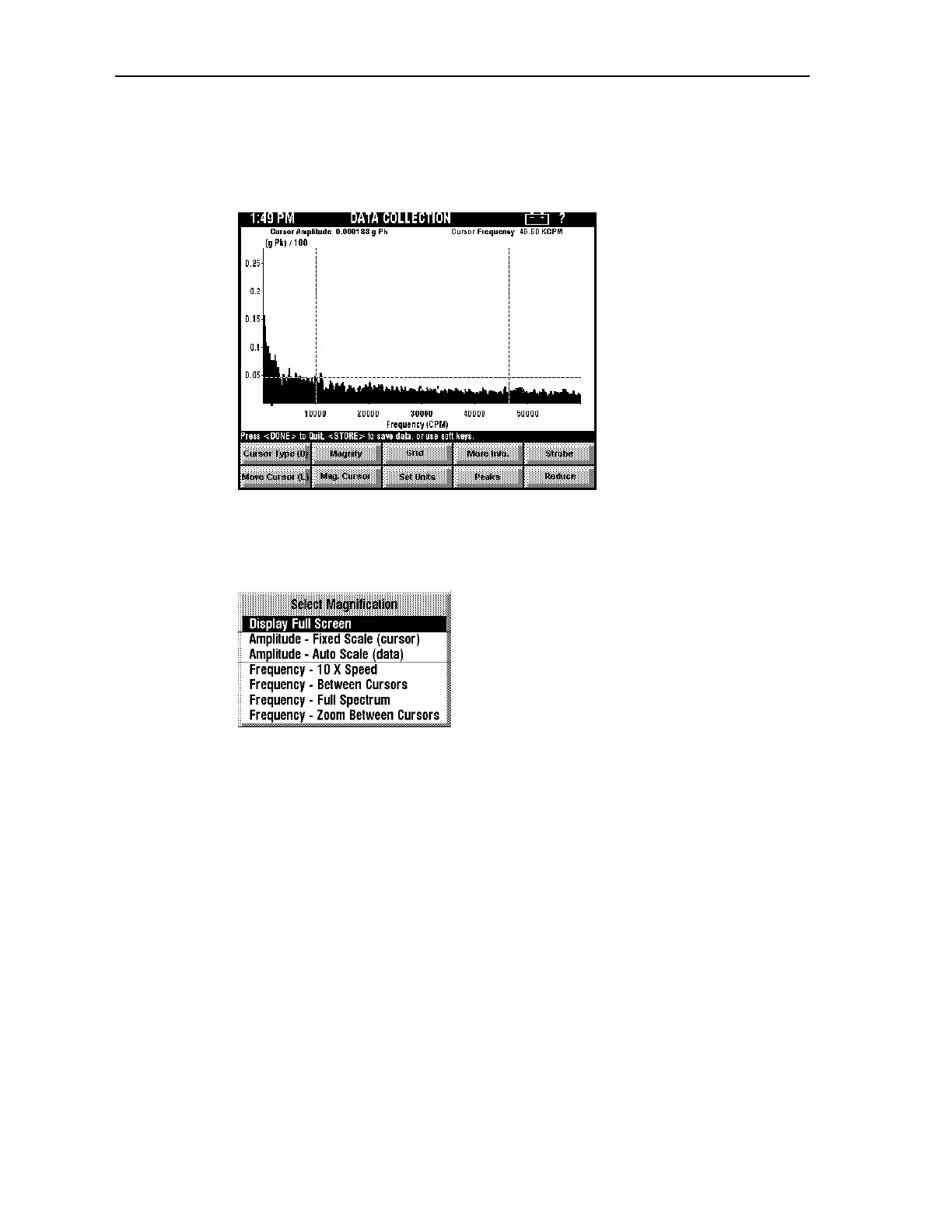
To magnify the entire spectrum display
Press <SHIFT><F2> to open the Select Magnification menu.
Use the arrow keys to highlight a selection, then press <SELECT>. The choices are
explained below. After you magnify you can press <F2> (Full Spectrum) to return to the
original spectrum.
Display Full Screen
This option temporarily switches to a display mode that shows only the cursor amplitude
and frequency in the information display area, and turns off the softkeys and status line,
leaving a maximum display area available to view the spectrum. You can move the cursors
while in this mode. Pressing any other key returns the display to normal operation, restoring
the information display, the softkeys, and the status line to their normal state.
Amplitude - Fixed Scale (cursor)
This function redraws the amplitude scale. Set the top of the scale using the up and down
arrows to set the upper amplitude, then apply this magnify function.This item causes the
dataPAC to replot the FFT setting the top of the vertical scale to the value of the amplitude
cursor.
Artisan Technology Group - Quality Instrumentation ... Guaranteed | (888) 88-SOURCE | www.artisantg.comArtisan Technology Group - Quality Instrumentation ... Guaranteed | (888) 88-SOURCE | www.artisantg.com



 To Next Page