Preparing for Data Collection
dataPAC User’s Guide 65
Connecting the Transducer to the Data Collector
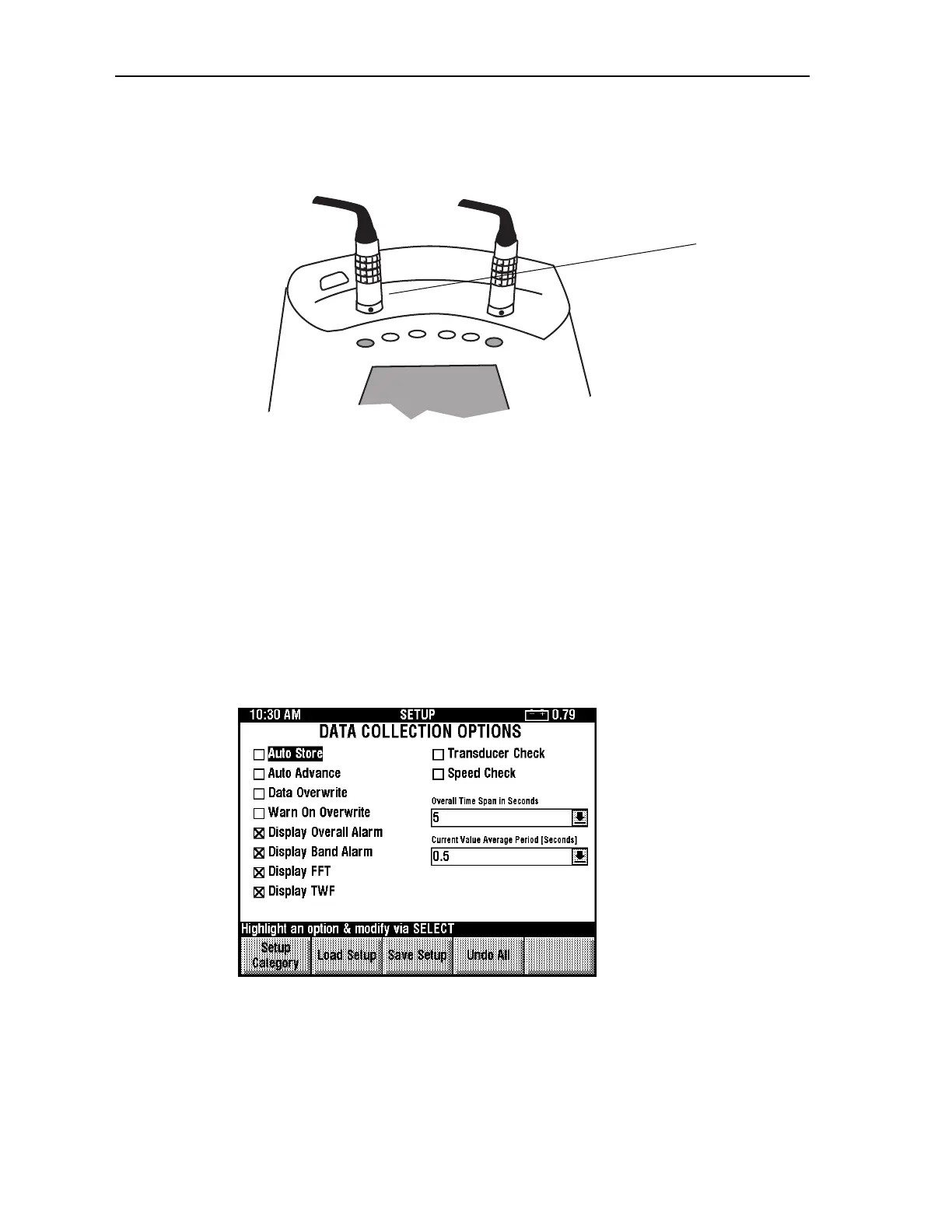
Connect the transducer to the connector at the top of the dataPAC.
Insert the connector into the jack at the top of the dataPAC. The red dot on the connector
should match the red dot on the jack. Do not turn or twist the connector. To disconnect, pull
out on the knurled part of the connector. It will slip outward slightly and you can pull out the
connector.
Selecting the Data Collection Options
There are some options you can select before starting data collection. These options affect
the measurement, the data collection process, and the data display. The dataPAC stores
these options even when powered off. However, you should check these options each time
you start data collection. The options are located in the Data Collection Options setup
screen, found in the Setup Utility. See “Using the dataPAC Setup Program” on page 36 for
more information about the Setup Utility. Each choice in the Data Collection Options
screens is outlined in that section.
Transducer
connector
Artisan Technology Group - Quality Instrumentation ... Guaranteed | (888) 88-SOURCE | www.artisantg.comArtisan Technology Group - Quality Instrumentation ... Guaranteed | (888) 88-SOURCE | www.artisantg.com



 To Next Page