94 dataPAC User’s Guide
Chapter 3 - Collecting and Reviewing Data
To zoom the waterfall in and out around selected data sets
The dataPAC can display 6 to 24 FFTs on the screen at one time (see Smaller/Larger page
softkey above). When then number of FFTs stored is more than number displayed, the
dataPAC selects FFTs evenly spaced among all the data sets and displays them. When you
press <F1> (Z-Zoom in), the dataPAC selects data sets more closely clustered around the
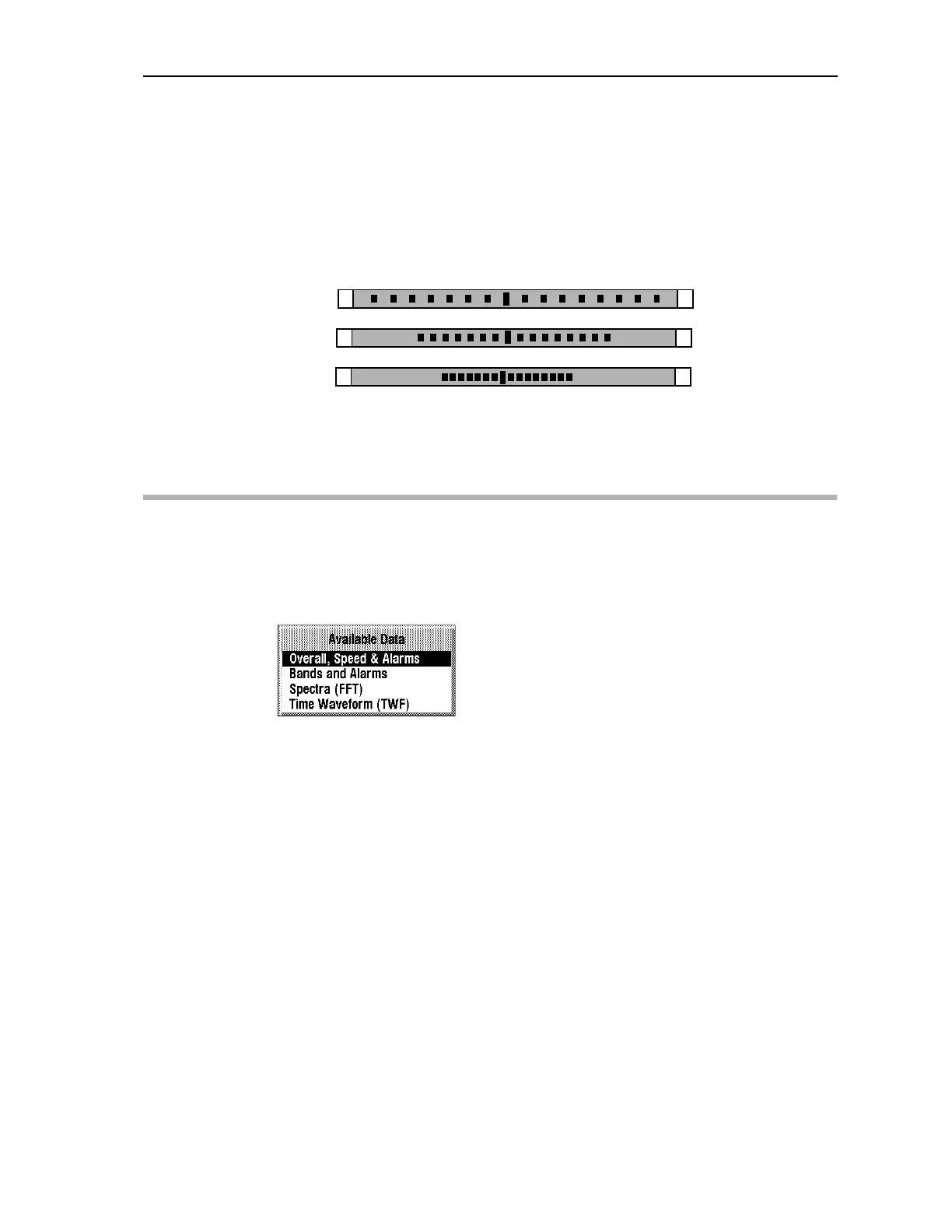
selected FFT. This is represented graphically on the screen by the panel in the lower left
hand part of the display.
Gaps indicate that there are more spectrum that are currently being displayed. The bar in the
middle represents the selected or highlighted spectrum. The number at the end tells you how
many spectrum total are in the data set.
Reviewing Time Waveform Data
dataPAC 1500 only
Time waveform displays are available only with the dataPAC 1500. The Available Data
window shows the different types of data. If you collected that type of data for this point,
you can view it by selecting the data type.
1
31
1
31
1
31
Original
Smaller
Smaller
Artisan Technology Group - Quality Instrumentation ... Guaranteed | (888) 88-SOURCE | www.artisantg.comArtisan Technology Group - Quality Instrumentation ... Guaranteed | (888) 88-SOURCE | www.artisantg.com



 To Next Page