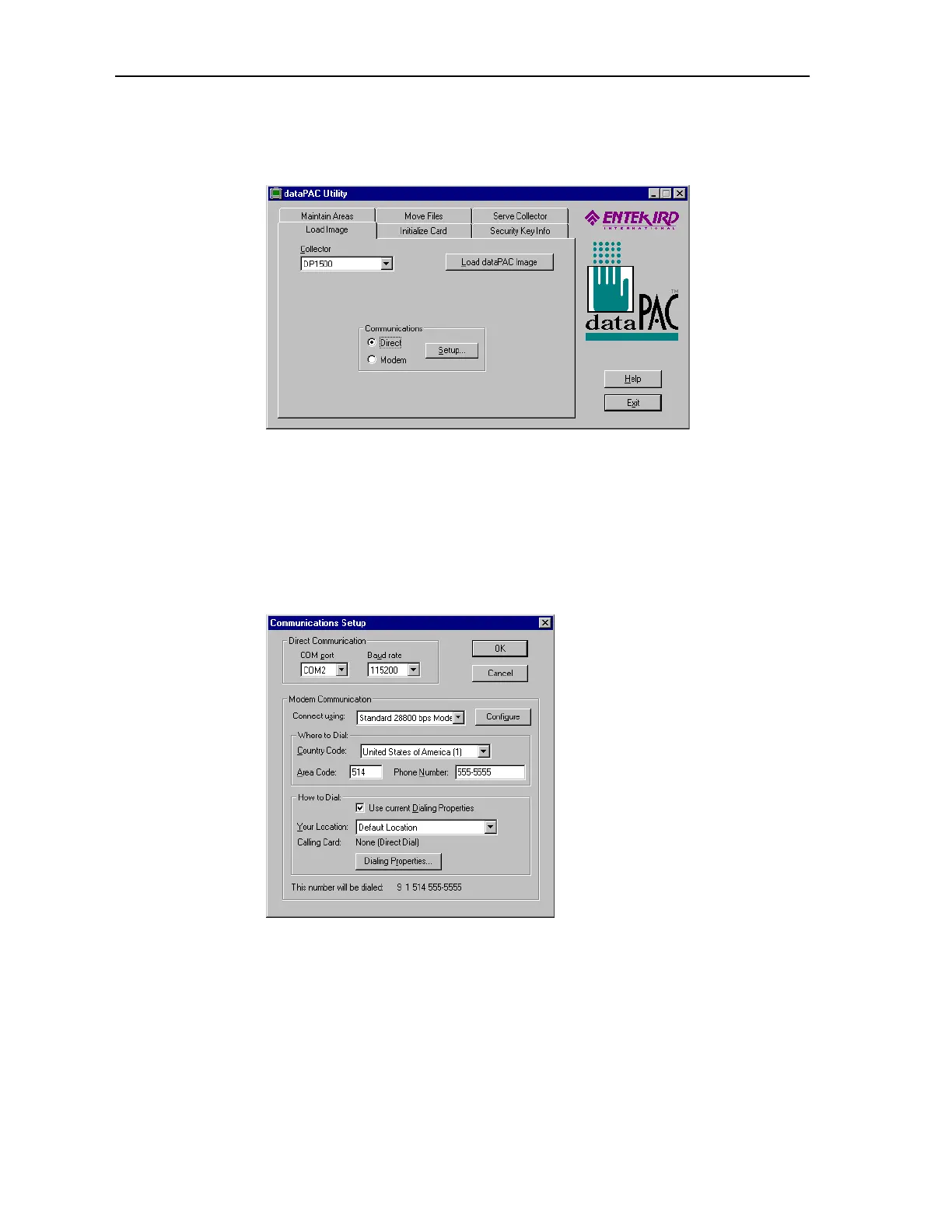
Loading the Operating System with the dataPAC Utility Program
dataPAC User’s Guide 31
3. Start the dataPAC Utility by pointing to it on the Start menu. The dataPAC Utility
appears.
4. Select the correct dataPAC model under Collector. This example shows the dataPAC
1500 selected.
5. Under Communications, choose Direct.
6. Choose the Setup button.
7. Select the correct communications settings by selecting the correct port and baud rate
for your connection under Direct Communications. The rest of the settings are
ignored.
8. Choose OK.
Artisan Technology Group - Quality Instrumentation ... Guaranteed | (888) 88-SOURCE | www.artisantg.comArtisan Technology Group - Quality Instrumentation ... Guaranteed | (888) 88-SOURCE | www.artisantg.com



 To Next Page