44 dataPAC User’s Guide
Chapter 2 - The dataPAC
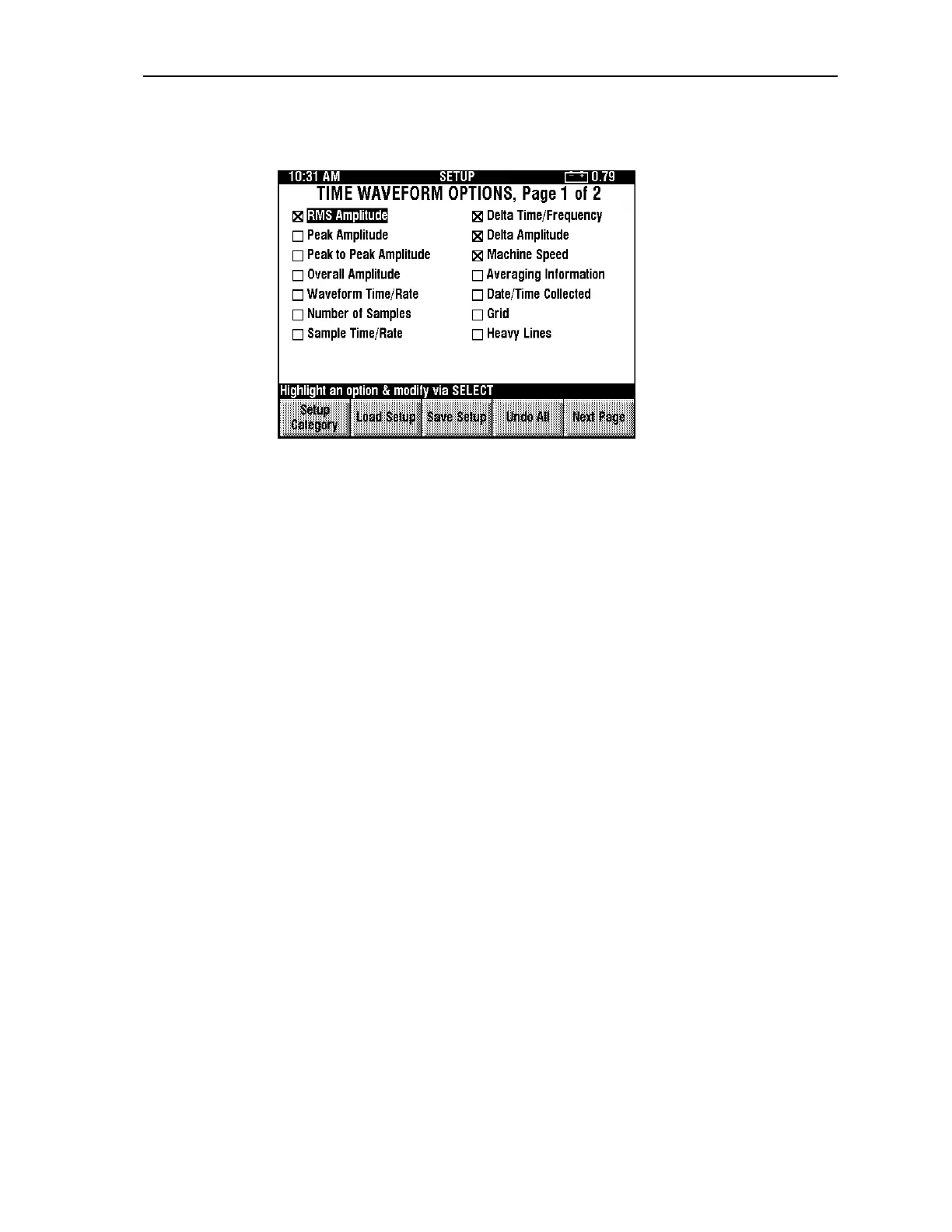
Time Waveform Options, Page 1
RMS Amplitude
Enable this option to display an amplitude that is computed from the input signal using a
Root-Mean-Squared (RMS) calculation on your time waveform.
Peak Amplitude
Enable this option to display a numerical presentation of the peak value of the input signal
on your time waveform.
Peak to Peak Amplitude
Enable this option to display a numerical presentation of the Peak to Peak value of the input
signal on your time waveform.
Overall Amplitude
Enable this option to display the measured primary overall amplitude when available on
your time waveform.
Waveform Time/Rate
Enable this option to display the total time taken to collect one data set, in seconds, degrees,
or revolutions, followed by the corresponding rate in CPM or Hz on your time waveform.
Number of Samples
Enable this option to display the number of samples in the data set.
Sample Time/Rate
Enable this option to display the time interval between samples, in seconds, degrees, or
revolutions, and the corresponding sampling rate in Hz.
Delta Time/Frequency
Enable this option to display the difference between markers when either dual cursors, or
cyclic cursors are selected (delta time). The second number displayed here is the frequency
computed as the reciprocal of time.
Artisan Technology Group - Quality Instrumentation ... Guaranteed | (888) 88-SOURCE | www.artisantg.comArtisan Technology Group - Quality Instrumentation ... Guaranteed | (888) 88-SOURCE | www.artisantg.com



 To Next Page