Reviewing Spectra Data
dataPAC User’s Guide 89
To display a grid
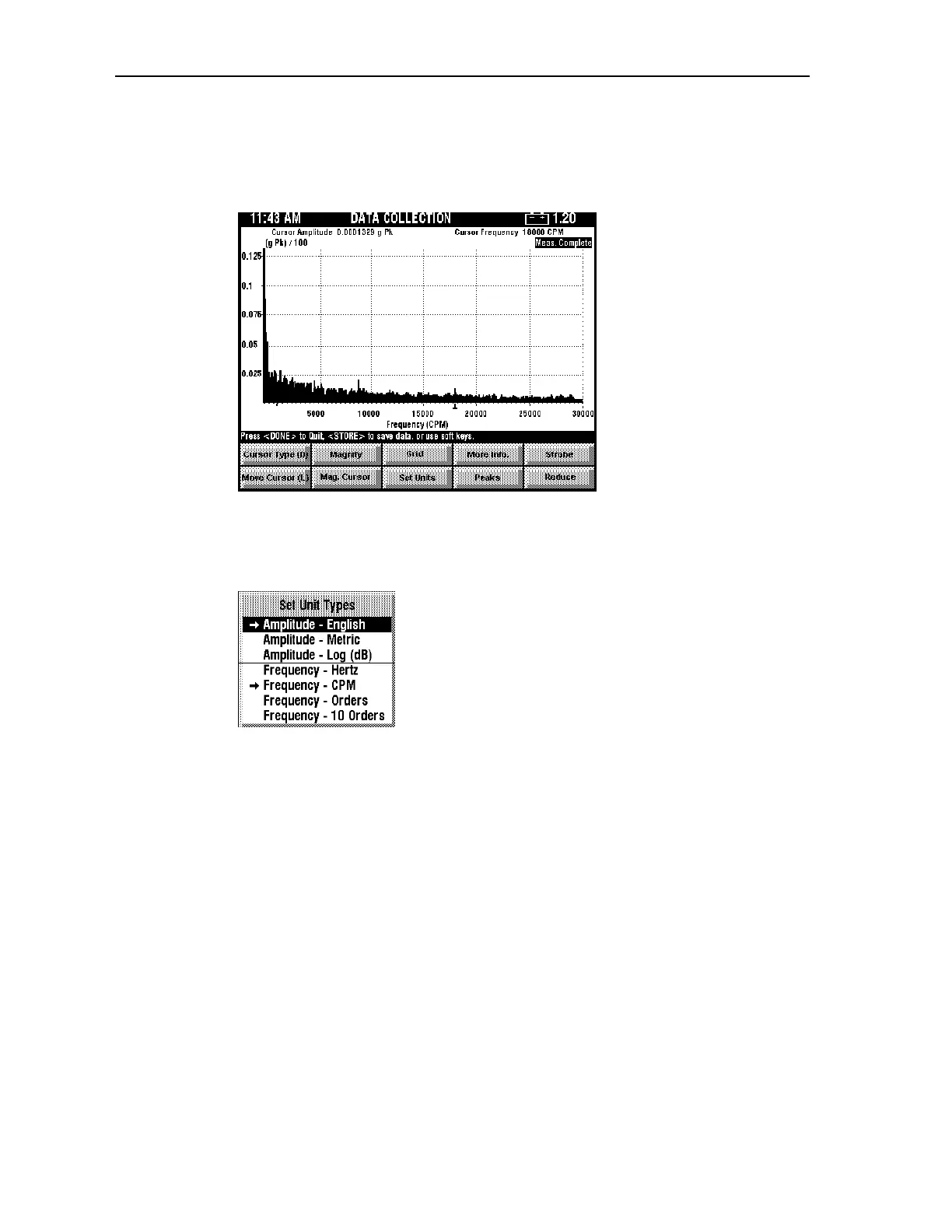
To display a grid on the spectrum display, press <SHIFT><F3> (Grid). A grid appears as
shown in the diagram below.
To set different units
Press <F3> (Set Units) to open the Set Unit Types menu.
If you wish to change the current selection for both amplitude and frequency, you must
press <F3> (Set Units) again to reopen the menu. The following units are available.
Amplitude - English
This option selects English units for display of amplitude values. For example, it uses in/s
instead of mm/s.
Amplitude - Metric
This option selects Metric units for display of amplitude values; for example, mm/s instead
of in/s.
Amplitude - Log
This option selects a logarithmic scale for display of amplitude values. Amplitudes are
displayed in dB using the reference and scalar specified by host software or using the
dataPAC default values.
Frequency - Hertz
This option displays frequency information in units of Hz as opposed to CPM, and machine
speed in units of RPS instead of RPM.
Artisan Technology Group - Quality Instrumentation ... Guaranteed | (888) 88-SOURCE | www.artisantg.comArtisan Technology Group - Quality Instrumentation ... Guaranteed | (888) 88-SOURCE | www.artisantg.com



 To Next Page