Figures ix
Figure Page
Figures
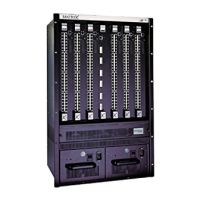
1-1 The Matrix E7 6C107 Chassis with Redundant Power Supplies.....................................1-2
2-1 6C207-1 (Rev. OF) Power Supply LEDs.........................................................................2-3
2-2 6C207-3 Power Supply LEDs..........................................................................................2-3
2-3 Fan Tray LED..................................................................................................................2-4
3-1 Chassis Bottom, Rubber Feet Placement .......................................................................3-4
3-2 Installing the Cable Management Bar .............................................................................3-5
3-3 Shelf Installation..............................................................................................................3-7
3-4 Rack Mounting the Matrix E7 Chassis ............................................................................3-8
3-5 ESD Grounding Receptacle ............................................................................................3-9
3-6 Installing the Power Supply Module(s)..........................................................................3-11
3-7 Installing an Interface Module .......................................................................................3-14
3-8 Connecting the 20-Amp AC Power Cord to the 6C207-1..............................................3-15
3-9 Connecting the 15-Amp AC Power Cords to the 6C207-3............................................3-16
3-10 Removing the Fan Tray.................................................................................................3-18
3-11 Reinstalling the Fan Tray ..............................................................................................3-20


 To Next Page