Setting Up the Matrix E7 Chassis
3-5
3.2.2.2 Installing the Cable Management Bar
With the cable management bar, cables can be attached along the bar using cable ties to ensure that
the cables are not accidentally loosened or disconnected from the chassis during operation. To
install the cable management bar, proceed as follows:
1. Remove the cable management bar from the shipping box. Ensure that there are four screws
inside the bag with the cable management bar.
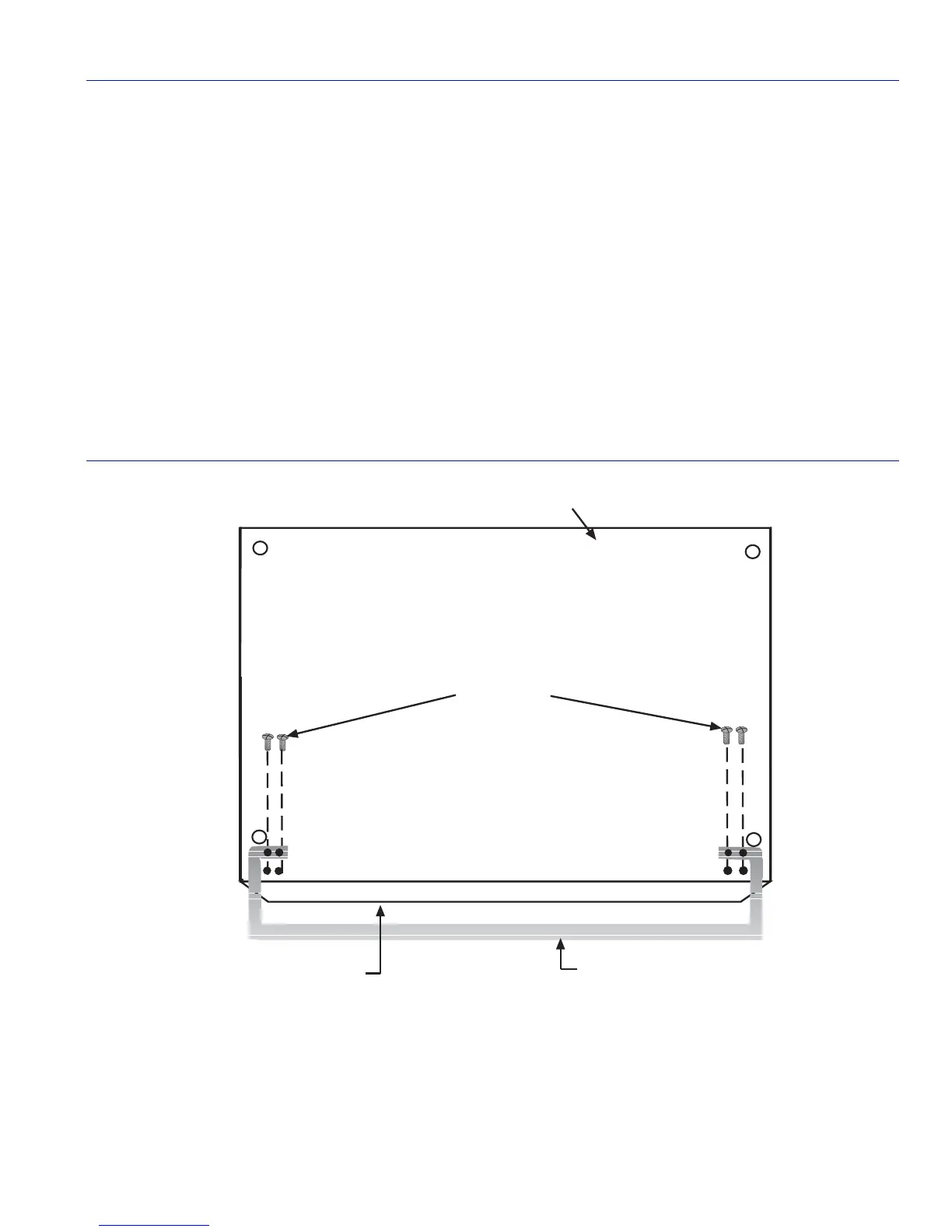
2. Line up the two holes on each side of the cable management bar with the two holes located on
the bottom of the Matrix E7 chassis, near the front of the chassis as shown in Figure 3-2.
3. Use a Phillips screwdriver and the four screws supplied with the bar to fasten the Cable
Management Bar to the bottom of the chassis.
Figure 3-2 Installing the Cable Management Bar
Bottom of Chassis
Front Panel of Chassis
Screws (4)
328001_04
Cable Management Bar
Bottom of Chassis


 To Next Page