Setting Up the Matrix E7 Chassis
3-4
3.2.2.1 Installing the Rubber Feet
To install the rubber feet, proceed as follows:
1. Remove the four rubber foot/screw assemblies from their plastic bag in the shipping box.
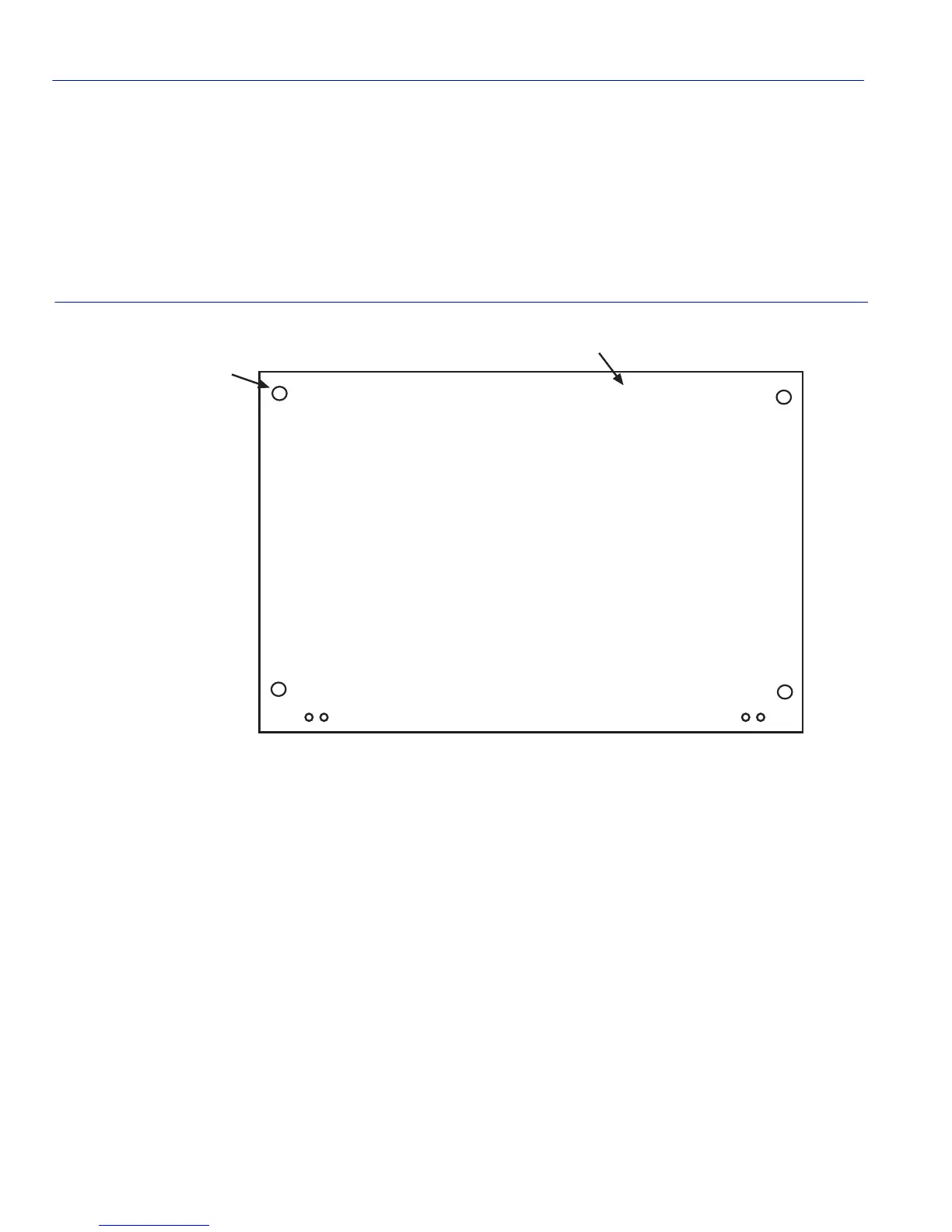
2. Locate the four tapped holes in the bottom four corners of the chassis shown in Figure 3-1.
Figure 3-1 Chassis Bottom, Rubber Feet Placement
3. Screw in and hand tighten each of the four rubber foot/screw assemblies into the four tapped
holes. Then tighten with a Phillips screwdriver.
4. After installing the rubber feet, proceed to install the Cable Management Bar.
3280-00-14
Bottom of Chassis
Tapped hole
for rubber foot
(Four places)


 To Next Page