50
Adding Content to your Library
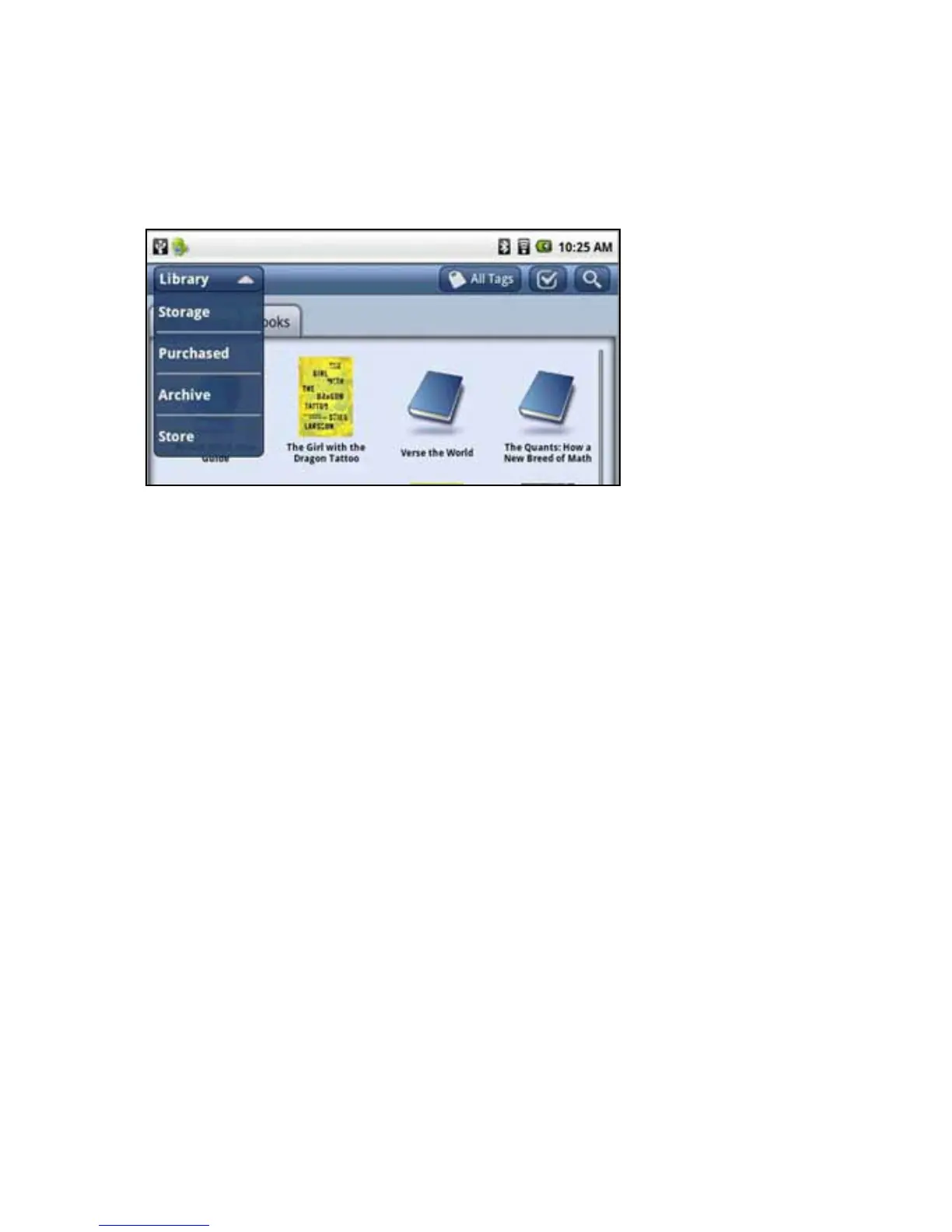
1. Press the Library icon to view the contents of your library. The library opens.
2.Onthetoprightisthestoragemenu.Youcanseelesthatareinyourlibrary,instorage,
purchased, or archived.
• LibrarylesarestoredintheenTourageeDGelibrary.
• StoragelesareonremovablememorysuchasanSDcardoraUSBashdrive.
• Purchasedlesarecontentthatyouhavepurchasedatwww.entourageedge.com.
• ArchivedcontentincludeslesyouhavebackedupontheenTouragearchiveserver.
3. Open the pulldown menu and select Purchased. A list of the purchased content that you
havenotdownloadedopens.Selectatitlefromthelistandselectdownload.Anoticationwill
indicate when the download is complete.
4.ToloadcontentfromanSDCardorUSBashdrive,selectStorage,thenchoosethe
memorydevicefromthelist.Alistoflesopens.Selectthecheckboxnexttoanitem,thenselect
Add to Library at the bottom of the touchscreen.
5. To purchase content from the enTourage eDGe bookstore, select the shopping cart icon
in the navigation bar. The bookstore will open. Follow the prompts to purchase and download
e-books. See Buying Books Using the enTourage eDGe Browser or Buying Books using your PC
for details.
NOTE:SeeSDCardfordetailsonwaystoaddlestoyourenTourageeDGe.
Return to Contents



 To Next Page