Clean the Printhead (cont.)
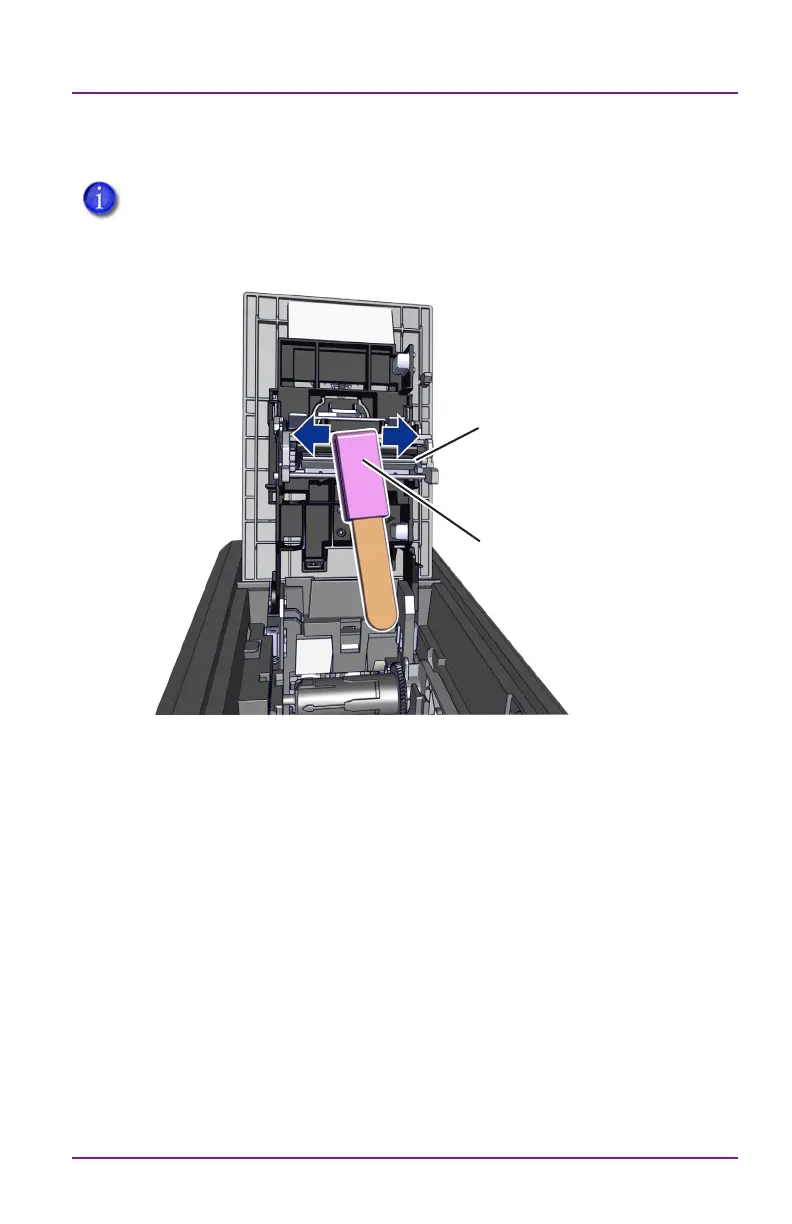
Apply Pressure Behind
Lapping Sck
Edge of the
Printhead
14 528293-001_B
Sigma Series
If a horizontal line in the printed image is sll present, repeat the
process using a lapping sck in process step 5. Aer this, repeat
cleaning in process step 5 with a swab.
Hints & Tips:
• Avoid touching the printhead edge with your ngers.
Contaminaon due to skin oils eventually can damage the
printhead.
• Avoid touching the prinng edge of the printhead cartridge with
any sharp objects that can permanently damage the printhead.
• Use only the cleaning swab or lapping sck to clean the printhead.
Other materials can sck to the printhead and cause damage.
• Use a cleaning swab one me only. Discard it aer you clean the
printhead.
• The lapping sck can be reused by using a clean spot on the
lapping paper (pink).



 To Next Page