6 528293-001_B
Sigma Series
Use the Cleaning Card
Clean the printer with the isopropanol cleaning card each me you change
the ink ribbon, or more oen if necessary.
Single-Hopper Printer
1. Unlock the printer and input hopper locks, if present. Refer to “Before
You Begin” on page 6.
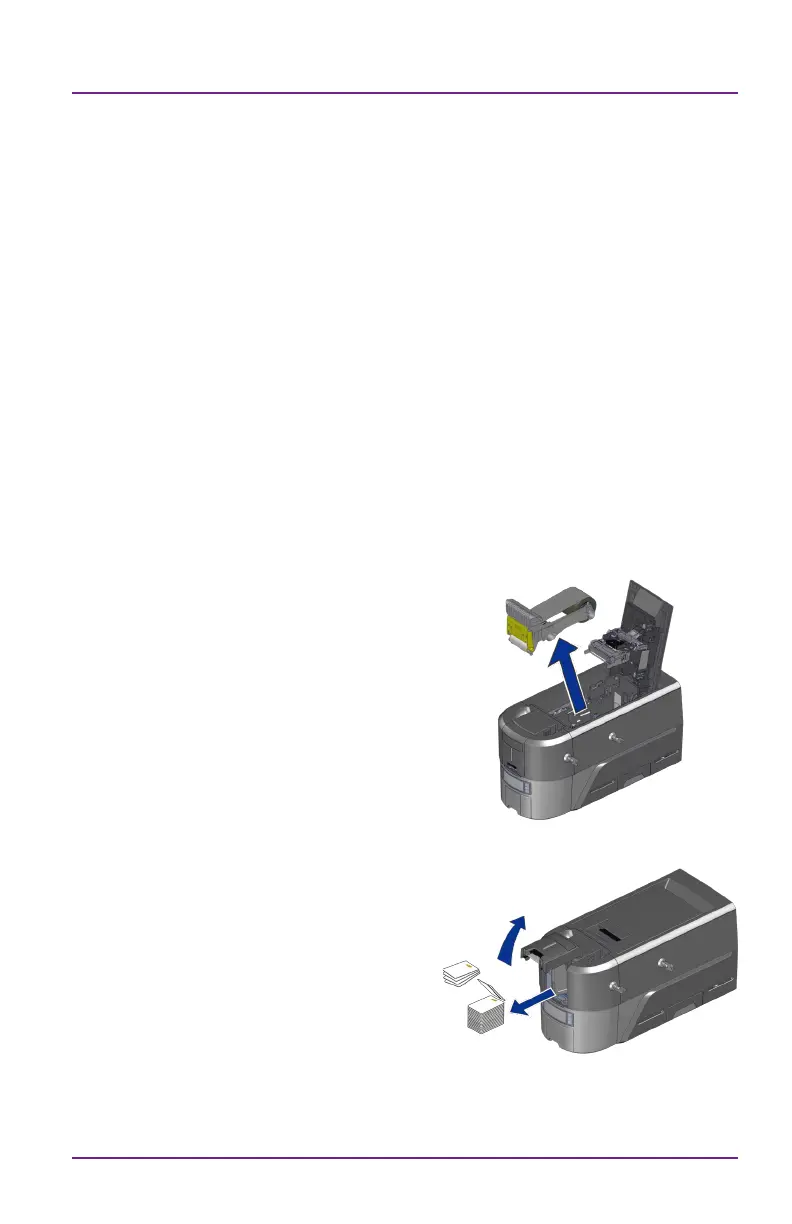
2. Open the printer cover and remove
the print ribbon cartridge or cassee.
Close the cover.
3. Open the input hopper cover and
remove any unprinted cards. Handle
the cards by the edges only, or wear
approved card inspecon gloves.
Before You Begin
• If your printer has locks, unlock the input hopper or printer access
door lock. If your printer does not have locks, disregard any
instrucons that ask you to unlock the printer.
• When you clean the printer using the cleaning card, remove the
ribbon cartridge, and the cleaning sleeve.



 To Next Page