20
AlcoQuant® 6020 – Breathalyser – Operating Instructions
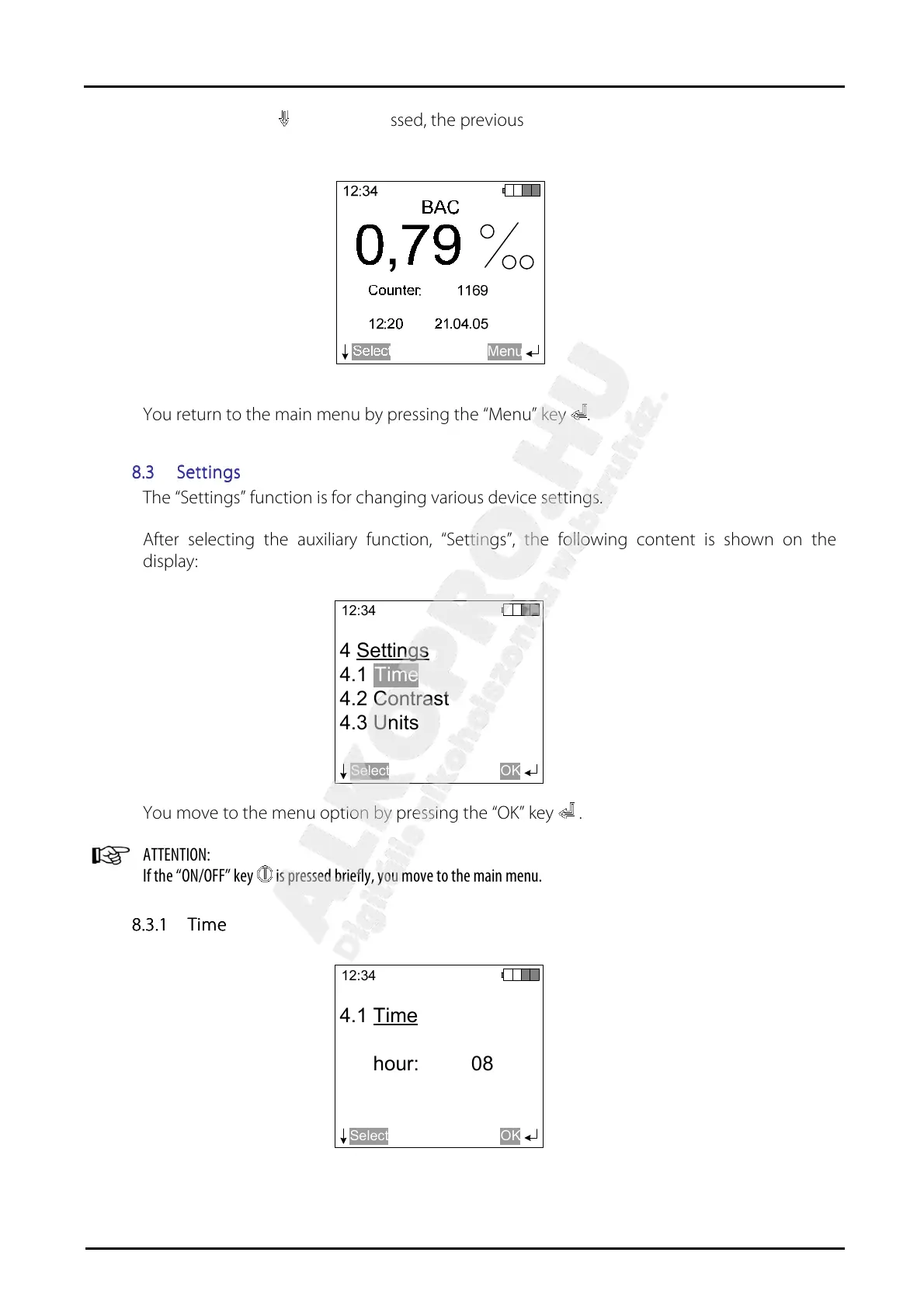
After the ”OK” key has been pressed, the previous value to have been measured appears on
the display:
You return to the main menu by pressing the “Menu” key .
8.3
8.38.3
8.3 Settings
SettingsSettings
Settings
The “Settings” function is for changing various device settings.
After selecting the auxiliary function, “Settings”, the following content is shown on the
display:
12:34
Select
4 Settings
4.1
4.2 Contrast
4.3 Units
OK
Time
You move to the menu option by pressing the “OK” key .
ATTENTION:
If the “ON/OFF” key is pressed briefly, you move to the main menu.
8.3.1
8.3.18.3.1
8.3.1 Time
TimeTime
Time
12:34
Select
4.1 Time
hour: 08
OK


 To Next Page