23
AlcoQuant® 6020 – Breathalyser – Operating Instructions
8.3.4
8.3.48.3.4
8.3.4 Key tone
Key toneKey tone
Key tone
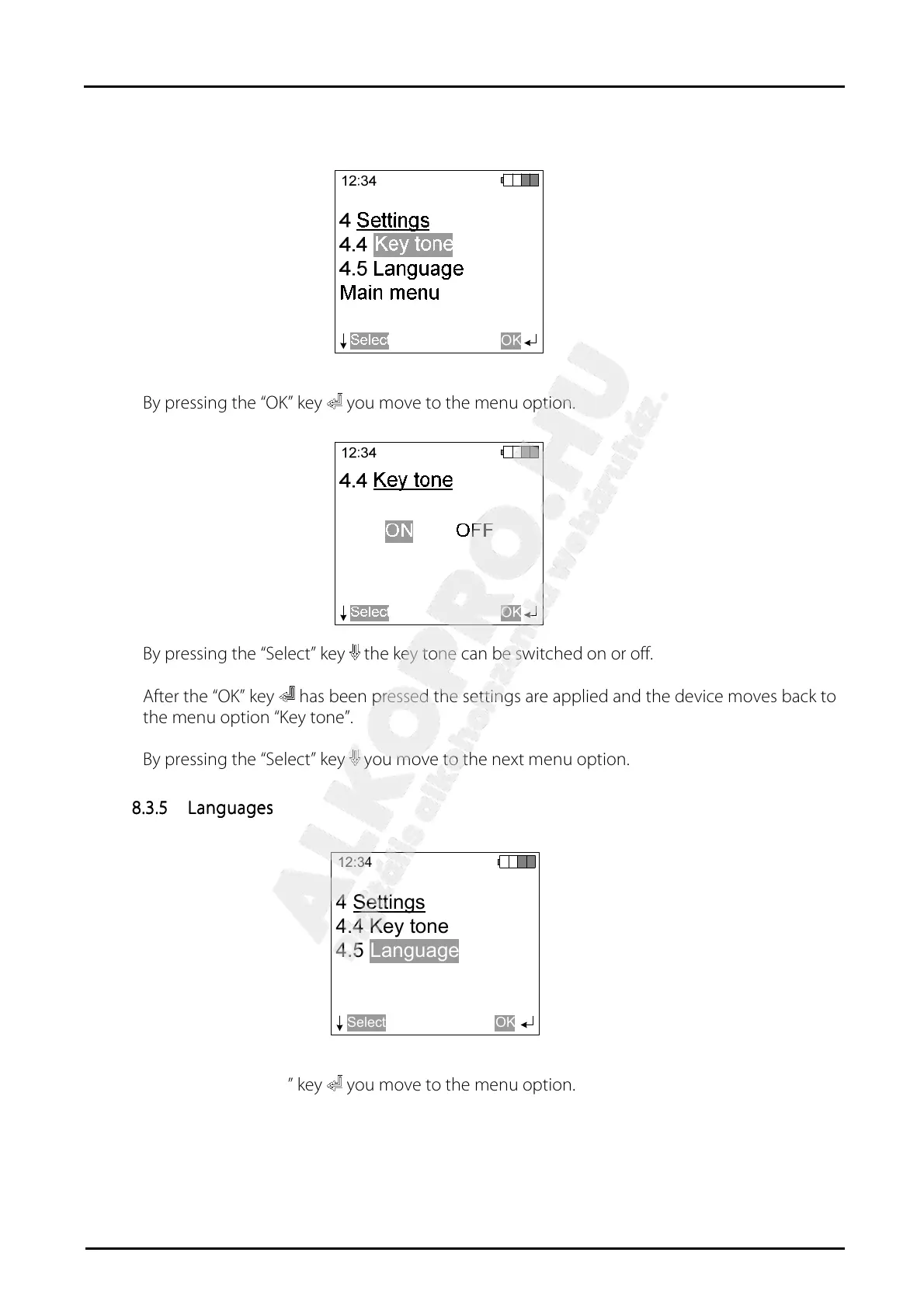
By pressing the “OK” key you move to the menu option.
By pressing the “Select” key the key tone can be switched on or off.
After the “OK” key has been pressed the settings are applied and the device moves back to
the menu option “Key tone”.
By pressing the “Select” key you move to the next menu option.
8.3.5
8.3.58.3.5
8.3.5 Languages
LanguagesLanguages
Languages
12:34
Select
4 Settings
4.4 Key tone
4.5
OK
Language
By pressing the “OK” key you move to the menu option.


 To Next Page