12
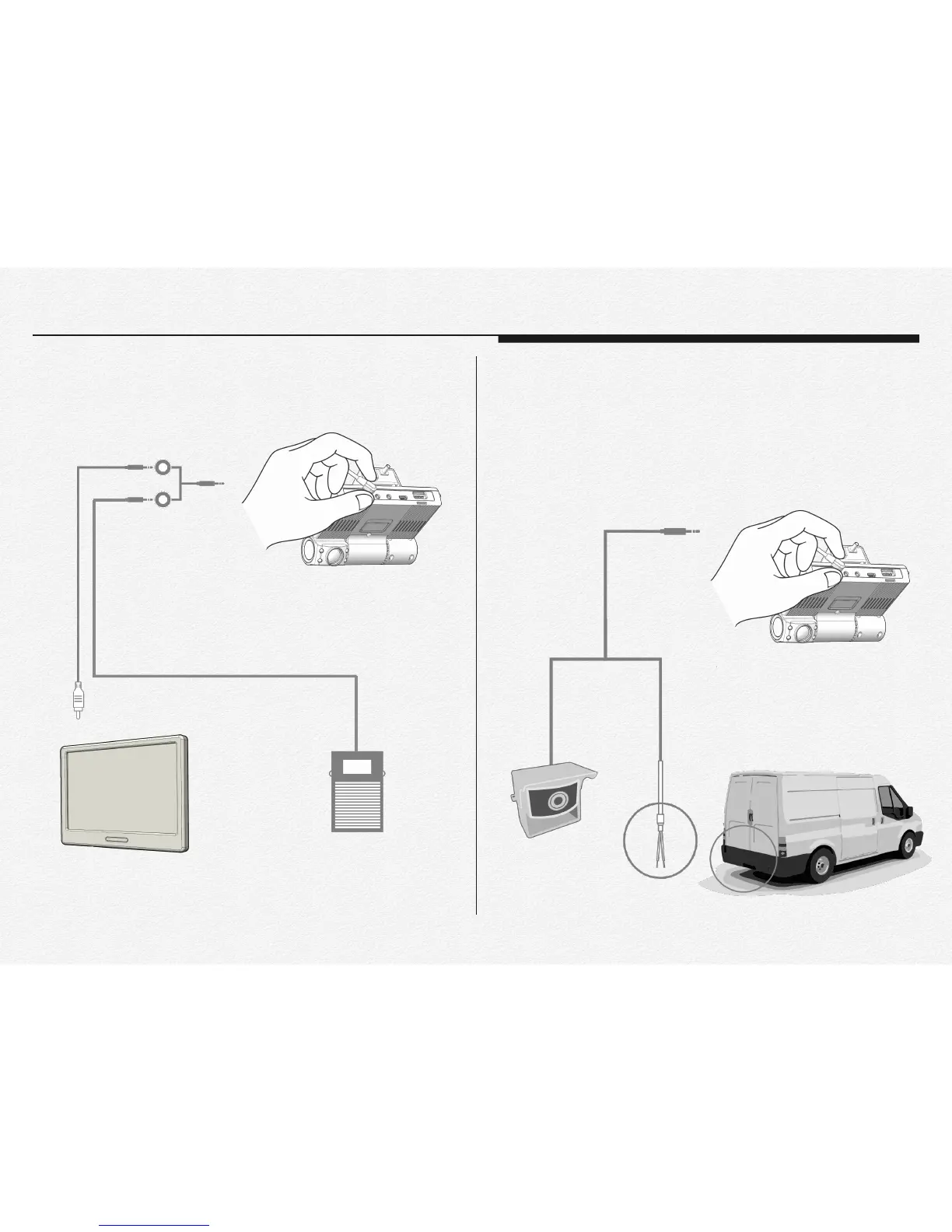
The ‘VIDEO OUT’ port is able to connect to use panic button
switch. And If need to use for video out and panic button switch
at once then it is able to connect by Y-type cable use.(Extra)
CAMERA IN
The ‘CAMERA IN’ port is able to connect external 3rd camera
for 3 Channel video recording. The ‘CAMERA IN’ port is supply
power DC 5v to 3rd camera and able to receive analog signal
for reverse gear detection or electronic dry signal from 3rd
party’s device as like GPS tracker.
Video monitor (RCA) SOS Panic foot S/W
Y-type cable
VIDEO OUT
3rd Camera
Dry signal cable
(High & Low)
CAMERA IN


 To Next Page