22
A) Ready to update
1) Format micro SD card before firmware upgrade.(➤page 20)
2) Unzip the firmware file as attached this file folder. After
unzipped then it can be found “update” folder."
B) Upgrading firmware
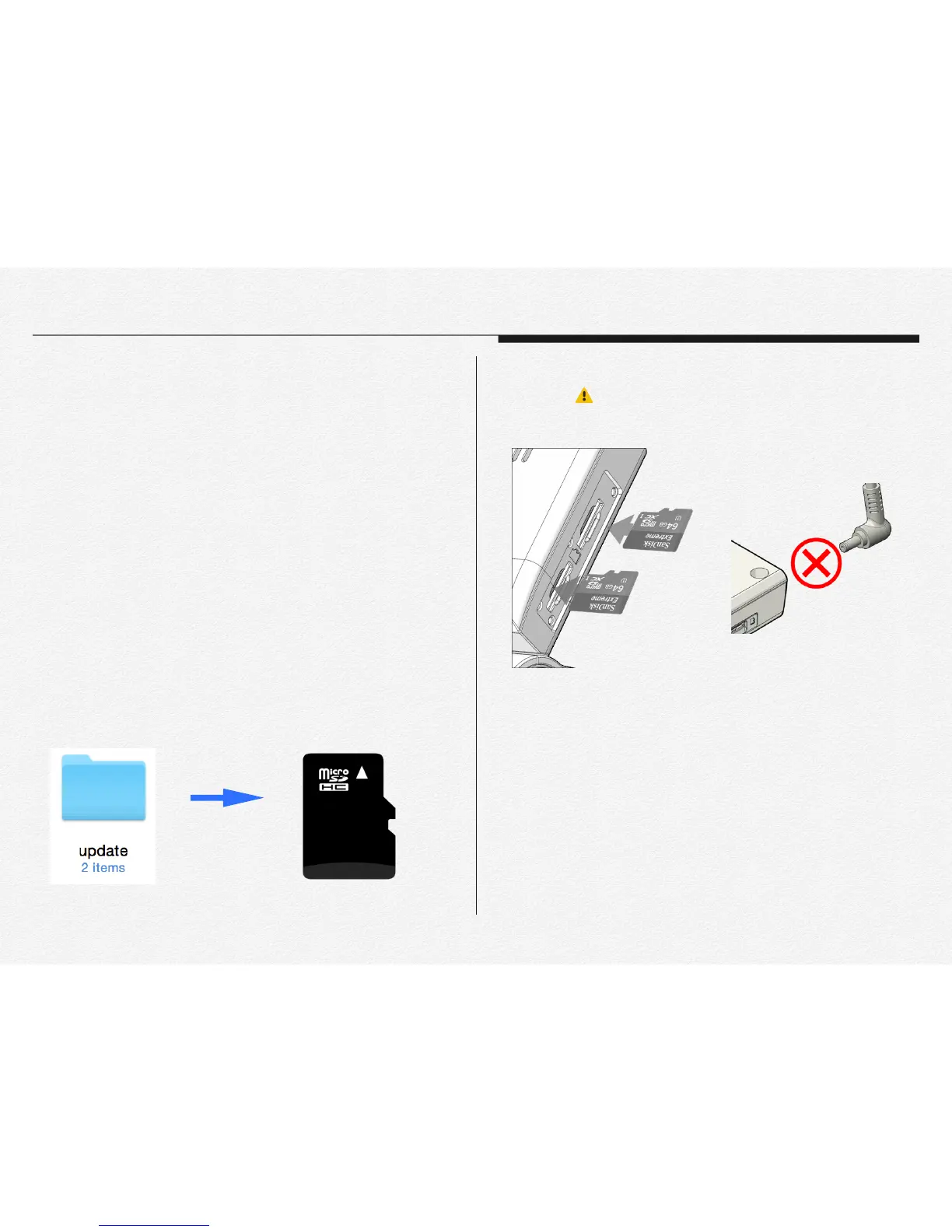
1) Connect micro SD card to PC.
2) Copy or move whole ‘update’ folder to micro SD card.(Roof
directory / the update file folder has contained two type of
items that ‘ACA_FS.img’ and ‘ACA_ulmage.bin’ file.)
"
"
" "
" "
"
"
" "
" "
3) Remove micro SD card from the PC and insert SD card to
NDVR. ( Please make sure that NDVR power is must
turn off state when insert micro SD card.)
4) Do not remove ‘micro SD card’ and ‘power cable’ before
completed upgrade."
C) Upgrading Time
* Firmware update time will be takes around 1 minute and 30
seconds.
* The NDVR system will reboot automatically after update
completed. ( System reboot time will be takes around 15
seconds.)
Section 4
How to update firmware
Copy


 To Next Page