19
• Please format FAT32 before copy the firmware to micro SD
card when you need firmware update.
A. Window PC User.
1. Connect removable memory card(micro SDXC card) to PC
first.
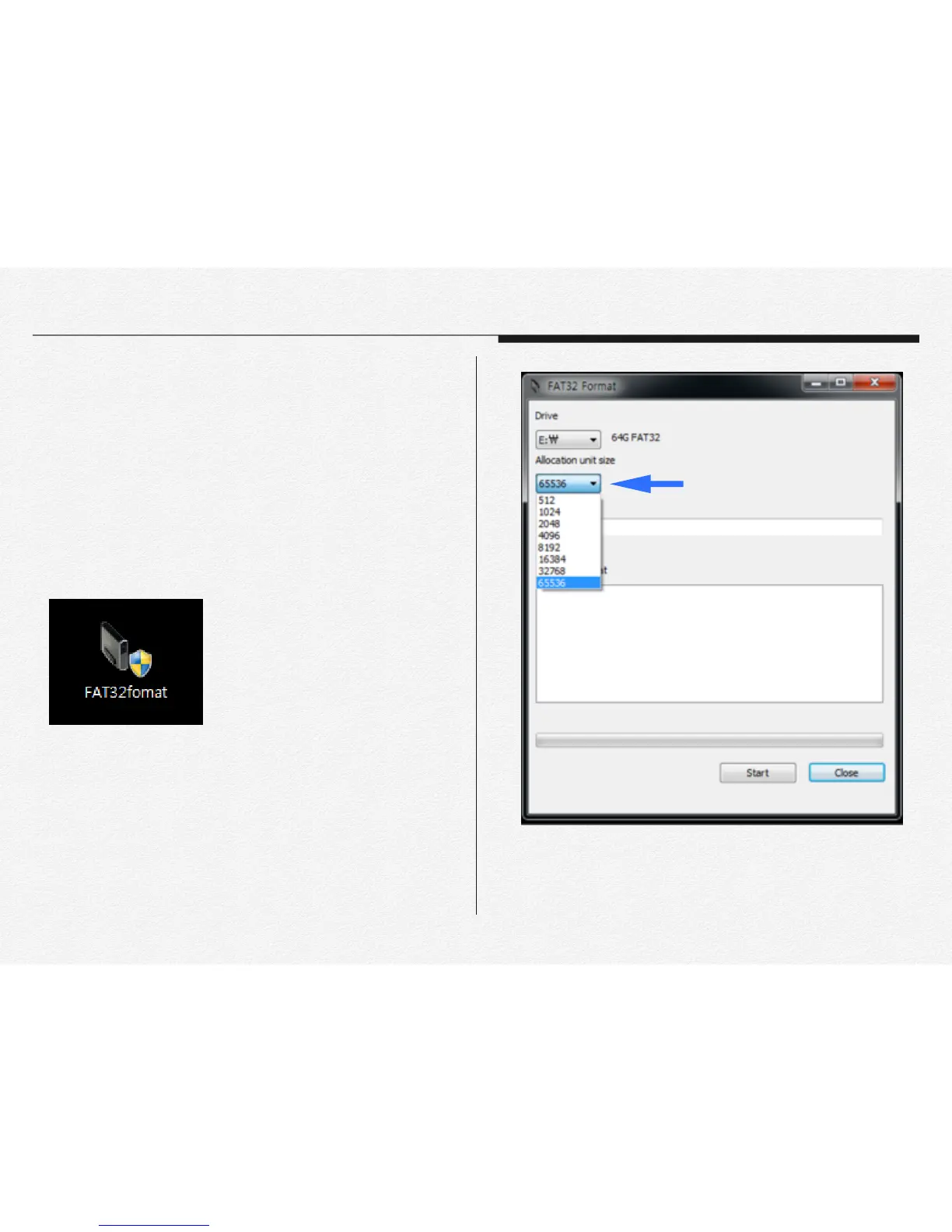
2. Unzip ‘FAT32format.zip’ file and running FAT32format.exe."
"
"
"
"
3. Select memory card unit size(Allocate unit size);"
(Ex. 32GB -> 32768 / 64GB-> 65536)"
"
Section 3
Format memory cards
Select memory size


 To Next Page