23
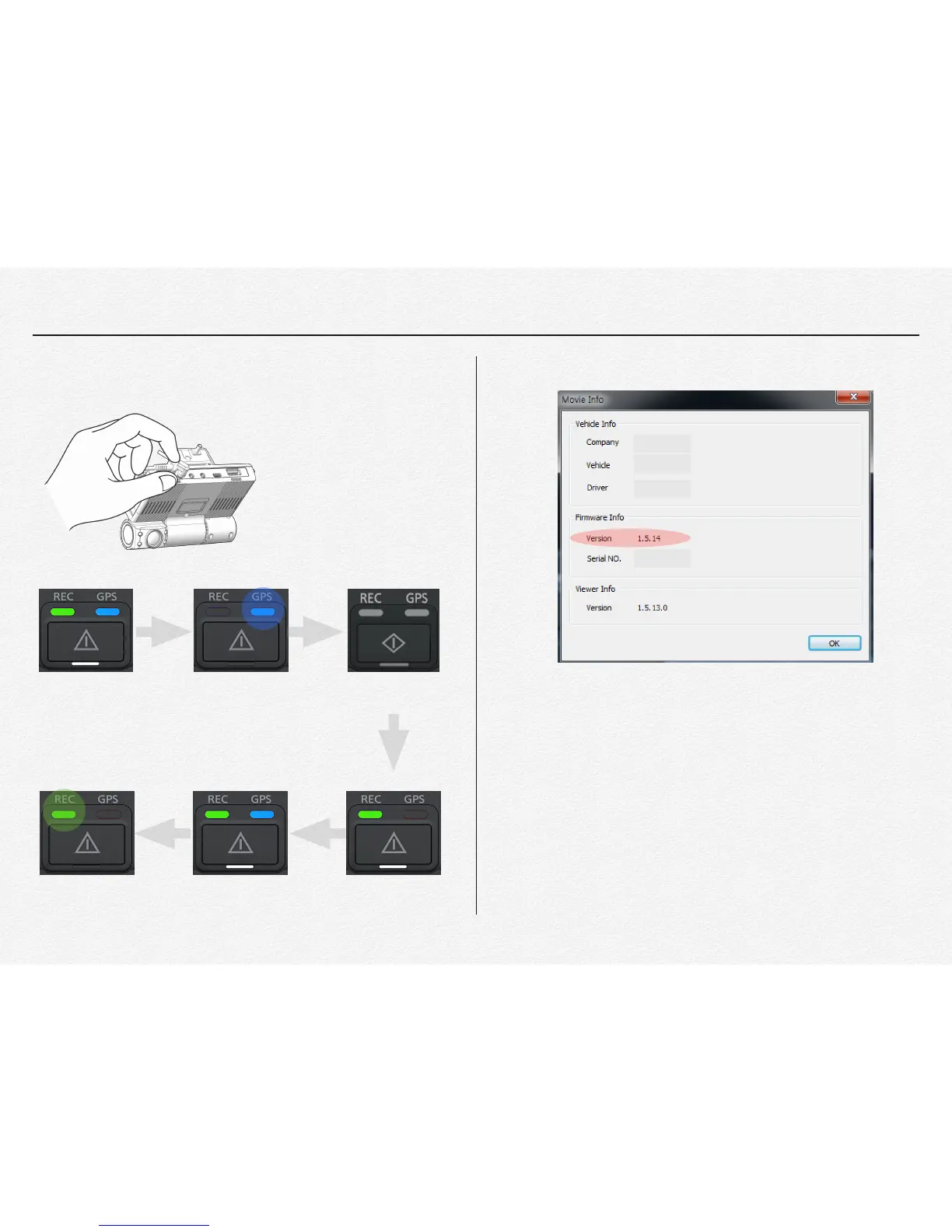
* Plug in DC power cable after inserted micro SD card which
‘update’ folder is contained.
! !
! !
!
!
!
!
! ! !
! !
! !
!
! !
! !
! !
! !
!
* It is able to check updated firmware version via PC manager.
! !
! !
! !
! !
! !
! !
D) Others
* Firmware file is should be inserted ‘Primary memory card slot’
or ‘Secondary memory card slot’. If firmware update is
operating via 1(one) micro SD card then no matter slot place
select. But if firmware update is operating with 2(Two) micro
SD card inserted statue then update firmware file is should be
inserted to ‘Primary memory slot’.
⚠ Firmware is will not be upgraded by external USB memory
device.
Power on Updating System Closing
Power on System Booting
Recording
(Completed)
Power on


 To Next Page