84
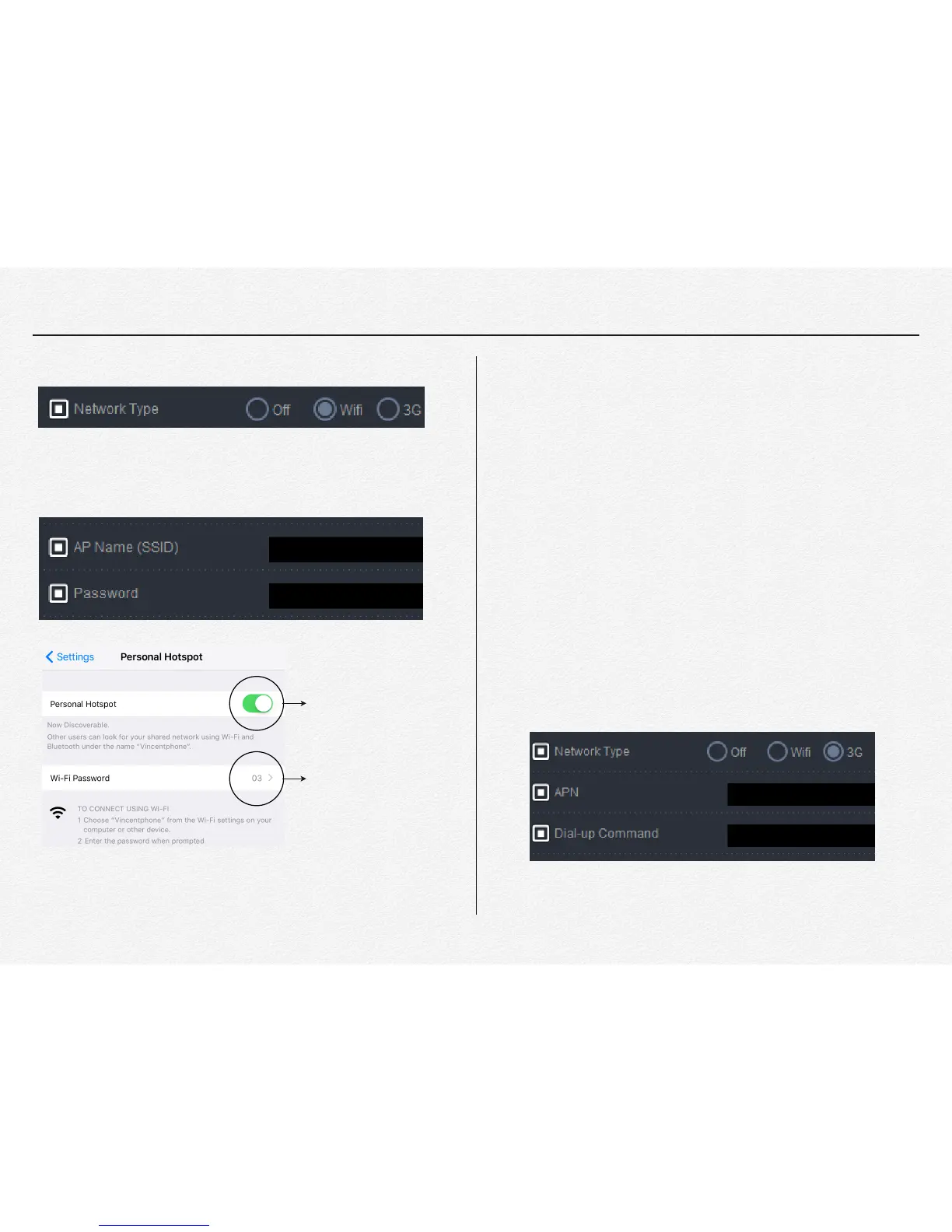
* Network Type: Select type of network method for use."
* AP Name(SSID) and Password: Enter the SSID and
password."
* 3G/LTE: To connect using 3G or LTD modem via USB(micro
USB) port.
It is necessary to verify modem from carrier site only first time.
1. Connect the 3G or 4G modem to PC and check driver detect.
2. Open internet web browser and go to carrier site as guiding
of program( ex. http://192.168.9.1/)
3. Check and enter APN and IPv4 number as your USIM and
Carrier information and try to internet connect by the modem.
4. If the internet is available use then connect the modem to the
NDVR by cable. It is may not necessary to enter APN and
Dial-up Command code when the modem has success use
internet by PC at first time.
"
" "
" "
" "
" "
" "
" "
" "
" "
Turn on the Hotspot
Get the password


 To Next Page