86
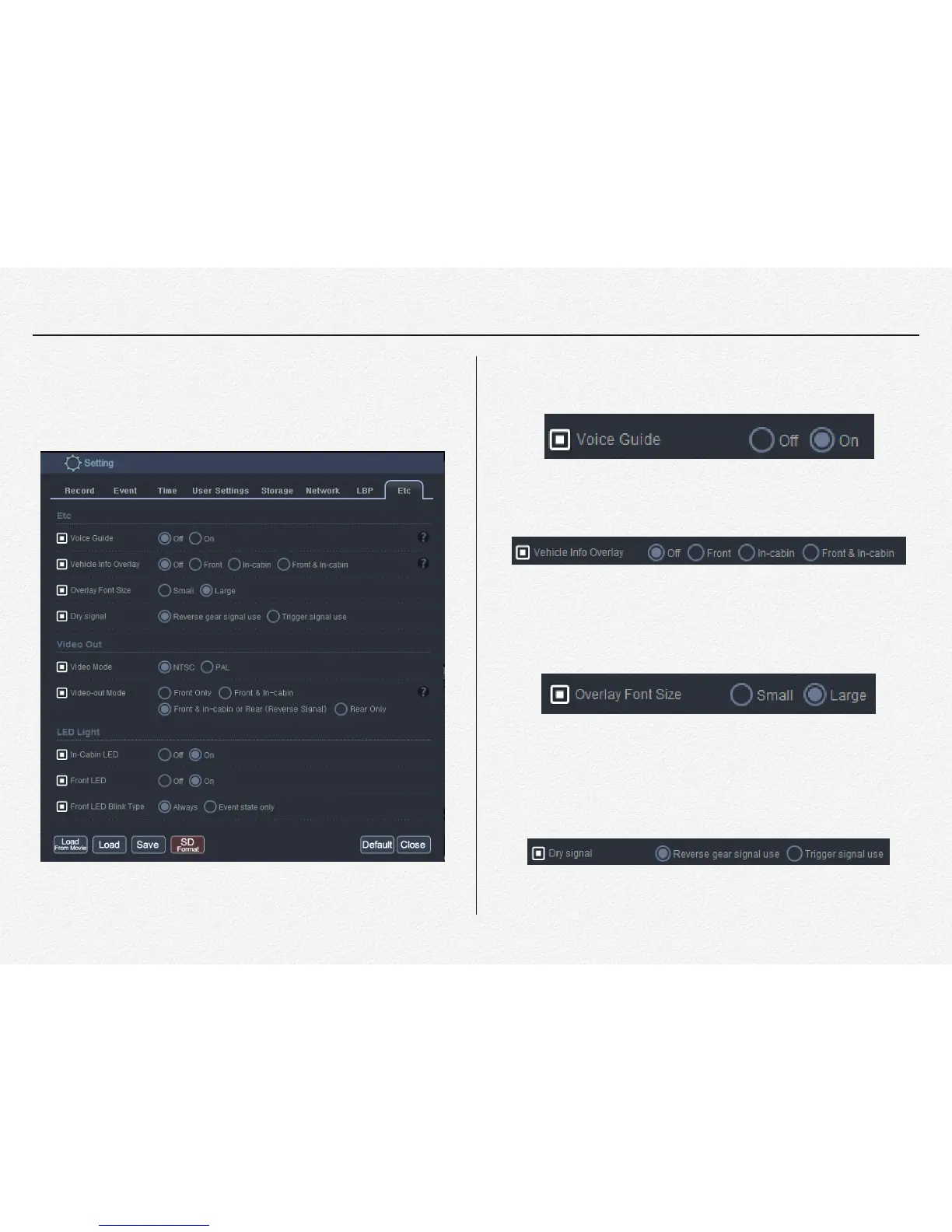
Etc.
This ‘Etc.’ tap is for setting LED light and sound output rules.
* Voice Guide: Voice prompt for system startup and recording.
If don’t need to any sound out up then select ‘Off’."
" "
" "
* Vehicle Info Overlay: Watermark Vehicle, Driver and
Company information on video."
* Overlay Font Size: This selection is changing overlay text
font size."
" "
" "
* Dry signal: The NDVR is able to receive trigger signal from
external device which device is output electronic signal ‘High’
and ‘Low’. If it selected ‘Trigger signal use’ then it is working
same as ‘Emergency Event’ file sort(Trigger Event). "
" "


 To Next Page