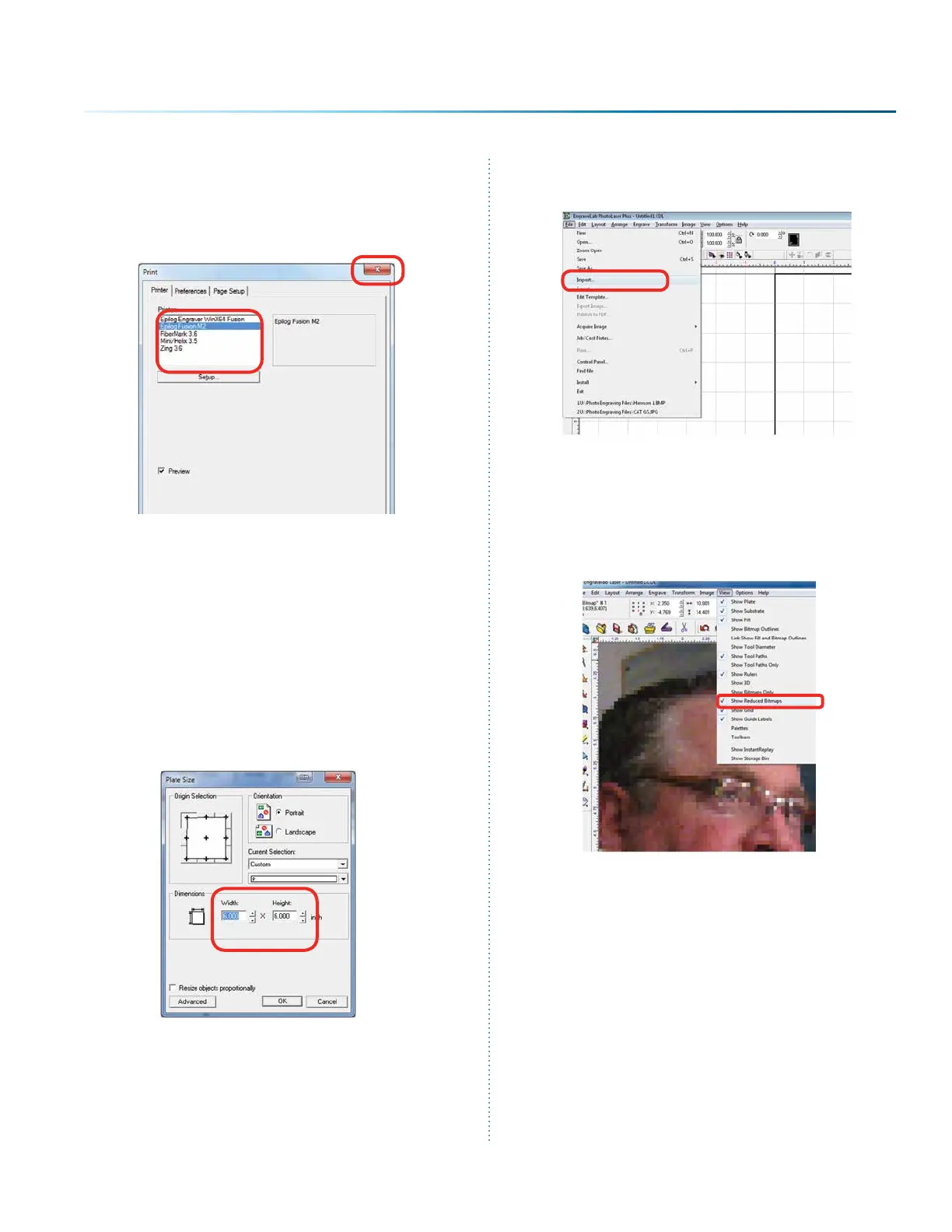
7. Select your laser in the driver list. Make sure
this has the name Epilog in the driver, or
move back to step one. Next close the print
window by clicking the red X.
8. Close PLP, then reopen the soware and you
are ready to start using the soware.
PhotoLaser Plus Photograph
Transformation
When you first open PLP, your first step is to set
your plate size, which is your page size. You can
set this to match the material you are engraving,
or the size of the engraving table.
Import your photo to be transformed. Select File
then Import.
If the file looks bitmapped aer the import, select
View then Show Reduced Bitmaps to see the
higher resolution version of the image.
- 99 -
SECTION 9: OPTIONAL FEATURES



 To Next Page