Previewing Your Job
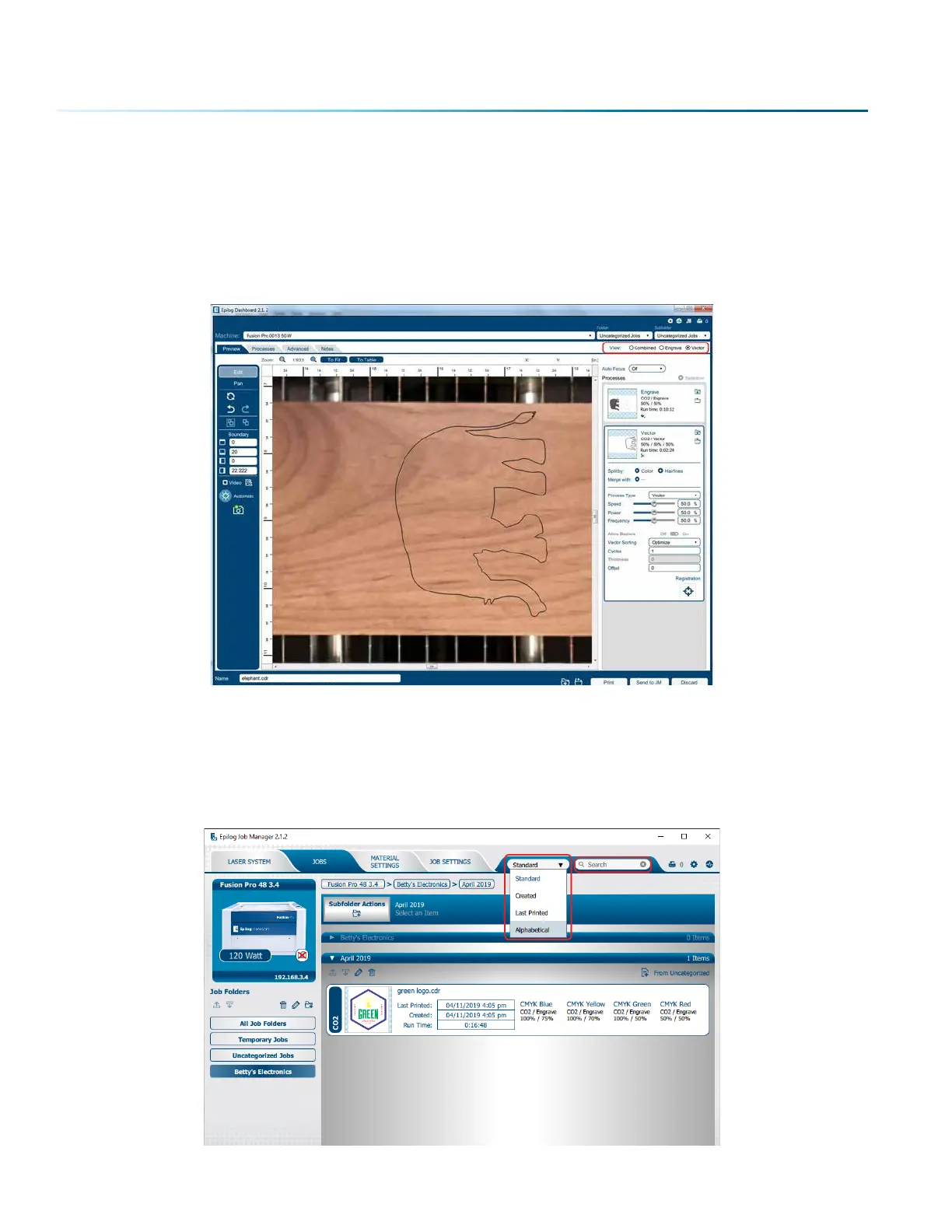
To view a preview of the job, double click on one in the Jobs Tab. A Preview Tab will open and you can
preview the combined raster vector job, just the raster components, or just the vector components. We
have selected vector to show only the vector components of this job. The preview mode is very useful in
identifying unwanted vector components in a job. For more information, see “Presetting Your Cut Lines”
on page 52.
Searching for a Job
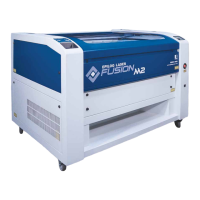
The Job Manager has a poweul search function. Type in part of a file name and press enter to find all
files related to that name. You can organize files by Standard, Created, Last Printed, or Alphabetically to
find a specific file.
- 38 -
SECTION 4: THE JOB MANAGER



 To Next Page