Move a Job Between Folders
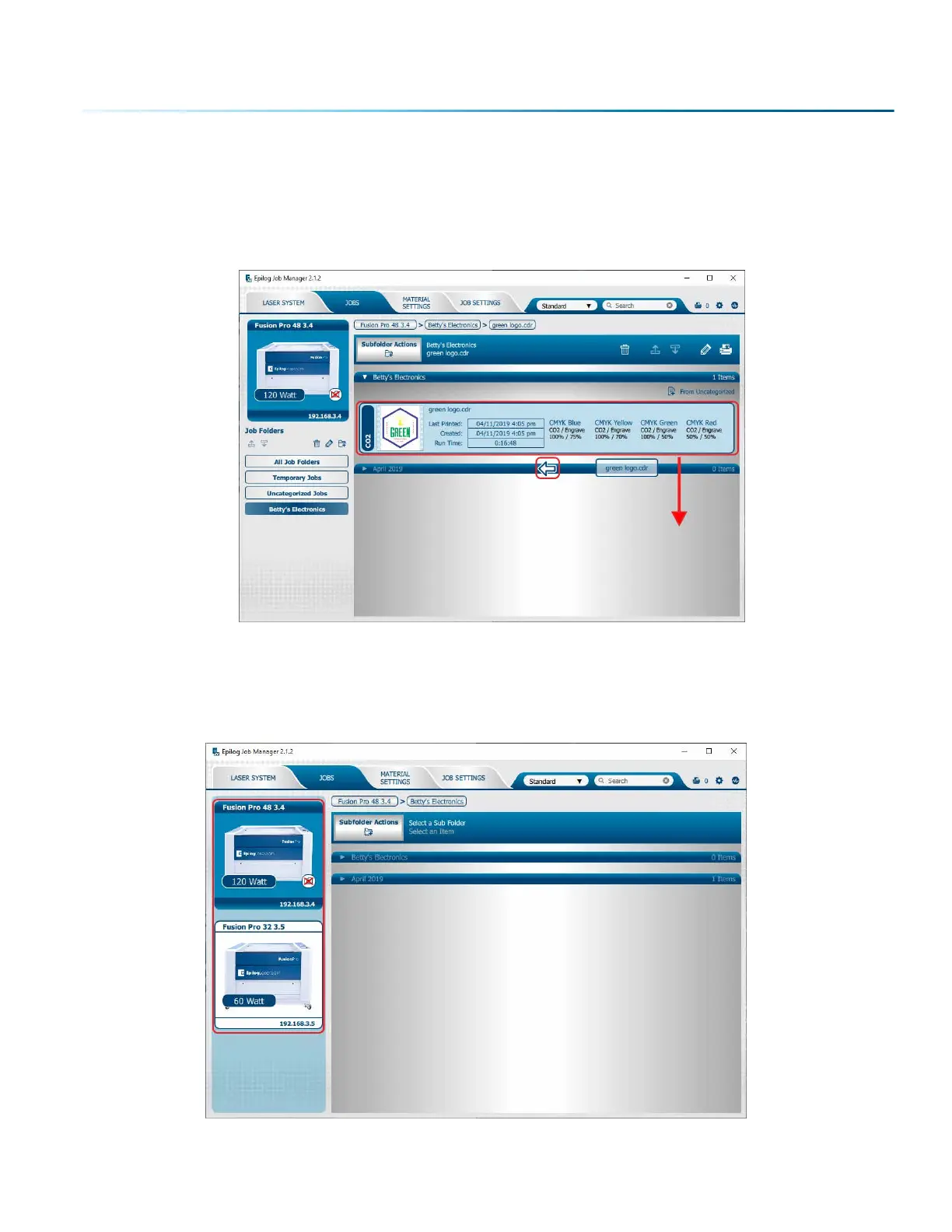
You can also move any job to another folder or subfolder by clicking and dragging it up or down between
folders. An arrow will indicate where you are placing the job. Once you see the arrow selecting the correct
folder, let go of the job file to place it in that folder.
Switch Machine Selection
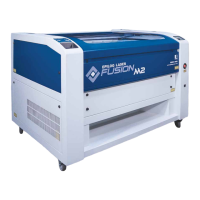
By clicking on the machine photo in the upper le corner, you can quickly change which machine model
you want to have active.
- 37 -
SECTION 4: THE JOB MANAGER



 To Next Page