Move an Uncategorized File to a Folder
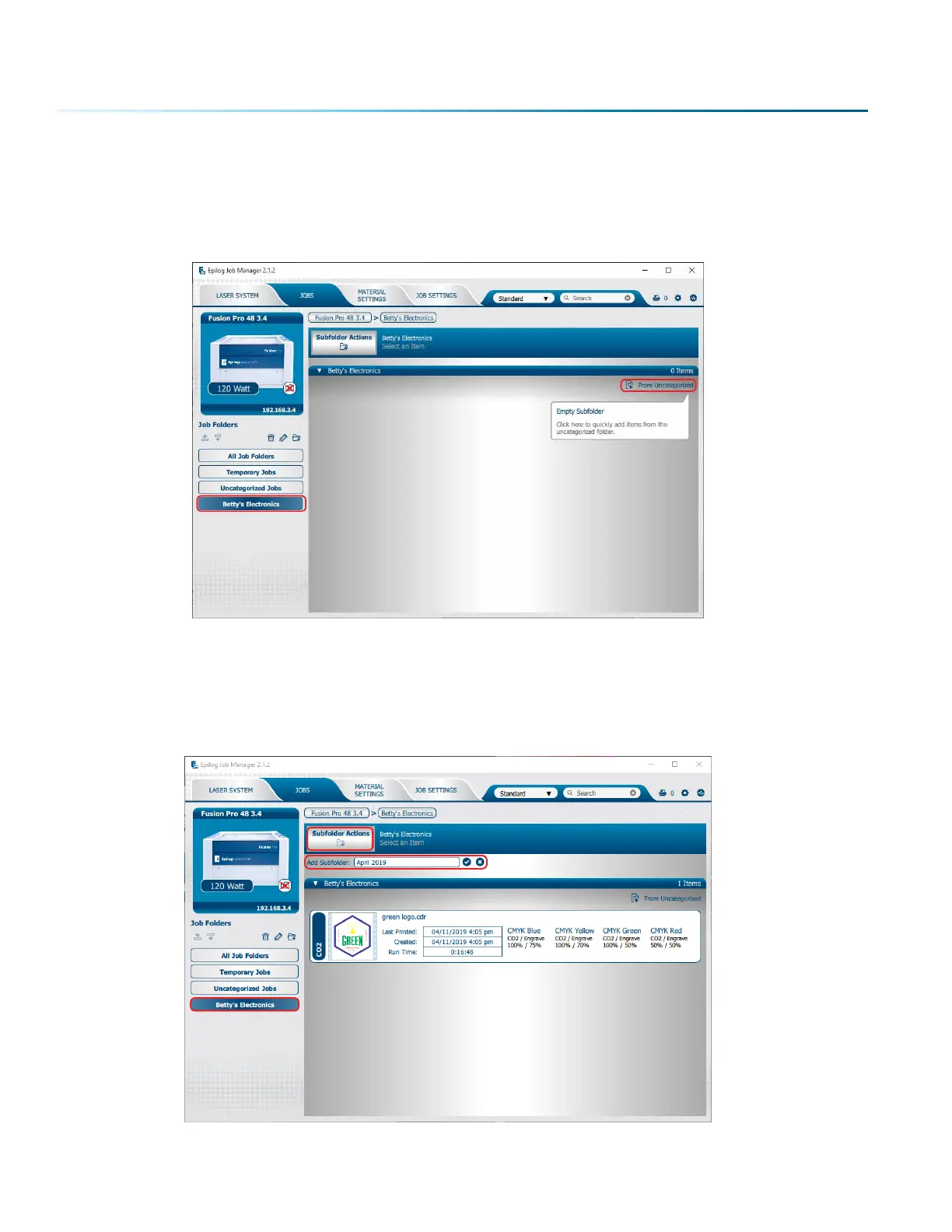
When you highlight a folder you will see From Uncategorized on the right side of the folder. Click From
Uncategorized to move a job from the Uncategorized folder to this subfolder. Select the job you want to
move and click OK.
Create Subfolders
First, highlight the folder in the le panel where you want to add a subfolder. Below we have highlighted
the Betty’s Electronics folder. Click the Add Subfolder icon. Type the subfolder name in the Add Subfolder
field, then click the check mark to create the subfolder.
- 36 -
SECTION 4: THE JOB MANAGER



 To Next Page