Setting Up CorelDRAW for the Laser
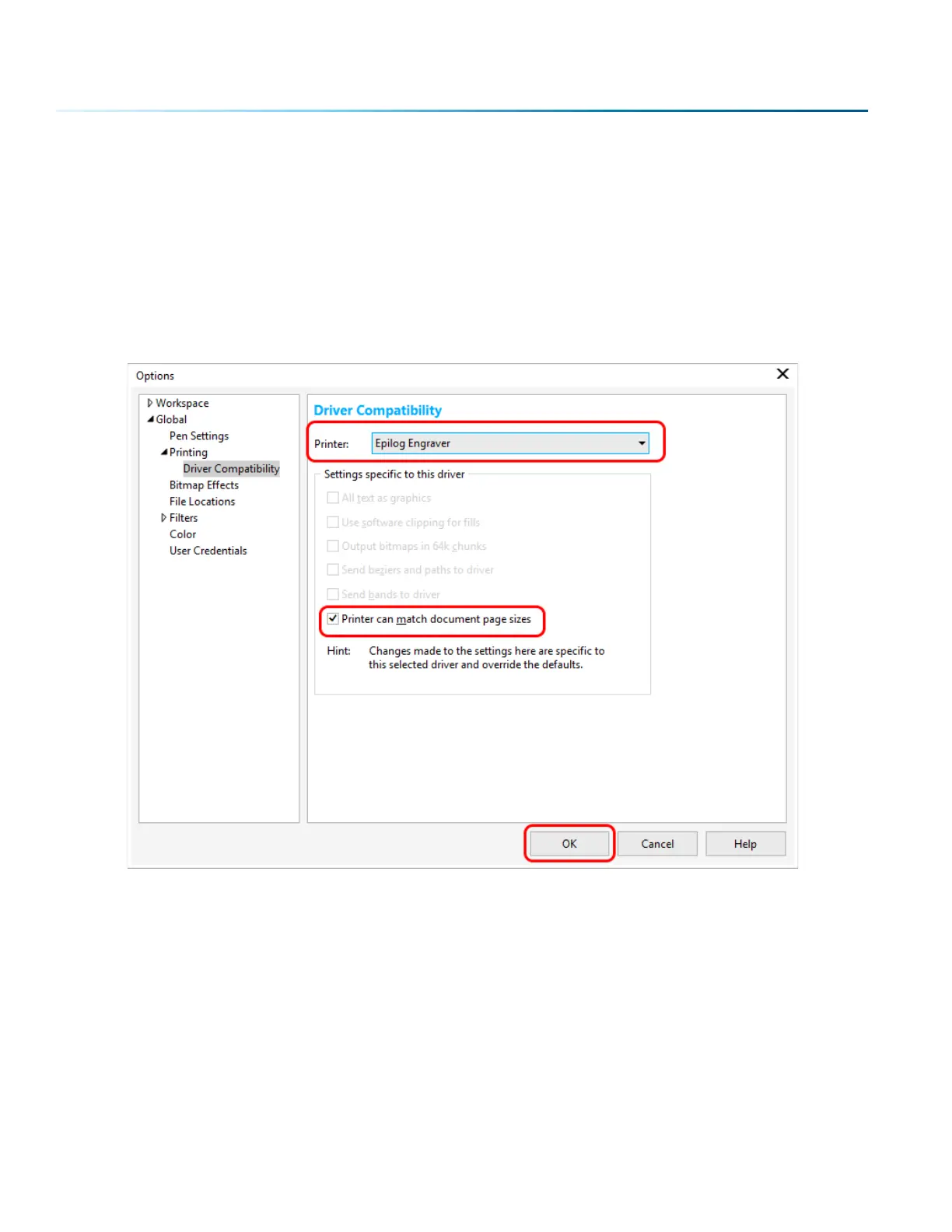
If you are using CorelDRAW, first make this quick, one time change to the settings.
1. Go to Tools > Options > Global > Printing > Driver Compatibility.
2. Select Epilog Engraver from the drop-down list.
3. Select “Printer can match document page sizes”, and click OK. You’re ready to go!
- 48 -
SECTION 5: THE LASER DASHBOARD



 To Next Page