position has been established, flip the gauge back up into its locked position. Press the Focus button to
leave the menu and then press the Reset key to bring the laser head back to its Home Position.
If your material has a taper or curve, pick an intermediate point between the highest and lowest points
being engraved and focus on that point. In general, the area of the material being engraved needs to be
relatively flat. If the area being engraved diers in height by more than about an .125” (3 mm), the image
will begin to look “fuzzy” or out of focus.
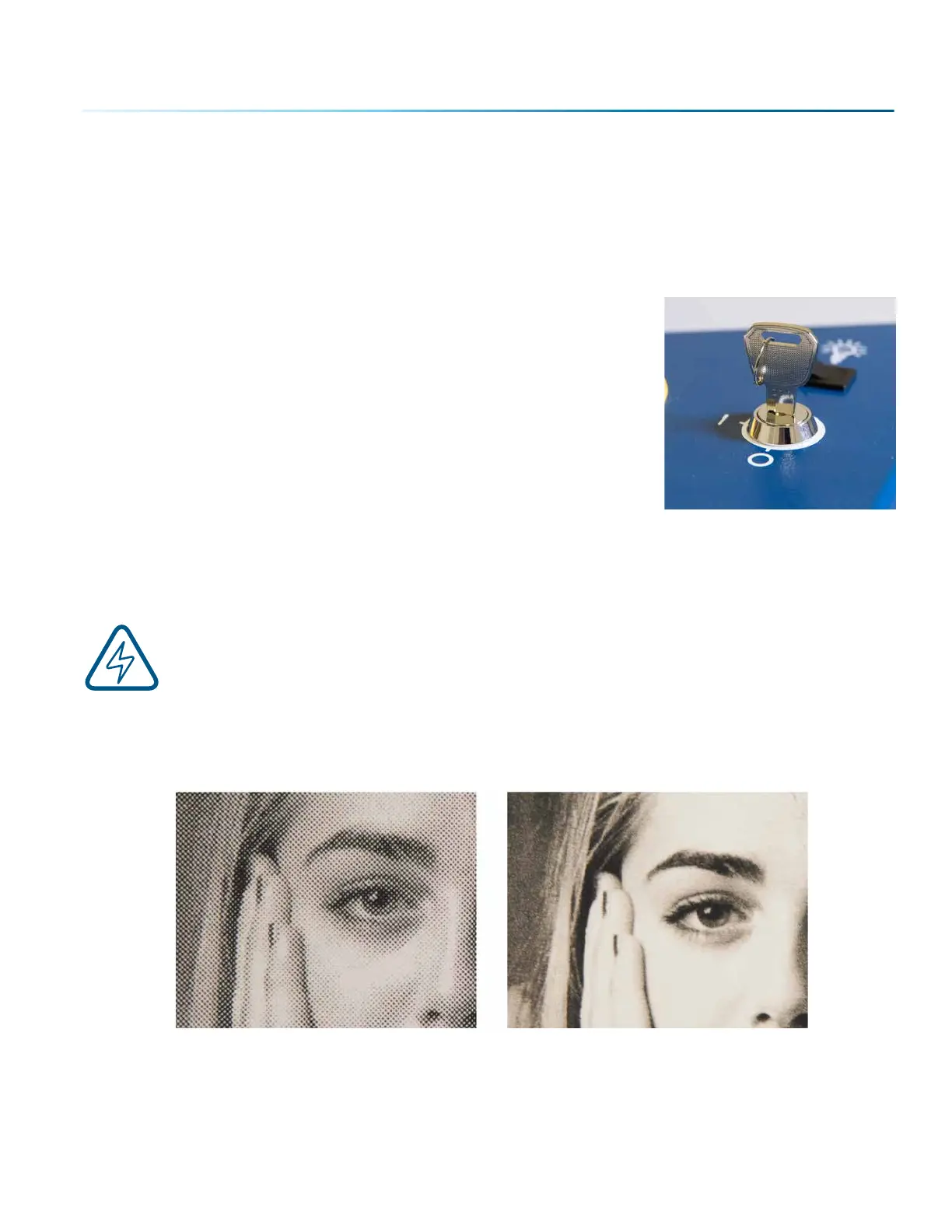
Key Switch
The Key Switch feature is used to power the Fusion Pro on and o, and
also allows you to lock out any unauthorized users by powering down
the machine and removing the key.
Image Dithering
Dithering defines how the dot patterns will be engraved in raster images that contain grayscale graphics,
blends, or color images. The Dashboard oers six dierent dithering patterns to enhance your engraving
projects. The default mode is Standard. This mode can be used for all images including photographs.
Dithering is used only for raster engraving and has no eect on vector cut lines.
Laser engraved photographs on wood usually require a third party soware package to
produce a good image that is suitable for the laser. Epilog recommends PhotoLaser Plus for
this application. Users find it an invaluable piece of soware that is easy to use and will
produce much better looking images when working with wood. Please contact your Epilog
representative to learn more about this soware package. For more information on using
PhotoLaser Plus, see “PhotoLaser Plus” on page 98.
What is Dithering?
The best way to show dithering is to look at the exact same photo engraved in Standard mode and Stucki
mode. Both photos were engraved at 300 DPI. With the two dierent dithering patterns you achieve a
very dierent result, with a more structured pattern for the Standard mode, while the Stucki mode results
in a more random pattern that looks more natural and pleasing to the eye.
300 DPI Standard Mode
300 DPI Stucki Mode
- 87 -
SECTION 8: SYSTEM FEATURES



 To Next Page