- 12 -
SECTION 2: GETTING STARTED
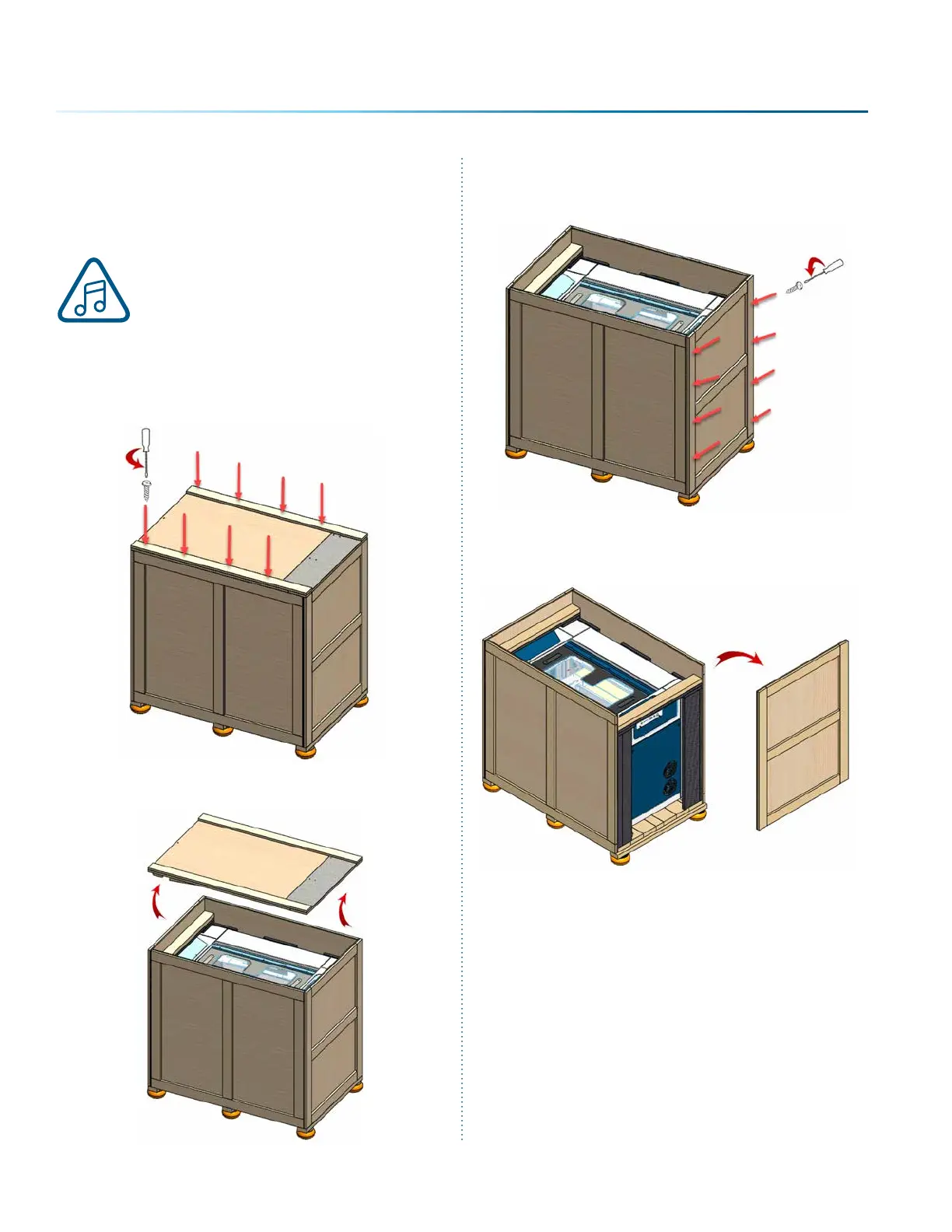
3. Remove the screws securing the front panel.
4. Slide the front panel out of the box.
1. Unpacking the Laser
System
Unpack the laser system from the crate
provided by Epilog. Please be sure to
hold on to all packing materials and
crating in case you need to move the
system in the future.
1. First, remove the screws securing the top lid
using a screwdriver.
2. Remove the top lid and set it to the side.



 To Next Page