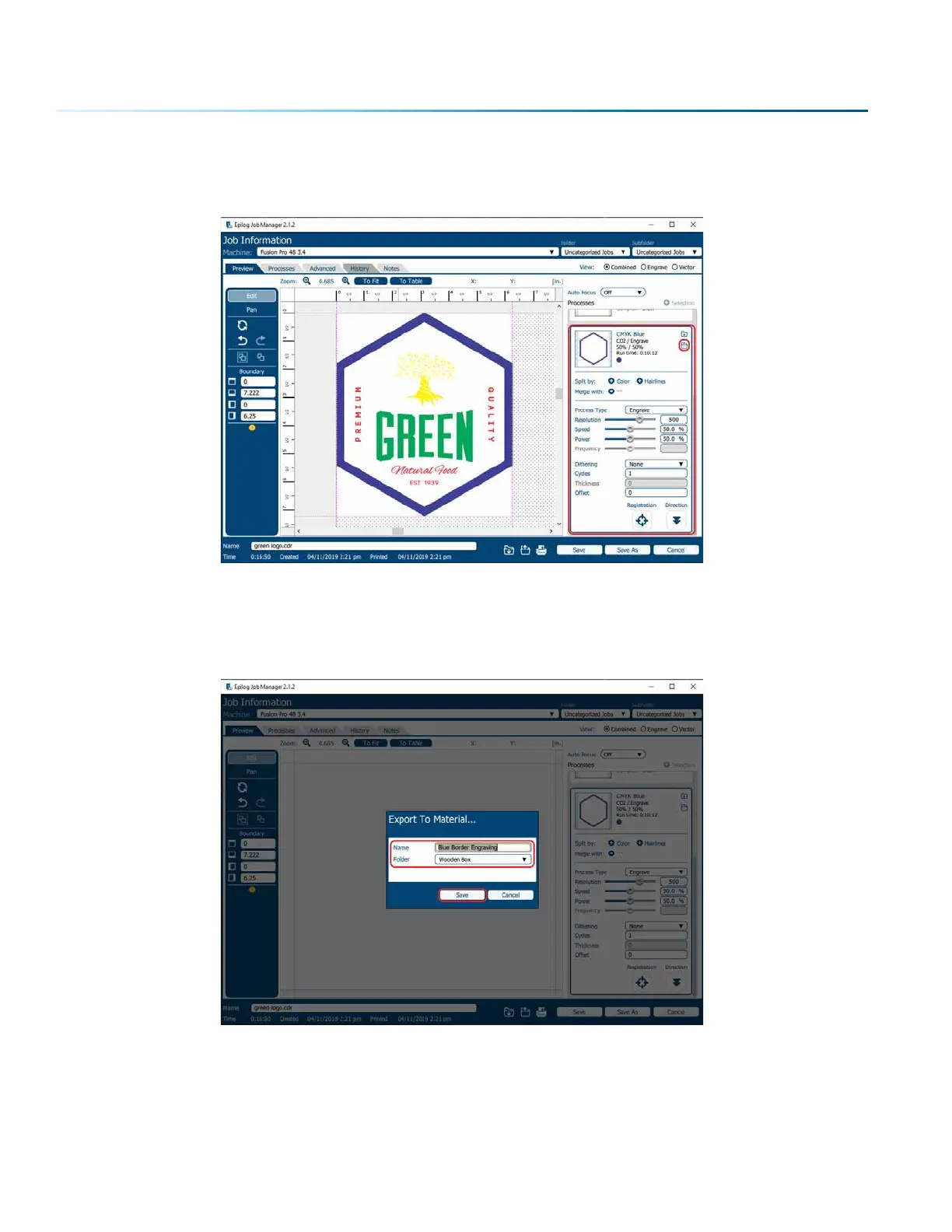
3. Now go to the Epilog Dashboard and set up the file to your preferred settings. Click on the process
that has settings you want to save. In this example we have clicked on CMYK Blue. The Process box
should open, then click the “Export Settings to Material” button.
4. A box will appear asking you to name the Material Setting and select a folder to save it in. Fill out
this information and then click “Save”.
- 42 -
SECTION 4: THE JOB MANAGER



 To Next Page