EasyManua.ls Logo

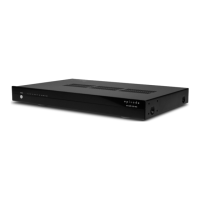
Episode EA-AMP-12D-70A - User Manual

Episode EA-AMP-12D-70A
16 pages
Print Icon
To Next Page IconTo Next Page
Loading...
OWNER’S MANUAL >>
EA-AMP-12D-70A
12 CHANNEL
EA-AMP-8D-70A
8 CHANNEL
Multi-Channel, Class D,
70 Watt Amplier
®
Question and Answer IconNeed help?

Do you have a question about the Episode EA-AMP-12D-70A and is the answer not in the manual?

Summary

Important Safety Instructions

General Safety Warnings

Essential safety precautions to reduce risk of fire or electric shock and ensure proper operation.

Warning Symbols Explained

Explanation of symbols indicating dangerous voltage and important instructions.

Welcome and Features

Multiple Stages of Protection

Explains channel-specific protection indicated by LEDs for troubleshooting and fault isolation.

Power Mode Options

Describes how to toggle power state using the front button, 12V input, or audio sensing.

Rear Panel Features (12 D Model)

Bridged Switch

Easily couple two channels together for increased power; maintain 8-ohm minimum.

Rear Panel Features (8 D Model)

Master Power Switch

Disables power to the amplifier.

Power Mode Switch

Sets amplifier power mode: ON, 12V Trigger, or Audio Sensing.

12 V Trigger In;Out

Turns amplifier on/off via 12V DC signal; regenerates signal to OUT.

Amplifier Positioning and Installation

Setup, Options, and Operation

Bridging Channels

Procedure for combining two adjacent channels to power a single speaker, with connection details.

Troubleshooting Guide

No Audio Issues

Troubleshooting steps for no audio from any, one, or multiple channels.

Amplifier Not Turning On

Steps to diagnose why the amplifier will not turn on.
Specifications and Warranty

Summary

Important Safety Instructions

General Safety Warnings

Essential safety precautions to reduce risk of fire or electric shock and ensure proper operation.

Warning Symbols Explained

Explanation of symbols indicating dangerous voltage and important instructions.

Welcome and Features

Multiple Stages of Protection

Explains channel-specific protection indicated by LEDs for troubleshooting and fault isolation.

Power Mode Options

Describes how to toggle power state using the front button, 12V input, or audio sensing.

Rear Panel Features (12 D Model)

Bridged Switch

Easily couple two channels together for increased power; maintain 8-ohm minimum.

Rear Panel Features (8 D Model)

Master Power Switch

Disables power to the amplifier.

Power Mode Switch

Sets amplifier power mode: ON, 12V Trigger, or Audio Sensing.

12 V Trigger In;Out

Turns amplifier on/off via 12V DC signal; regenerates signal to OUT.

Amplifier Positioning and Installation

Setup, Options, and Operation

Bridging Channels

Procedure for combining two adjacent channels to power a single speaker, with connection details.

Troubleshooting Guide

No Audio Issues

Troubleshooting steps for no audio from any, one, or multiple channels.

Amplifier Not Turning On

Steps to diagnose why the amplifier will not turn on.
Specifications and Warranty

Episode EA-AMP-12D-70A Specifications

General IconGeneral
BrandEpisode
ModelEA-AMP-12D-70A
CategoryAmplifier
LanguageEnglish

Related product manuals