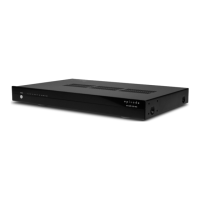
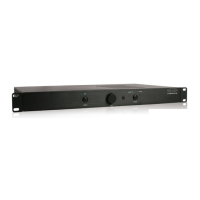
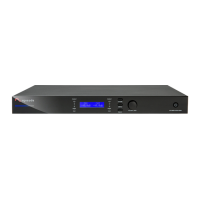
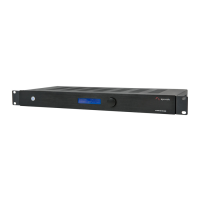
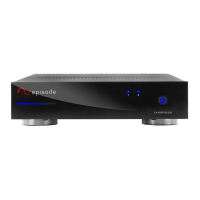
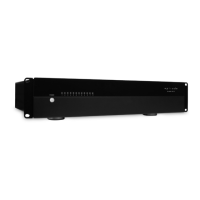
The Episode Multi-Channel, Class D, 70 Watt Amplifier is a sophisticated audio component designed to deliver efficient, clean power across multiple rooms or zones in a custom audio installation. Available in 12-channel (EA-AMP-12D-70) and 8-channel (EA-AMP-8D-70) configurations, these amplifiers are built with durable audiophile design, utilizing the latest digital technology for cool-running performance and high efficiency, surpassing conventional analog designs.
Function Description:
The primary function of the Episode amplifier is to amplify audio signals for distribution to multiple speakers in a multi-room or multi-zone audio system. It acts as a central power hub, taking audio inputs from various sources and delivering amplified sound to designated speaker zones. The Class D design ensures high efficiency and a compact form factor, making it suitable for diverse installation environments. Its multi-channel capability allows for independent control and power delivery to several speaker pairs, catering to complex audio setups.
Usage Features:
The amplifier offers a comprehensive set of features designed for flexibility, control, and ease of integration into custom audio systems:
- Multi-Channel Power Delivery: Provides 70 watts per channel at 4 ohms (50 watts at 8 ohms) when all channels are driven, ensuring robust sound for various speaker types and room sizes.
- Global and Direct Inputs: Each channel pair can be configured to receive audio from either a dedicated "Line In" input or a common "Global Input." This flexibility allows for both localized audio sources (e.g., a TV in one room) and system-wide audio sources (e.g., a main music server). When using global connections, odd-numbered channels receive the left signal, and even-numbered channels receive the right signal, indicated by the color of the Line In jacks (white for odd, red for even). A two-position switch for each channel pair facilitates easy selection between these input modes.
- Individual and Global Level Gain Adjustments: The amplifier features both a "Global Level" control, which adjusts the maximum output for all channels, and individual "Level" adjustments for each channel pair. This allows for precise volume matching across different zones and can be used to set volume limits in specific areas, preventing accidental over-driving of speakers or excessive loudness.
- Bridging Capability: For areas requiring more power, adjacent channels can be bridged to combine their output, providing increased power (140 watts per channel at 8 ohms in bridged mode). A single switch enables this mode, but it's crucial to maintain an 8-ohm minimum load when bridging.
- Speaker Outputs: Features removable speaker wire connectors that accommodate up to 14-gauge stranded speaker wire, simplifying installation and ensuring secure connections.
- Loop Output: A "Loop Out" connection allows the global input signal to be passed through to other amplifiers or audio components, facilitating system expansion.
- Multiple Stages of Protection: Each pair of channels (or zone) is individually protected, with bi-color LEDs on the front panel indicating the operational status. A blue LED signifies normal operation, while a red LED indicates a fault, such as a short circuit in the speaker wiring for that zone. This individual protection ensures that a fault in one zone does not affect the operation of other zones, simplifying troubleshooting and enhancing system reliability.
- Power Mode and 12V Trigger: The amplifier can be powered on/off via a front panel button. Additionally, it features a 12V trigger input (3.5mm jack, tip positive) that allows for remote power control, turning the amplifier on when a 12V signal is applied. For the 12V trigger to function, the front power button must be in standby mode (red LED).
- Rack-Mountable Design: Includes accessory rack "ears" for easy installation into standard equipment racks. The amplifier feet can be removed for a clean rack mount. The chassis and rack ears are designed to support only the amplifier itself, and stacking other components on top is not recommended to prevent damage.
Maintenance Features:
The Episode amplifier is designed for reliability and ease of maintenance, with several considerations for long-term performance:
- Ventilation: Proper ventilation is crucial for the amplifier's longevity. It requires a minimum of 5 inches of free air space above and 3 inches on each side for adequate cooling. It should not be placed on carpeting or similar materials that could block ventilation holes, nor near heat sources or in excessively humid/wet locations.
- Cleaning: The unit should be cleaned only with a dry cloth to prevent damage to electronic components.
- Removable Power Cord: The power cord is removable, facilitating installation and replacement if necessary.
- Fuse Location: The amplifier includes a clearly marked fuse location, allowing for easy inspection and replacement of the fuse if needed (using the specified type and rating).
- Troubleshooting Indicators: The bi-color LEDs on the front panel provide immediate visual feedback on the operational status of each zone, aiding in quick identification of issues such as short circuits.
- Serviceability: In case of damage or malfunction, servicing should be referred to qualified service personnel. The unit is not designed for user-serviceable parts inside, and the cover should not be removed to avoid the risk of electric shock.
- Input Selection Caution: Users are advised to only change input switch positions when the amplifier is turned off to prevent potential damage or unexpected behavior.
- Speaker Polarity Test: The manual provides a simple test to verify correct speaker polarity, which is essential for optimal sound quality and bass response. This helps users ensure their speakers are wired correctly, preventing "warbly" or "distant" sound.
Overall, the Episode Multi-Channel, Class D, 70 Watt Amplifier is a robust and versatile solution for custom audio installations, offering powerful, efficient, and flexible audio distribution with user-friendly controls and protective features.

 Need help?
 General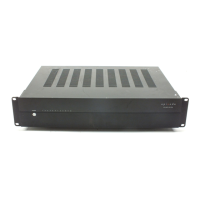


 To Next Page