EasyManua.ls Logo

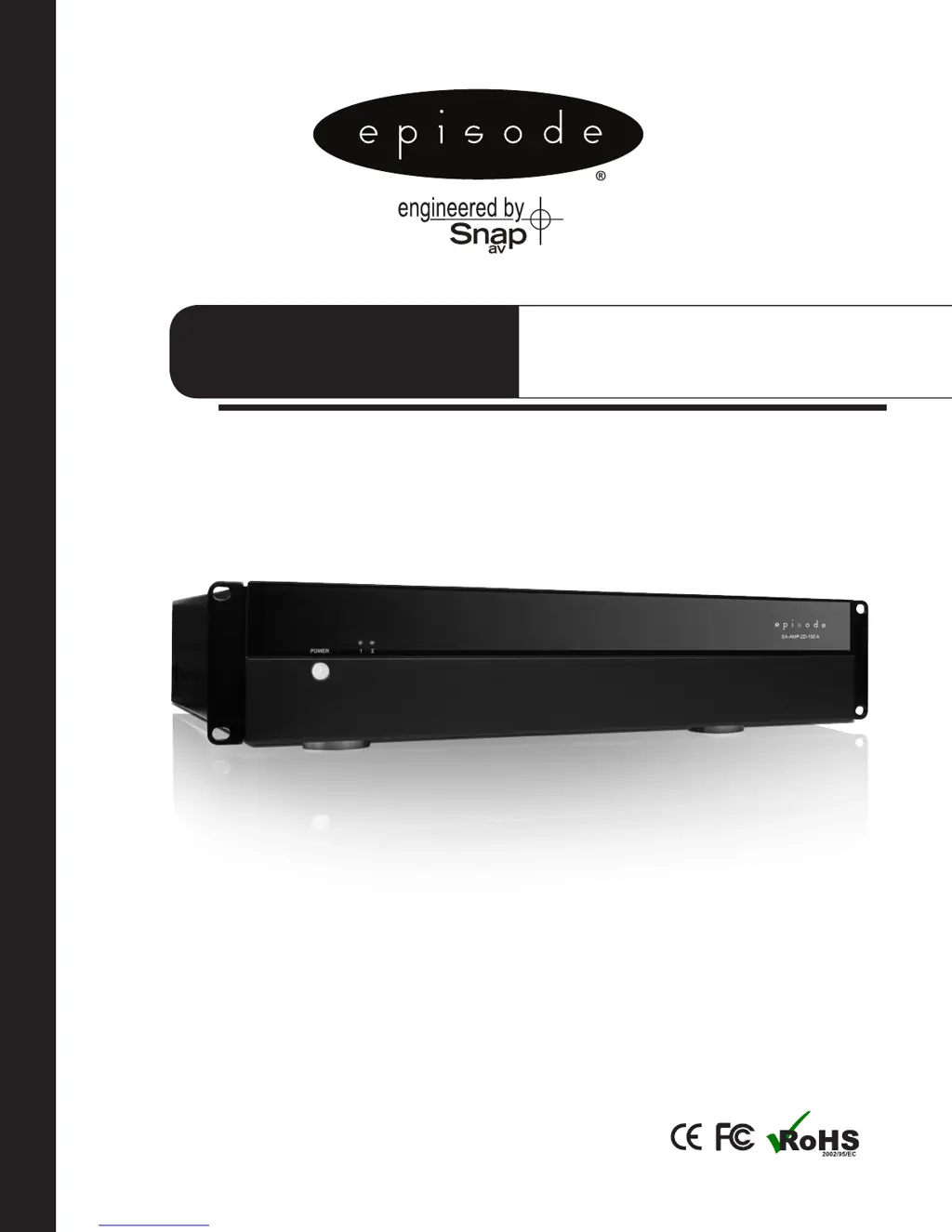
Episode EA-AMP-2D-150A - User Manual

Episode EA-AMP-2D-150A
12 pages
Print Icon
To Next Page IconTo Next Page
Loading...
OWNER’S MANUAL >>
EA-AMP-2D-150A
Two-Channel, Class D,
150 Watt Amplier
2 CHANNEL

Questions and Answers

Summary

Important Safety Instructions

Features

Durable Audiophile Design

Latest digital technology for cool-running, compact, reliable performance.

Multiple Stages of Protection

Individual channel protection with bi-color LED status indication for troubleshooting.

Level Gain Adjustments

Global level control adjusts output for both channels, can limit maximum volume.

Installation-Friendly Connections

Five-way binding posts for speaker wires and removable power cord for easy installation.

Bridging

Combines two channels for extra power to one speaker, requires 8 ohm minimum.

Rack-Mountable

Includes rack ears; feet can be removed for clean rack mounting.

Power Mode

Selectable power modes via rear switch (front button, 12V trigger, or audio sensing).

Rear Panel Features

Loop Out

Allows Line In inputs to be sent to other amplifiers.

Level

Master Gain Control for the amplifier.

Bridged Switch

Easily couple both channels together for increased power, 8 ohm minimum.

Line Input

Individual channel inputs for audio signals.

Speaker Outputs

Connects speakers to the amplifier using binding posts.

Master Power Switch

Disables power to the amplifier.

Power Mode Switch

Sets the amplifier's power mode (On, 12V Trigger, Audio Sense).

12 V Trigger In;Out

Turns amplifier ON/OFF via 12V DC signal, can trigger other devices.

Fuse Location

Location for replacing the fuse.

Power Connector

Connects the amplifier to the AC power source.

Positioning Your Episode Amplifier

Ventilation

Ensures adequate cooling by maintaining free air space around the unit.

Installation - Getting Connected

Guidance on connecting inputs and speaker outputs safely and correctly.

Verifying Phase

Loop Output

Sends audio from Line In to other components or amplifiers.

Installation - Setup and Options

Power Connection

Connects the amplifier to a polarized wall outlet or surge protector.

Bridging Channels

How to combine two channels for increased power to a single speaker.

Operation

Details power switch, LED indicators, and level adjustment functions.

Troubleshooting

No Audio From Any Channel

Checks power, cable connections, and source component issues.

No Audio From One or More Channels

Checks cable, bridging switch, speaker wire, and LED status for channel issues.

No Audio From One Channel or One Zone Only

Troubleshoots specific channel issues, level adjustment, and source connectivity.

Hum or Buzzing Sound

Investigates RCA input cables for potential grounding or connection problems.

Amplifier Will Not Turn On

Verifies power outlet, back panel switch, and 12V trigger presence.

Front Power Button Inoperative

Ensures the Power Mode Switch is set to ON.

Warranty

Summary

Important Safety Instructions

Features

Durable Audiophile Design

Latest digital technology for cool-running, compact, reliable performance.

Multiple Stages of Protection

Individual channel protection with bi-color LED status indication for troubleshooting.

Level Gain Adjustments

Global level control adjusts output for both channels, can limit maximum volume.

Installation-Friendly Connections

Five-way binding posts for speaker wires and removable power cord for easy installation.

Bridging

Combines two channels for extra power to one speaker, requires 8 ohm minimum.

Rack-Mountable

Includes rack ears; feet can be removed for clean rack mounting.

Power Mode

Selectable power modes via rear switch (front button, 12V trigger, or audio sensing).

Rear Panel Features

Loop Out

Allows Line In inputs to be sent to other amplifiers.

Level

Master Gain Control for the amplifier.

Bridged Switch

Easily couple both channels together for increased power, 8 ohm minimum.

Line Input

Individual channel inputs for audio signals.

Speaker Outputs

Connects speakers to the amplifier using binding posts.

Master Power Switch

Disables power to the amplifier.

Power Mode Switch

Sets the amplifier's power mode (On, 12V Trigger, Audio Sense).

12 V Trigger In;Out

Turns amplifier ON/OFF via 12V DC signal, can trigger other devices.

Fuse Location

Location for replacing the fuse.

Power Connector

Connects the amplifier to the AC power source.

Positioning Your Episode Amplifier

Ventilation

Ensures adequate cooling by maintaining free air space around the unit.

Installation - Getting Connected

Guidance on connecting inputs and speaker outputs safely and correctly.

Verifying Phase

Loop Output

Sends audio from Line In to other components or amplifiers.

Installation - Setup and Options

Power Connection

Connects the amplifier to a polarized wall outlet or surge protector.

Bridging Channels

How to combine two channels for increased power to a single speaker.

Operation

Details power switch, LED indicators, and level adjustment functions.

Troubleshooting

No Audio From Any Channel

Checks power, cable connections, and source component issues.

No Audio From One or More Channels

Checks cable, bridging switch, speaker wire, and LED status for channel issues.

No Audio From One Channel or One Zone Only

Troubleshoots specific channel issues, level adjustment, and source connectivity.

Hum or Buzzing Sound

Investigates RCA input cables for potential grounding or connection problems.

Amplifier Will Not Turn On

Verifies power outlet, back panel switch, and 12V trigger presence.

Front Power Button Inoperative

Ensures the Power Mode Switch is set to ON.

Warranty

Episode EA-AMP-2D-150A Specifications

General IconGeneral
RMS Power per channel @ 8 Ohms100W
RMS Power per channel @ 4 Ohms150W
Bridged RMS Power @ 8 Ohms300W
Signal-to-Noise Ratio>100dB
Total Harmonic Distortion<0.1%
Input Impedance20k Ohms
Input Sensitivity1.0V
Gain32dB
Standby Power Consumption<0.5W
Dimensions17" x 2.75" x 14.25" (431.8 x 69.85 x 361.95 mm)
Weight17.6 lbs (8 kg)
Damping Factor>200
THD<0.1%
Type2-Channel Amplifier
Power Output @ 4 Ohms150W
Frequency Response20Hz - 20kHz

Related product manuals